
Screenshots

Overview
Enjoy a free 144-hour (6-day) trial of TeslaMirror for Android on Google Play. When you purchase TeslaMirror for Android on Google Play, you automatically get a 144-hour (6-day) trial period. If you're not satisfied within 144 hours of purchase, request a refund by emailing TeslaMirror@hustmobile.com with your full order email address or your Google Play order number (e.g., Gpa.3366-8888-8888-88888).
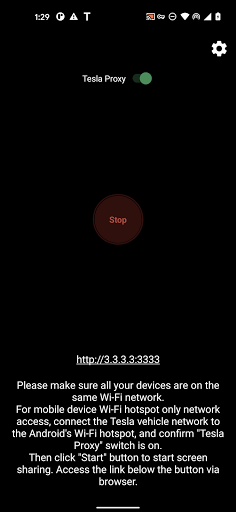
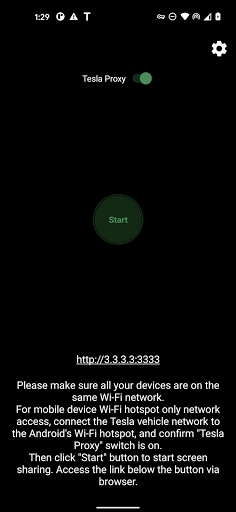
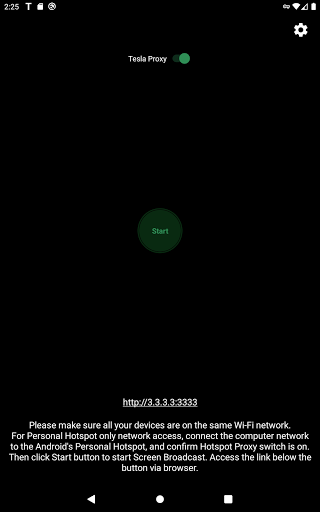
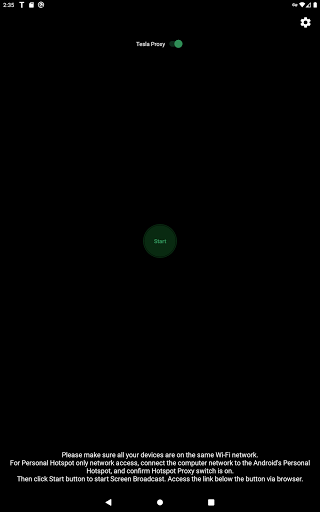
The first app on Google Play to support Tesla app mirroring! TeslaMirror mirrors your Android device to your Tesla vehicle. Setup 1) Update your Tesla's infotainment system to the latest version. 2) Ensure your Tesla is Parked (0 mph / 0 kph). 3) Connect your Tesla to your Android phone's mobile hotspot. Tesla MCU2/3 hardware is required. MCU2/3 is available on Model 3, Model Y, Model X (built after March 2018), Model S (built after March 2018), or vehicles upgraded from MCU1 to MCU2/3.
A 5 GHz hotspot is recommended. Tesla vehicles do not support Wi-Fi 6 access points (APs). 4) Open TeslaMirror and make sure the "Tesla Proxy" switch is ON. 5) Tap "Start" to begin screen broadcasting. 6) In the Tesla browser, access (H.264/H.265 mode) or (Mjpeg mode). Features H.264/H.265 recommendations MCU3(Amd Ryzen): Use H.265 at 720p@60fps (1080p requires higher bandwidth). MCU3 supports up to 1080p@60fps (H.264) and 1080p@30fps (H.265). H.265 playback is supported only on MCU3 or newer hardware. If your Tesla uses MCU3 or better, we recommend H.265 for the best video quality. MCU2(Intel Atom): Use H.264 at 540p@30fps. Lossless audio (Android 10+ with H.264/H.265 mode) Up to Hi-Res quality (96 kHz, stereo, 32-bit), typically much better than Bluetooth or low-bitrate audio. Screen mirroring.
Features
Only (no audio). Use Bluetooth for audio. Remote Control Control your phone with the Tesla touchscreen or a mouse. FAQ Is Netflix supported? Drm-protected content support is up to the 3rd-party app. Warning & Legal Disclaimer Use this service only when the car is Parked (0 mph / 0 kph). The use of the built-in vehicle browser may be restricted by local laws and regulations. Why does TeslaMirror require VpnService (Android)? Tesla browsers block standard private-LAN IP ranges (e.g., 192.168.). TeslaMirror uses a virtual IP and a VPN tunnel to bypass this limi. The interface is organized for quick access to the most frequently used functions, reducing the time needed to complete common tasks.
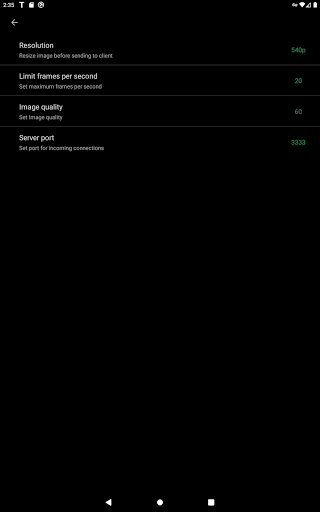
Advanced options are available for users who want to customize their experience and optimize the application for their workflow. Data sync and backup features help users keep their information safe and accessible across multiple devices when needed. The application supports a wide range of file formats and integrates with popular services to extend its usefulness. Performance optimization ensures smooth operation even on older hardware, making it accessible to a broad user base. Comprehensive documentation and in-app guidance help new users get started quickly while power users can explore advanced capabilities. Users can organize content, apply filters, and access key functions through an intuitive layout that minimizes learning curve.
Cross-platform support and cloud integration extend the application's reach across different devices and ecosystems. Built-in tutorials and contextual help ensure that users can discover and master features at their own pace. Advanced options are available for users who want to customize their experience and optimize the application for their workflow. The interface is organized for quick access to the most frequently used functions, reducing the time needed to complete common tasks.
Pros
- User-friendly interface for smooth experience
- Comprehensive feature set for various needs
- Regular updates and maintenance
- Widely used and well-reviewed
- Good value for the functionality offered
Cons
- May have a learning curve for new users
- Some features may require subscription
- Performance may vary by device
- Interface design could be improved
- Support availability may be limited
Top Apps

Alien Food Invasion Premium
Enjoy the alien invasion without ads and without any pay-to-win purchases! br br Improve ...

Big Boss Idle Business Tycoon
BUILD, AUTOMATE, PROFIT - THE ULTIMATE IDLE BUSINESS TYCOON GAME br br Grow from $100 to ...

Christmas Magic
? Christmas Magic Watch Face for Wear OS ? br br Unwrap the joy of the season with our Ch...

Christmas Snow On/Off Watch
Collection https://play.google.com/store/apps/dev?id=5351976448109391253 br Pretty and cut...

Christmas Village
font color="#28c0fa" Perfect watch face for this Christmas season! /font br br b Teleg...

Code Blue CPR Timer
Code Blue CPR Timer was developed and extensively tested to provide crucial information in...

Coexisting Diseases & Surgery
A comprehensive medical disease app that contains the following: br br 1) Gives the descr...

Currency Converter Pro
No Ads. br br Currency Converter providing real time exchange rates for over 180+ currenc...
Similar Apps

Hush: Android Auto Audio Fix
Android Auto is great, but sometimes you want Google Maps while listening to audio from an...

AAWireless for Android Auto™
Using an AAWireless adapter to wirelessly connect your phone to Android Auto™? Use this co...

CarGurus: Used & New Cars
Get great deals, compare listings, find financing options, and sell your car. With access ...

Carvana: Buy/Sell Used Cars
Buy, sell or trade your car 100% online. With the Carvana app, you can shop where you want...

Kelley Blue Book: We Know Cars
We’re excited to announce the new fully loaded, easy-to-navigate mobile app experience. Si...

Lexus
Stay Connected. Stay in Control. With the Lexus App. br br The Lexus app makes it easy to...
Marathon ARCO Rewards
Marathon ARCO Rewards is a customer loyalty program where members earn and redeem rewards ...

MotoJitsu
Want to control your motorcycle in virtually any street environment? Whatever your current...