Screenshots

Overview
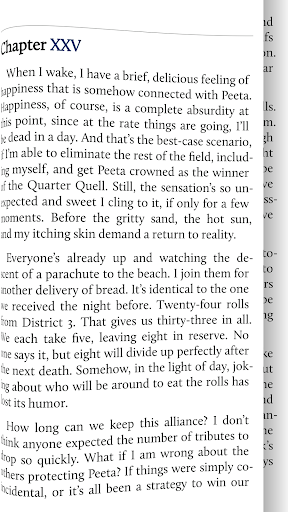
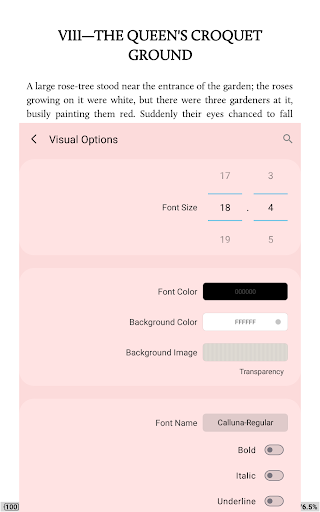
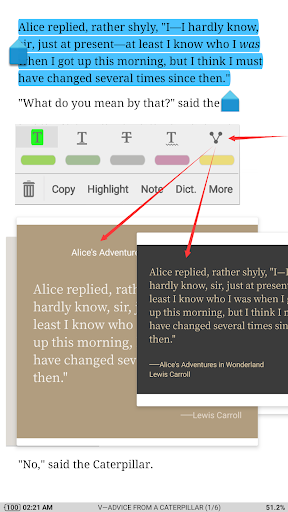
24 customized operations (screen click, swipe gesture, hardware keys), apply to 15 customized. ************** 1,000,000+ downloads, The #1 Paid EBook Reader in Google Play, 30-Day Money Back Guarantee! Read local books with smooth scroll and tons of innovation. Standard functions: Full visual options: line space, font scale, bold, italic, shadow, alpha colors, fading edge etc. 10+ themes embedded, includes Day & Night mode switcher. Various types of paging: touch screen, volume keys or even camera, search or back keys.
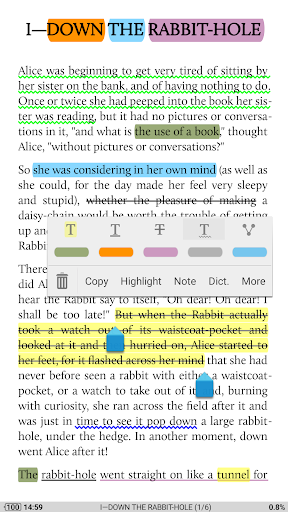
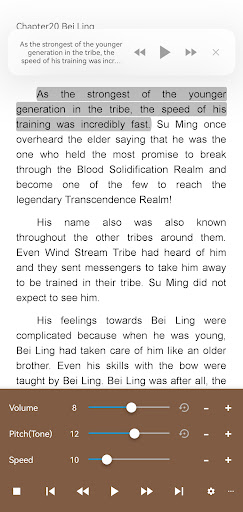
************** All-in-one ebook documents management and better designed book reader with powerful controls & full functions, supports Epub, PDF, Djvu, AZW3, Mobi, FB2, Prc, Chm, Cbz, Cbr, Umd, Docx, Odt, Rtf, Txt, HTML, Mht/Mhtml, MD(MarkDown), Webp, RAR, ZIP or Opds formats. ☀Unleash the Power of Pro: Ad-free, faster & smoother Shake the phone to speak (Text-to-speech, TTS engine support) PDF multiple annotations support, fast & speech compatible More beautiful themes, background images and fonts Headset & Bluetooth keys control Name replacement | Role reversal Multi-point touch support Option for password protection at startup (support fingerprint recognition) Book to home screen shortcut Widget shelf support, group your favorite books, put them to desktop as widget Tilt to turn page with customized actions Customer email support ☀PDF features in Pro version: Fill out PDF Form Highlight, annotation, handwriting Smart scroll lock, smooth reading experience Night mode support, 6 additional pdf themes available Dual-page mode for landscape screen Speech, auto-scroll compatible Read statistics, sync, flip animation available The key features: Support online ebook libraries and personal calibre ebook server.
Features
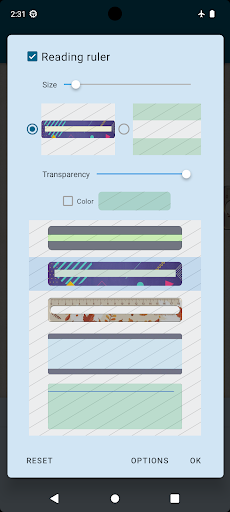
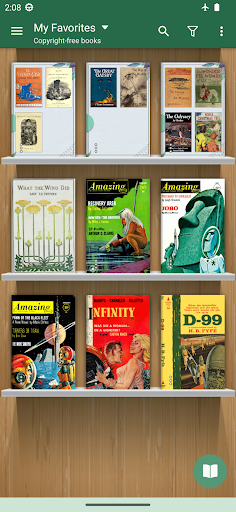
Events: search, bookmark, themes, navigation, font size and more. 5 auto-scroll modes: rolling blind mode; by pixel, by line or by page. Real-time speed control. Adjust the brightness by sliding your finger along the left edge of the screen, gesture commands supported. Intelligent paragraph; indent paragraph; trim unwanted blank spaces and lines options. Keep your eyes health options for long-time reading. Real page turning effect with customized speed/color/transparent; 5 page flip animations. My Bookshel. The interface is organized for quick access to the most frequently used functions, reducing the time needed to complete common tasks.
Advanced options are available for users who want to customize their experience and optimize the application for their workflow. Data sync and backup features help users keep their information safe and accessible across multiple devices when needed. The application supports a wide range of file formats and integrates with popular services to extend its usefulness. Performance optimization ensures smooth operation even on older hardware, making it accessible to a broad user base. Comprehensive documentation and in-app guidance help new users get started quickly while power users can explore advanced capabilities. Users can organize content, apply filters, and access key functions through an intuitive layout that minimizes learning curve.
Cross-platform support and cloud integration extend the application's reach across different devices and ecosystems. Built-in tutorials and contextual help ensure that users can discover and master features at their own pace. Advanced options are available for users who want to customize their experience and optimize the application for their workflow. The interface is organized for quick access to the most frequently used functions, reducing the time needed to complete common tasks. Advanced options are available for users who want to customize their experience and optimize the application for their workflow.
Pros
- User-friendly interface for smooth experience
- Comprehensive feature set for various needs
- Regular updates and maintenance
- Widely used and well-reviewed
- Good value for the functionality offered
Cons
- May have a learning curve for new users
- Some features may require subscription
- Performance may vary by device
- Interface design could be improved
- Support availability may be limited
Top Apps

Alien Food Invasion Premium
Enjoy the alien invasion without ads and without any pay-to-win purchases! br br Improve ...

Big Boss Idle Business Tycoon
BUILD, AUTOMATE, PROFIT - THE ULTIMATE IDLE BUSINESS TYCOON GAME br br Grow from $100 to ...

Christmas Magic
? Christmas Magic Watch Face for Wear OS ? br br Unwrap the joy of the season with our Ch...

Christmas Snow On/Off Watch
Collection https://play.google.com/store/apps/dev?id=5351976448109391253 br Pretty and cut...

Christmas Village
font color="#28c0fa" Perfect watch face for this Christmas season! /font br br b Teleg...

Code Blue CPR Timer
Code Blue CPR Timer was developed and extensively tested to provide crucial information in...

Coexisting Diseases & Surgery
A comprehensive medical disease app that contains the following: br br 1) Gives the descr...

Currency Converter Pro
No Ads. br br Currency Converter providing real time exchange rates for over 180+ currenc...
Similar Apps

Daily Bible - Verse+Audio
Want to dive deeper into God's Word? Daily Bible is your all-in-one Bible app to help ...

Flora of Virginia
The FLORA OF VIRGINIA APP, developed by The FLORA OF VIRGINIA PROJECT (www.floraofvirginia...

Precept Bible
More knowledge aids better preparation. You can never be too prepared for the certain even...

Universalis
TO TRY BEFORE YOU BUY: get the "Catholic Calendar: Universalis" app for a free 3...

Fox in Socks - Dr. Seuss
Join Fox In Socks in this interactive book app as he plays a tongue-twisting game with Mr....

Hanping Cantonese Dictionary
Exclusively on Android, so make your friends jealous! br br Note: This app is a b prop...

Knot IQ - The Bear Essentials
**This is the EARLY SUPPORTERS LAUNCH!** br You get a LIFETIME ACCESS Pass (which helps su...

Knots 3D
Used by arborists, fishermen, firefighters, climbers, military and boy and girl scouts the...