
Screenshots
Overview
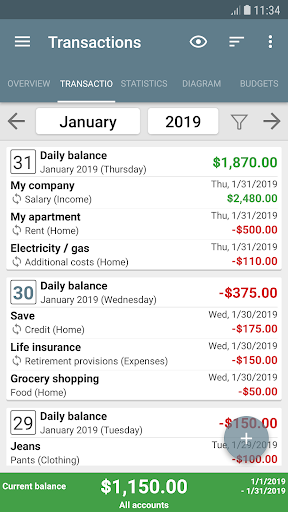
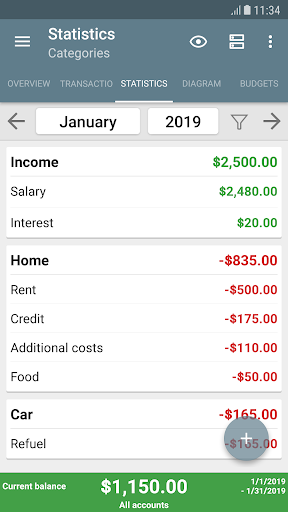
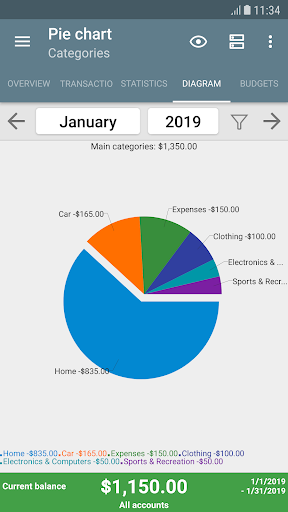
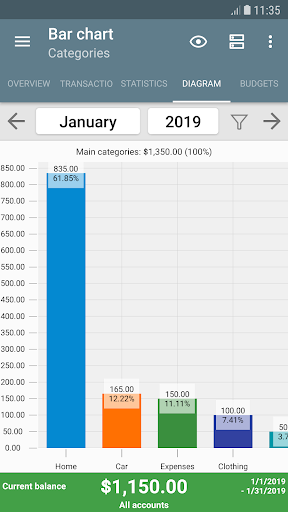
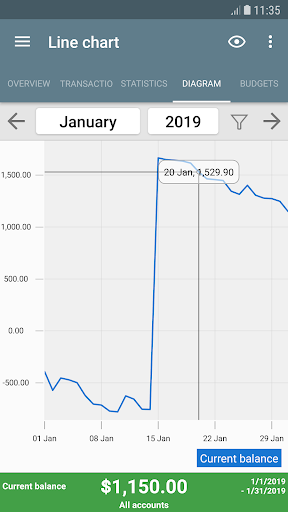
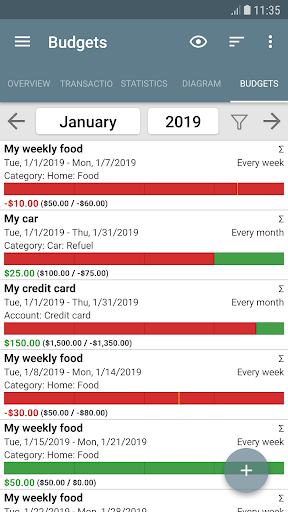
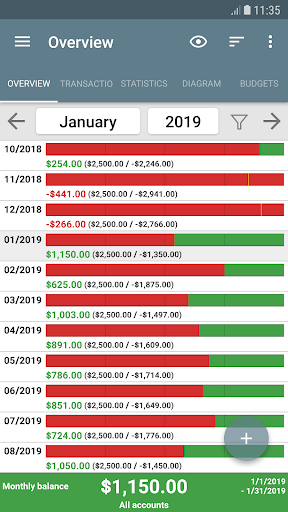
My Budget Book helps you manage your money more effectively through easy recording of your income and expenses. Using the individual or recurring transaction features, you're able to track and forecast your balances. You can also visualize your records with dynamic charts and graphs. Budget mode allows you to set limits or goals, over custom periods of time. Buying too much clothing? Set a monthly cap.
Spending too much on coffee-to-go? Set a weekly limit. Saving for a dream vacation? Set a savings target for every two weeks. Define limits for credit card accounts or other payment types. You can even toggle "rollover" for your budgets - account for every bit owed or saved! Highlights: Offline: no Internet permission, to protect your privacy. (But you can easily share backups to the cloud.) No advertising or hidden in-app costs (only voluntary donations).
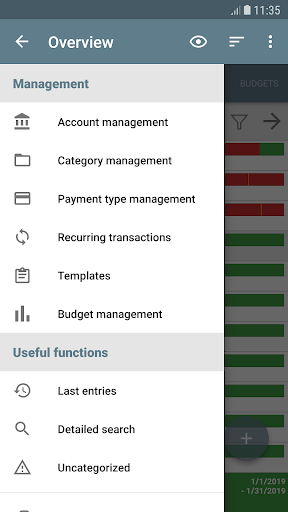
Personalize your Material Design layout including configurable dark mode. Comprehensive views, with convenient tabs and a wide variety of sorting options. Easily visualize your data as tables or graphs, understanding your income and expenses in a new way. Manage multiple accounts and make transfers between them. Customize your categories and subcategories to accurately reflect your unique situation. Enable sorting that distinguishes specific categories, payment types, people, or groups. Add photos or receipts to your transactions, to remember transaction details or reduce paper clutter. Use reminders to help you make pending payments on time. Set the beginning of the month based on your regular salary (e.g. the 1st or the 15th). Reconcile your expenses with your bank statement. Create your own templates to make transaction entry even.
Features
Protect your sensitive data with a password or fingerprint (optional). Import existing data or bank statements using the CSV import (other formats may be made available on request). Export your data as an HTML, Excel, or CSV file, so you may view or print them with your computer. Automatic local backups so you never lose your data. (Create your own any time as well.) 4 widgets bring convenience to your home screen. An integrated and comprehensive manual helps you make the most of the features - if you can't find it there, support is only an e-mail away. Again, for security reasons, there is no Internet permission.
The interface is organized for quick access to the most frequently used functions, reducing the time needed to complete common tasks. Advanced options are available for users who want to customize their experience and optimize the application for their workflow. Data sync and backup features help users keep their information safe and accessible across multiple devices when needed. The application supports a wide range of file formats and integrates with popular services to extend its usefulness. Performance optimization ensures smooth operation even on older hardware, making it accessible to a broad user base. Comprehensive documentation and in-app guidance help new users get started quickly while power users can explore advanced capabilities.
Users can organize content, apply filters, and access key functions through an intuitive layout that minimizes learning curve. Cross-platform support and cloud integration extend the application's reach across different devices and ecosystems. Built-in tutorials and contextual help ensure that users can discover and master features at their own pace. The interface is organized for quick access to the most frequently used functions, reducing the time needed to complete common tasks. The interface is organized for quick access to the most frequently used functions, reducing the time needed to complete common tasks.
Pros
- User-friendly interface for smooth experience
- Comprehensive feature set for various needs
- Regular updates and maintenance
- Widely used and well-reviewed
- Good value for the functionality offered
Cons
- May have a learning curve for new users
- Some features may require subscription
- Performance may vary by device
- Interface design could be improved
- Support availability may be limited
Top Apps

Alien Food Invasion Premium
Enjoy the alien invasion without ads and without any pay-to-win purchases! br br Improve ...

Big Boss Idle Business Tycoon
BUILD, AUTOMATE, PROFIT - THE ULTIMATE IDLE BUSINESS TYCOON GAME br br Grow from $100 to ...

Christmas Magic
? Christmas Magic Watch Face for Wear OS ? br br Unwrap the joy of the season with our Ch...

Christmas Snow On/Off Watch
Collection https://play.google.com/store/apps/dev?id=5351976448109391253 br Pretty and cut...

Christmas Village
font color="#28c0fa" Perfect watch face for this Christmas season! /font br br b Teleg...

Code Blue CPR Timer
Code Blue CPR Timer was developed and extensively tested to provide crucial information in...

Coexisting Diseases & Surgery
A comprehensive medical disease app that contains the following: br br 1) Gives the descr...

Currency Converter Pro
No Ads. br br Currency Converter providing real time exchange rates for over 180+ currenc...
Similar Apps
BA Financial Calculator PRO
This app is a full-featured emulator of the TI BAII Plus financial calculator, developed s...

Centi PRO - Currency Converter
***************** AD FREE VERSION ***************** br br Centi is a simple and fast curr...

BOSS Money Transfer. Send Cash
Rated #1 Money Transfer App in the USA in Customer Satisfaction.? br BOSS Money: Send Mone...

Brigit: Cash Advance & Credit
Get Instant Cash advances*, build credit**, save money, & monitor your spending – all ...

Budget Calendar
Budget Calendar is a budget and payment planning application. br br All transactions are...

Citi Mobile®
Simpler br All Mobile Account*: Open a checking or savings account right from the app with...

Discover Mobile
IMPORTANT UPDATE: Android 11 and up is required. Update your OS to keep using this app. br...

Kikoff - Build Credit Quickly
If you’re ready to build your credit, Kikoff is the fastest, smartest, and easiest way to ...