
Screenshots
Overview
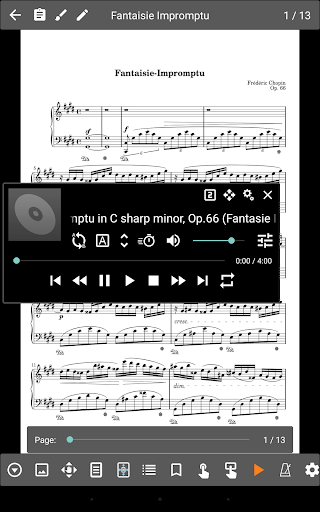
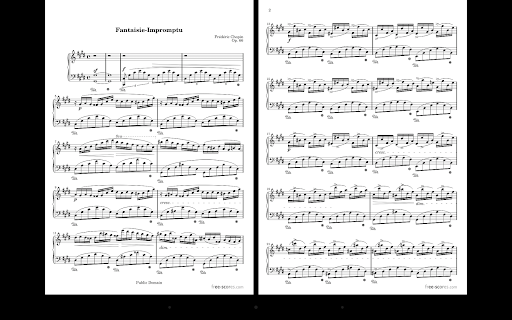
MobileSheets is the ultimate sheet music viewer for Android tablets. It frees you from having to lug around books and binders, and gives you the ability to access any score in your library in seconds. It also comes with a number of powerful features for musicians including: Multiple modes of operation including two pages side-by-side, half page turns, and vertically scrolling pages. Hands-free page turns using any bluetooth or usb devices (including two and four pedal models), through the automatic scrolling feature, or through face gestures such as an open mouth or smile.
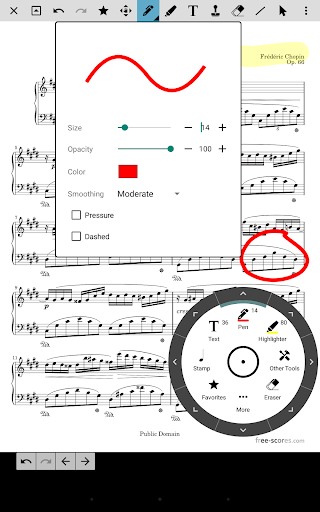
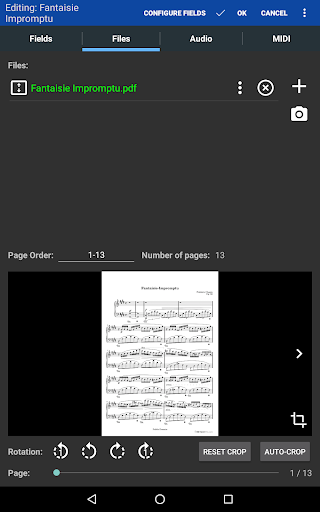
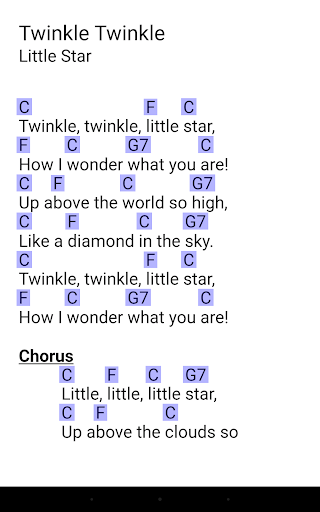
Annotations for marking up music including support for freeform drawing, basic shapes, text and stamps A custom audio player for playing audio tracks with your scores. Audio player supports a-b looping and multiple sizes. Custom page ordering, making it easy to cut out unnecessary pages, repeat pages or change the sequence of pages without affecting the original document. A metronome with multiple display modes and sound effects Bookmarks for quick and easy access to sections in scores Link points for handling repeats and quickly jumping between pages Smart buttons that can be placed on a score to activate configurable actions when pressed Support for multiple file types including images, PDFs, text files and chord pro files.
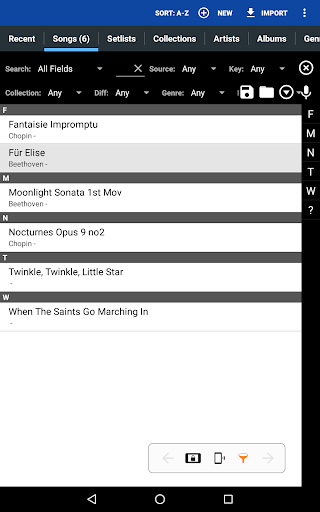
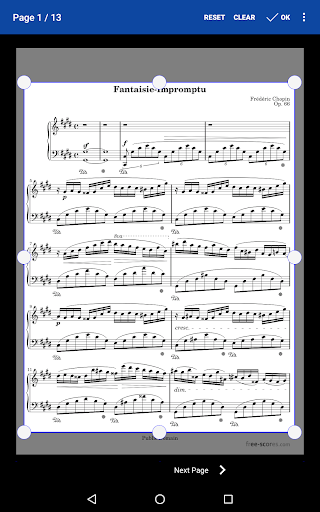
Support for importing CSV index files to break up large PDF songbooks Support for communicating with MIDI devices over USB to load songs or trigger actions. The ability to transpose chords in text and chord pro files. Manual and automatic cropping to completely eliminate unnecessary margins Support for setlists and collections to efficiently group songs for.
Features
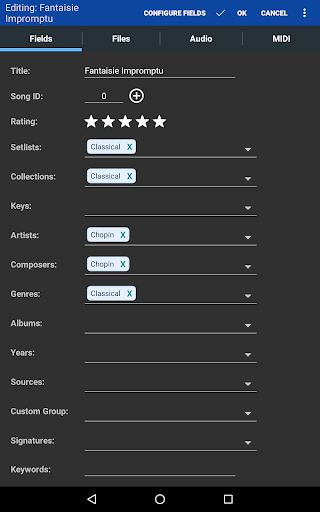
Powerful library management features with a huge list of supported metadata fields, giving you complete control over the data in your library A free companion application for the PC that makes it a breeze to create and edit songs MobileSheets acts as a file manager for your sheet music files (PDFs, images or text/chord pro files) and links directly to them on the device. It provides a way to organize and quickly access any of those files. MobileSheets can be configured to use existing files and folders on the device storage, allowing those files to be organized as desired by the user without them having to be copied or moved.
The interface is organized for quick access to the most frequently used functions, reducing the time needed to complete common tasks. Advanced options are available for users who want to customize their experience and optimize the application for their workflow. Data sync and backup features help users keep their information safe and accessible across multiple devices when needed. The application supports a wide range of file formats and integrates with popular services to extend its usefulness. Performance optimization ensures smooth operation even on older hardware, making it accessible to a broad user base. Comprehensive documentation and in-app guidance help new users get started quickly while power users can explore advanced capabilities.
Users can organize content, apply filters, and access key functions through an intuitive layout that minimizes learning curve. Cross-platform support and cloud integration extend the application's reach across different devices and ecosystems. Built-in tutorials and contextual help ensure that users can discover and master features at their own pace. The interface is organized for quick access to the most frequently used functions, reducing the time needed to complete common tasks. The interface is organized for quick access to the most frequently used functions, reducing the time needed to complete common tasks.
Pros
- User-friendly interface for smooth experience
- Comprehensive feature set for various needs
- Regular updates and maintenance
- Widely used and well-reviewed
- Good value for the functionality offered
Cons
- May have a learning curve for new users
- Some features may require subscription
- Performance may vary by device
- Interface design could be improved
- Support availability may be limited
Top Apps

Alien Food Invasion Premium
Enjoy the alien invasion without ads and without any pay-to-win purchases! br br Improve ...

Big Boss Idle Business Tycoon
BUILD, AUTOMATE, PROFIT - THE ULTIMATE IDLE BUSINESS TYCOON GAME br br Grow from $100 to ...

Christmas Magic
? Christmas Magic Watch Face for Wear OS ? br br Unwrap the joy of the season with our Ch...

Christmas Snow On/Off Watch
Collection https://play.google.com/store/apps/dev?id=5351976448109391253 br Pretty and cut...

Christmas Village
font color="#28c0fa" Perfect watch face for this Christmas season! /font br br b Teleg...

Code Blue CPR Timer
Code Blue CPR Timer was developed and extensively tested to provide crucial information in...

Coexisting Diseases & Surgery
A comprehensive medical disease app that contains the following: br br 1) Gives the descr...

Currency Converter Pro
No Ads. br br Currency Converter providing real time exchange rates for over 180+ currenc...
Similar Apps

Global Player Radio & Podcasts
Welcome to Global Player, the award-winning home of UK radio stations, including Smooth, G...

LibriVox Audio Books Supporter
LibriVox Audio Books Supporter offers unlimited access to over 24,000 free audio books - w...

Suno - AI Music & Songs
Amplify your imagination. Powered by the world’s most advanced AI music model, Suno transf...

Voice Recorder
Voice recorder br Best recorder for sound recording with high quality br Voice recorder a...

AI Song Maker: Soniva Music
Discover the future of music with AI Song Maker - Soniva. Whether you're a beginner or...

Bloom: 10 Worlds
Brian Eno and Peter Chilvers are pleased to announce Bloom: 10 Worlds – a developed, augme...

G-Stomper Studio
G-Stomper Studio is a Music Production Tool, highly optimized for doing Electronic Live Pe...

Geta Alarm Music Player
Geta Music is the ultimate Android app that transforms your wake-up routine with music tai...