
Screenshots

Overview
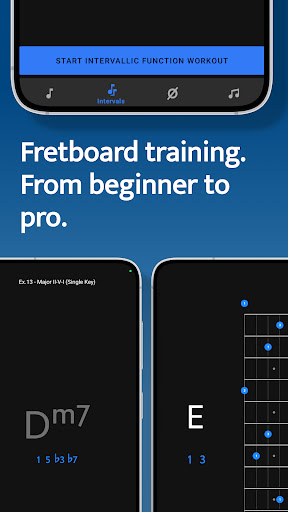
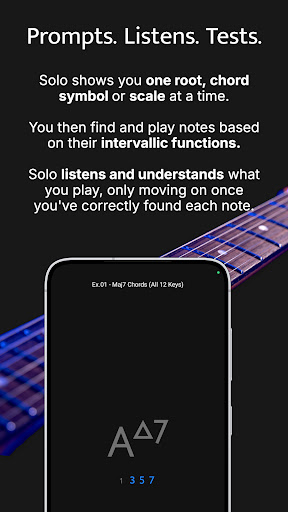
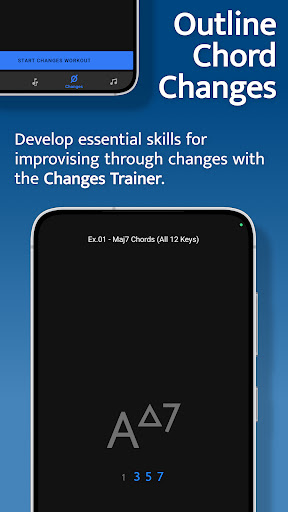
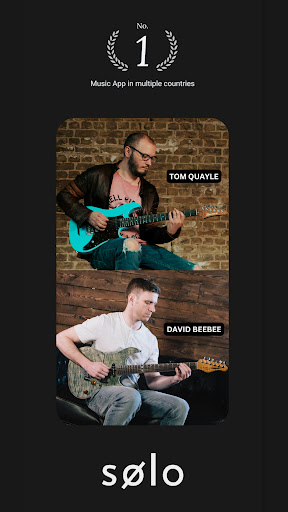
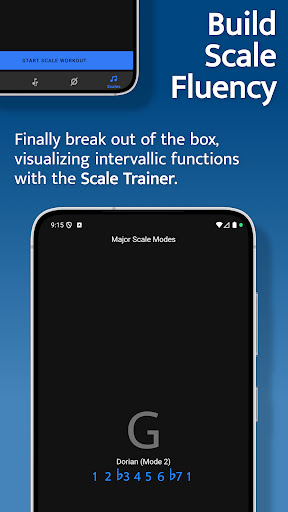
Solo is the ultimate practice App for mastering fretboard visualization, designed by world renowned guitarists Tom Quayle and David Beebee. Four powerful fretboard trainers allow you to work intuitively on each aspect of the visualization process; learning note names, memorising interval shapes, outlining chord changes, and practicing scales. Solo asks you to find intervallic functions against one root note, chord symbol or scale at a time, listens to the notes you play, and doesn't move on until you've correctly found each note by its intervallic function in the specified order.
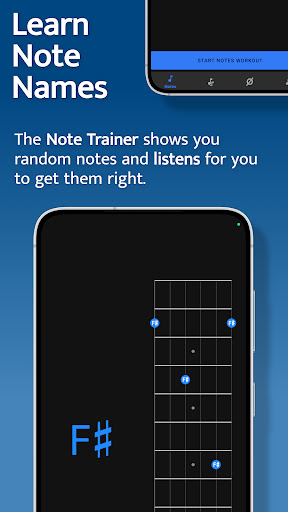
Practice with Solo and finally learn your note names, master interval shapes, confidently play through chord changes and break out of scale boxes with intervallic functions. Start transforming your playing and confidence on the fretboard today! Note Trainer The Note Trainer is perfect for beginner and intermediate players getting to grips with note names on the neck - the foundation of solid fretboard knowledge. ‣ Solo shows you random root notes to find and listens, waiting for you to get it correct.
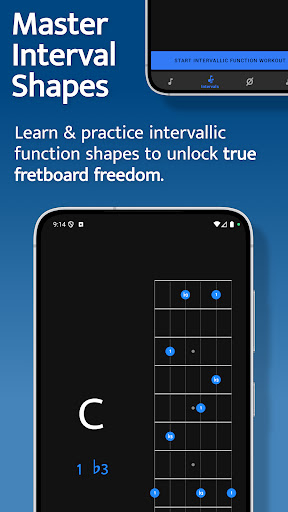
‣ Slide on the interactive fretboards for helpful diagrams and to study alternative options. Choose from 6 string guitar (standard and 4ths tuning), 7 string guitar, 4 string bass & 5 string bass. ‣ Optional practice suggestions offer challenging ways to limit and test yourself. ‣ Duration based workouts allow you to craft the perfect practice session. Interval Trainer The Interval Trainer will help players at all levels work on interval shapes with intervallic functions - the key to unlocking true freedom on the fretboard. ‣ Choose any combination of intervallic functions to practice. ‣ Create custom interval groups or choose the intervals for Any chord type or.
Features
‣ The Interval Trainer will randomise your chosen intervals and ask you to find them against either a fixed or random root note. ‣ Slide on the interactive fretboards for helpful diagrams, showing you where all of the interval shapes are across the neck, and to study alternative options. Choose from 6 string guitar (standard and 4ths tuning), 7 string guitar, 4 string bass & 5 string bass. ‣ Duration based workouts allow you to craft the perfect practice session. Changes Trainer In the Changes Trainer you find intervallic functions, using single notes to outline different chord types or sets of chord changes, a ke.
The interface is organized for quick access to the most frequently used functions, reducing the time needed to complete common tasks. Advanced options are available for users who want to customize their experience and optimize the application for their workflow. Data sync and backup features help users keep their information safe and accessible across multiple devices when needed. The application supports a wide range of file formats and integrates with popular services to extend its usefulness. Performance optimization ensures smooth operation even on older hardware, making it accessible to a broad user base. Comprehensive documentation and in-app guidance help new users get started quickly while power users can explore advanced capabilities.
Users can organize content, apply filters, and access key functions through an intuitive layout that minimizes learning curve. Cross-platform support and cloud integration extend the application's reach across different devices and ecosystems. Built-in tutorials and contextual help ensure that users can discover and master features at their own pace. The interface is organized for quick access to the most frequently used functions, reducing the time needed to complete common tasks. The interface is organized for quick access to the most frequently used functions, reducing the time needed to complete common tasks.
Pros
- User-friendly interface for smooth experience
- Comprehensive feature set for various needs
- Regular updates and maintenance
- Widely used and well-reviewed
- Good value for the functionality offered
Cons
- May have a learning curve for new users
- Some features may require subscription
- Performance may vary by device
- Interface design could be improved
- Support availability may be limited
Top Apps

Alien Food Invasion Premium
Enjoy the alien invasion without ads and without any pay-to-win purchases! br br Improve ...

Big Boss Idle Business Tycoon
BUILD, AUTOMATE, PROFIT - THE ULTIMATE IDLE BUSINESS TYCOON GAME br br Grow from $100 to ...

Christmas Magic
? Christmas Magic Watch Face for Wear OS ? br br Unwrap the joy of the season with our Ch...

Christmas Snow On/Off Watch
Collection https://play.google.com/store/apps/dev?id=5351976448109391253 br Pretty and cut...

Christmas Village
font color="#28c0fa" Perfect watch face for this Christmas season! /font br br b Teleg...

Code Blue CPR Timer
Code Blue CPR Timer was developed and extensively tested to provide crucial information in...

Coexisting Diseases & Surgery
A comprehensive medical disease app that contains the following: br br 1) Gives the descr...

Currency Converter Pro
No Ads. br br Currency Converter providing real time exchange rates for over 180+ currenc...
Similar Apps
Global Player Radio & Podcasts
Welcome to Global Player, the award-winning home of UK radio stations, including Smooth, G...

LibriVox Audio Books Supporter
LibriVox Audio Books Supporter offers unlimited access to over 24,000 free audio books - w...

Suno - AI Music & Songs
Amplify your imagination. Powered by the world’s most advanced AI music model, Suno transf...

Voice Recorder
Voice recorder br Best recorder for sound recording with high quality br Voice recorder a...

AI Song Maker: Soniva Music
Discover the future of music with AI Song Maker - Soniva. Whether you're a beginner or...

Bloom: 10 Worlds
Brian Eno and Peter Chilvers are pleased to announce Bloom: 10 Worlds – a developed, augme...

G-Stomper Studio
G-Stomper Studio is a Music Production Tool, highly optimized for doing Electronic Live Pe...

Geta Alarm Music Player
Geta Music is the ultimate Android app that transforms your wake-up routine with music tai...