Screenshots

Overview
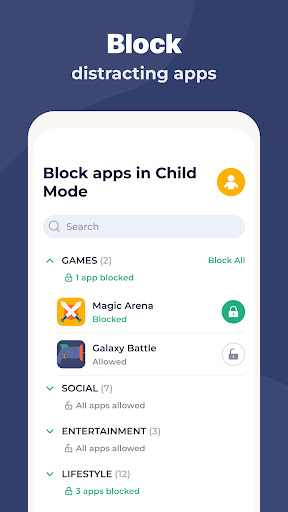
Kidslox Parental Control App Kidslox parental control and screen time tracker is a secure parental control app that makes it easy for parents to control screen time, track their child's location, block apps, and monitor app usage. Control screen time with Kidslox Parental Control App for all families. Monitor screen time on your child's device. Address digital wellbeing, monitor app & web activities & lock apps with ease.
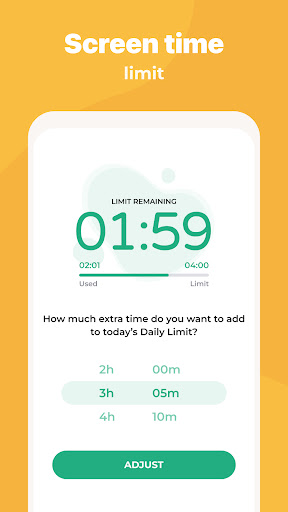
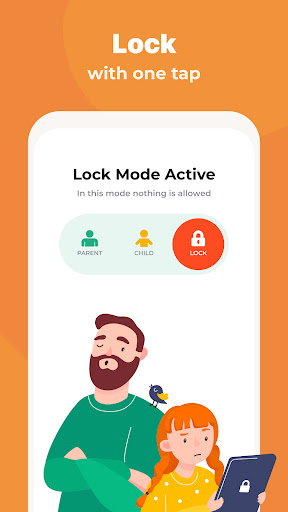
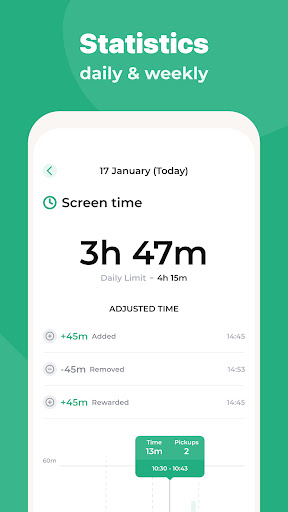
Kidslox Parental control app features: Our Parental Control app includes a range of tools for monitoring and regulating screen time to help parents manage their kids and teens phone use in line with their desired parenting style: Instant lock - block your kids apps both on Android & iPhone remotely Screen time schedules - set fixed times when your child can use their smartphone, e.g. set a bedtime curfew when the phones switch off Daily time limits Screen lock & block apps after time limit for a day is reached.
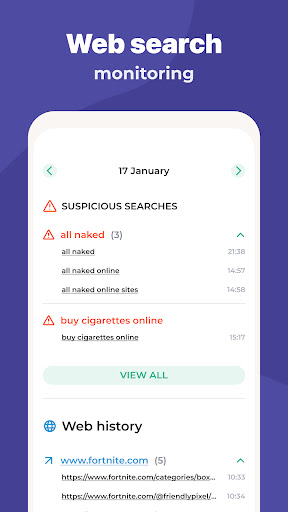
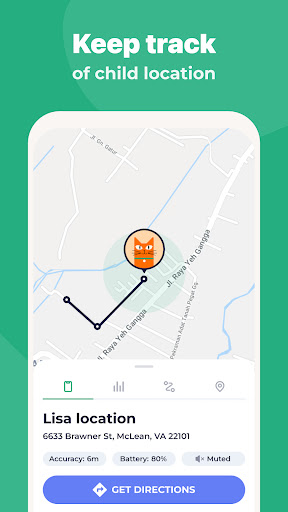
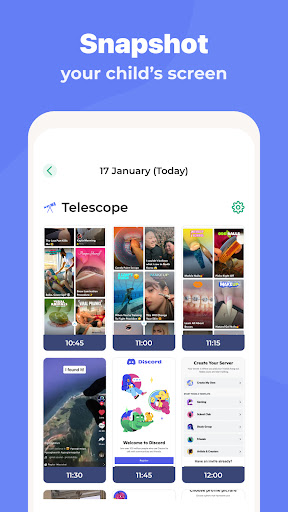
Screen time rewards - give your children extra screen time for completing chores, homework or other tasks Monitor activities Parental tracking (parental guidance) has never been so easy - see app usage, check web surfing & sites visited, screen time and more. Custom modes - block apps of choice at different times to encourage appropriate behaviour, e.g. allow educational apps during homework but games only during free time Location tracking with Parental monitor Know your child location via GPS tracking Get notifications when your child enters or leaves geo-fenced zones you set See location history and find your kids Easy parental lock & content blocking Filter pornography and other adult.
Features
Content Block in-app purchases Lock safe search on for Google search and other search engines Full internet blocker Family Parental Controls On All Platforms Download app for parental control to protect and manage screen time on all your devices Mobile versions for Android devices and iPhones and iPads Desktop versions for Windows and Mac Online, browser based access to controls - turn off junior's phone from your laptop Our parental monitoring app offers several approaches in one simple to use app: For in-the-moment control, use the instant lock. The interface is organized for quick access to the most frequently used functions, reducing the time needed to complete common tasks.
Advanced options are available for users who want to customize their experience and optimize the application for their workflow. Data sync and backup features help users keep their information safe and accessible across multiple devices when needed. The application supports a wide range of file formats and integrates with popular services to extend its usefulness. Performance optimization ensures smooth operation even on older hardware, making it accessible to a broad user base. Comprehensive documentation and in-app guidance help new users get started quickly while power users can explore advanced capabilities. Users can organize content, apply filters, and access key functions through an intuitive layout that minimizes learning curve.
Cross-platform support and cloud integration extend the application's reach across different devices and ecosystems. Built-in tutorials and contextual help ensure that users can discover and master features at their own pace. Advanced options are available for users who want to customize their experience and optimize the application for their workflow. The interface is organized for quick access to the most frequently used functions, reducing the time needed to complete common tasks. Advanced options are available for users who want to customize their experience and optimize the application for their workflow.
Pros
- User-friendly interface for smooth experience
- Comprehensive feature set for various needs
- Regular updates and maintenance
- Widely used and well-reviewed
- Good value for the functionality offered
Cons
- May have a learning curve for new users
- Some features may require subscription
- Performance may vary by device
- Interface design could be improved
- Support availability may be limited
Top Apps

Alien Food Invasion Premium
Enjoy the alien invasion without ads and without any pay-to-win purchases! br br Improve ...

Big Boss Idle Business Tycoon
BUILD, AUTOMATE, PROFIT - THE ULTIMATE IDLE BUSINESS TYCOON GAME br br Grow from $100 to ...

Christmas Magic
? Christmas Magic Watch Face for Wear OS ? br br Unwrap the joy of the season with our Ch...

Christmas Snow On/Off Watch
Collection https://play.google.com/store/apps/dev?id=5351976448109391253 br Pretty and cut...

Christmas Village
font color="#28c0fa" Perfect watch face for this Christmas season! /font br br b Teleg...

Code Blue CPR Timer
Code Blue CPR Timer was developed and extensively tested to provide crucial information in...

Coexisting Diseases & Surgery
A comprehensive medical disease app that contains the following: br br 1) Gives the descr...

Currency Converter Pro
No Ads. br br Currency Converter providing real time exchange rates for over 180+ currenc...
Similar Apps

Baby Tracker - Newborn Log
Designed by busy parents, for busy parents, Baby Tracker offers a simple, streamlined way ...

Contraction Timer & Counter 9m
*** Most downloaded Contraction Timer app in the world! Number 1 in the USA, UK, Australia...

Preggers: Pregnancy & Baby App
Embark on the journey of parenthood with Preggers, the must-have app trusted by over a mil...

Pregnancy App & Baby Tracker
BabyCenter is the go-to pregnancy tracker, parenting resource and family planning app for ...

Pregnancy Tracker & Baby App
Join the #1 Pregnancy & Baby Tracker App for expert guidance every week of your journe...

FamilyAlbum - Photo Sharing
The best way to safely share and organize your family’s photos and videos. Unlimited stora...

Huckleberry: Smart Baby Care
Huckleberry is your all-in-one parenting partner, proudly trusted by 5+ million families w...

Lil Planner: Visual Schedule
The easiest way to create visual schedules for your kids. More fun, less fussing! br br •...