Screenshots
Overview
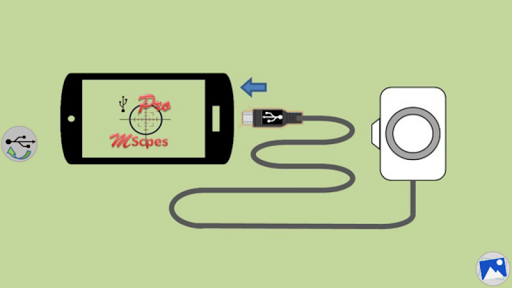
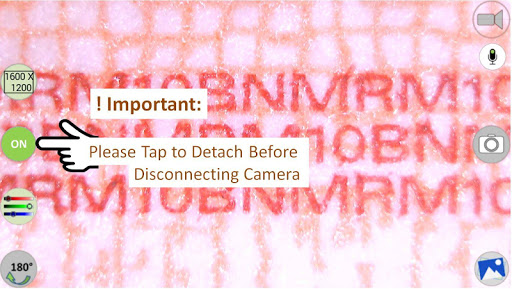
For cameras with type-A connector, an Otg (on-the-go) adapter is required to connect with micro USB in smartphones. Need Not root device. * Important Note * 1. This app may not work on some Android phones or tablets which do not provide full USB video class (Uvc) supports 2. This app will not work on Android 5.1.1., it blocks access of USB camera to phone/tablet.
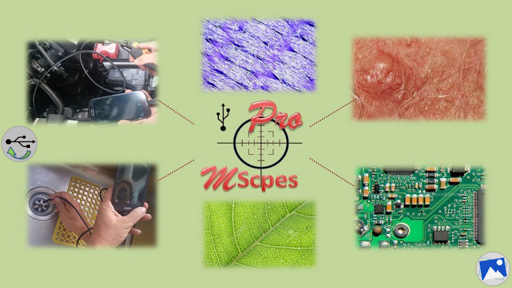
* End of Important Note * MScopes or MScopesPro enables the users to view, take pictures and record video for USB video class camera based digital microscopes, endoscopes (non medical), borescopes, digital camcorders or webcams connected to smartphone or tablets via USB. Microscopy or endoscopy "on-the-go" becomes a reality, such portability or mobility greatly increase handiness, convenience and flexibility in observing microscopic objects or hard to reach internal parts of a crack, pipes, cavity, etc.
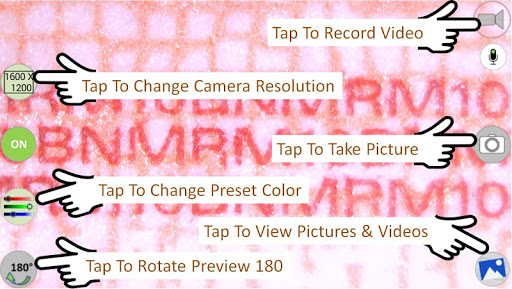
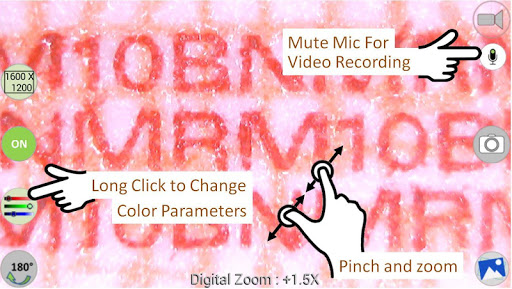
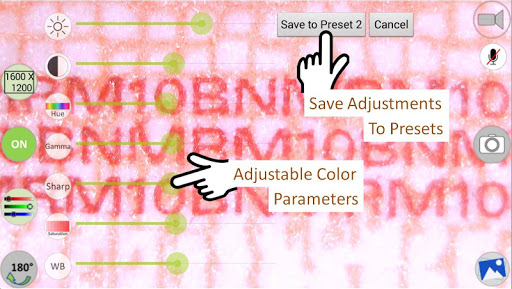
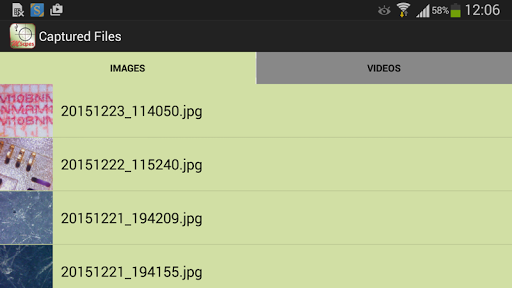
This Pro version has added features as follows: Full screen mode, without buttons, preview 100% Zoom and pan with 1 or 2 fingers on preview Support jpeg or png image types Option to add date&time stamp on preview and image captured Option to add 3 lines of notes Option to have cross-hair on preview Watermark free Pinch and zoom on preview Camera resolution selections Support multiple preview sizes such as: 640x480, 800x600, 1280x720, 1600x1200 Adjustable color parameters such as brightness, contrast, hue, gamma, sharpness, saturation and white balance Save adjusted color parameters to 3 presets Option to turn microphone on or off for video recording Button to share images & videos Button to edit images Button to delete images and videos View images.
Features
This software is based in part on the work of the Independent Jpeg Group. It also uses libusb and libuvc libraries c. It also uses libraries with copyright (c) saki t_saki@serenegiant.com. The interface is organized for quick access to the most frequently used functions, reducing the time needed to complete common tasks. Advanced options are available for users who want to customize their experience and optimize the application for their workflow. Data sync and backup features help users keep their information safe and accessible across multiple devices when needed. The application supports a wide range of file formats and integrates with popular services to extend its usefulness.
Performance optimization ensures smooth operation even on older hardware, making it accessible to a broad user base. Comprehensive documentation and in-app guidance help new users get started quickly while power users can explore advanced capabilities. Users can organize content, apply filters, and access key functions through an intuitive layout that minimizes learning curve. Cross-platform support and cloud integration extend the application's reach across different devices and ecosystems. Built-in tutorials and contextual help ensure that users can discover and master features at their own pace. Performance optimization ensures smooth operation even on older hardware, making it accessible to a broad user base.
The interface is organized for quick access to the most frequently used functions, reducing the time needed to complete common tasks. Advanced options are available for users who want to customize their experience and optimize the application for their workflow. Data sync and backup features help users keep their information safe and accessible across multiple devices when needed. The application supports a wide range of file formats and integrates with popular services to extend its usefulness. Performance optimization ensures smooth operation even on older hardware, making it accessible to a broad user base.
Pros
- User-friendly interface for smooth experience
- Comprehensive feature set for various needs
- Regular updates and maintenance
- Widely used and well-reviewed
- Good value for the functionality offered
Cons
- May have a learning curve for new users
- Some features may require subscription
- Performance may vary by device
- Interface design could be improved
- Support availability may be limited
Top Apps

Alien Food Invasion Premium
Enjoy the alien invasion without ads and without any pay-to-win purchases! br br Improve ...

Big Boss Idle Business Tycoon
BUILD, AUTOMATE, PROFIT - THE ULTIMATE IDLE BUSINESS TYCOON GAME br br Grow from $100 to ...

Christmas Magic
? Christmas Magic Watch Face for Wear OS ? br br Unwrap the joy of the season with our Ch...

Christmas Snow On/Off Watch
Collection https://play.google.com/store/apps/dev?id=5351976448109391253 br Pretty and cut...

Christmas Village
font color="#28c0fa" Perfect watch face for this Christmas season! /font br br b Teleg...

Code Blue CPR Timer
Code Blue CPR Timer was developed and extensively tested to provide crucial information in...

Coexisting Diseases & Surgery
A comprehensive medical disease app that contains the following: br br 1) Gives the descr...

Currency Converter Pro
No Ads. br br Currency Converter providing real time exchange rates for over 180+ currenc...
Similar Apps

Flud+
Note: This is the plus version of the app "Flud - Torrent Downloader". This app ...

Hub Video Downloader
h3 Save Hub: All Video Downloader Browser – Download Videos Fast & Keep it Private! /...

InSaver: All Video Downloader
?? Wanting to download photos and videos in social media and share with others? This is wh...

Screen Recorder - AZ Recorder
? Featured on Google Play Home Page, BusinessInsider, CNET, HuffPost, Yahoo News, and more...
Video Maker
b Video.Guru /b - AI video maker and video editor from photo & music, easy to share ...

Video Player All Format
Video Player All Format is a professional video playback tool. br br XPlayer supports se...

Video to MP3 - Video to Audio
Convert mp4 to mp3, video to audio, cut video and audio, merge music and create your own r...

YouCut - Video Editor & Maker
YouCut is a free b Video Editor /b and YouTube b Video Maker /b , offering powerful tool...