
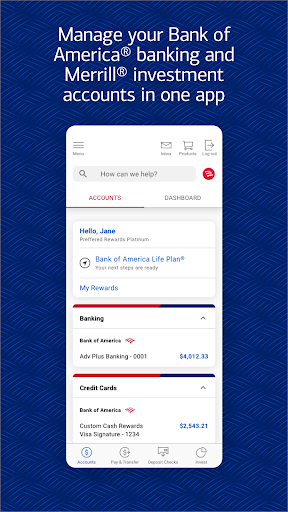
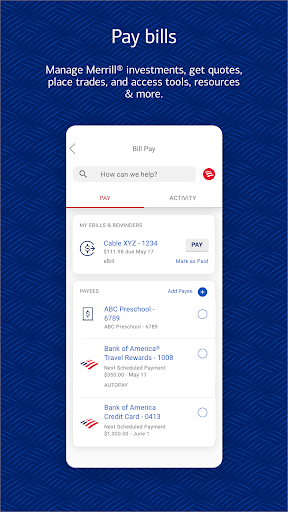
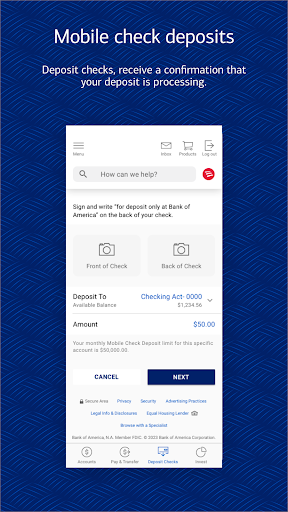
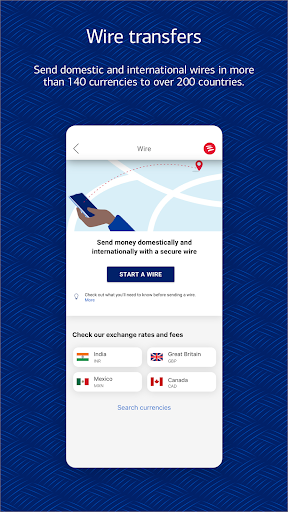
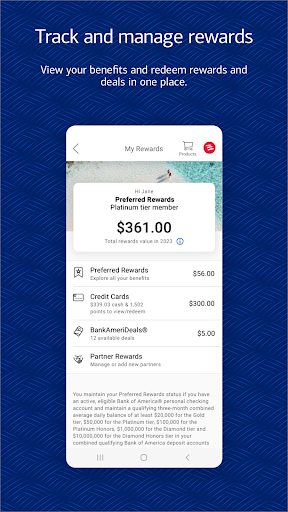

Bank of America Mobile Banking is a comprehensive financial management application designed for U.S.-based customers. The app allows users to conveniently and securely manage their checking, savings, credit card, loan, and investment accounts from their mobile devices. With features like account balance monitoring, bill payments, Zelle® transfers, and check deposits, it provides an all-in-one banking solution.
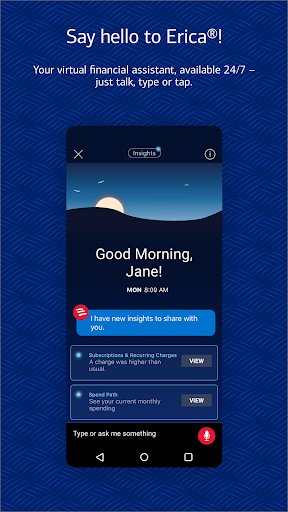
The app also includes Erica, a virtual financial assistant that helps users find transactions, pay bills, and offers valuable insights into spending habits. Security features such as Touch ID® / Face ID® and instant fraud notifications ensure that user data remains protected. Additionally, the app offers tools for managing investments with Merrill, tracking FICO® credit scores, and utilizing budgeting tools to help users maintain healthy financial habits.
Whether you're at home or on the go, Bank of America Mobile Banking ensures that your finances are always within reach. This makes it particularly useful for individuals who require immediate access to their financial information and need to perform banking tasks quickly and securely.
Bank of America Mobile Banking stands out due to its extensive range of features tailored to meet various banking needs. One of its key functionalities is the ability to manage multiple types of accounts including checking, savings, credit cards, loans, and investments. Users can view balances, review activities, activate or replace cards, set alerts, and even deposit checks by taking photos—all from their mobile device.
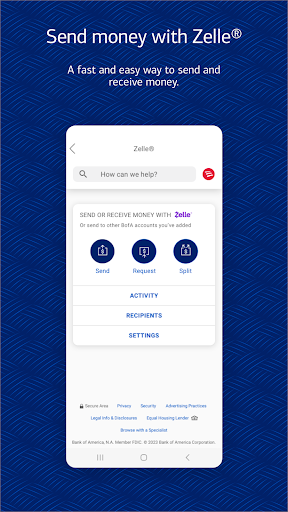
Another significant feature is the integration of Zelle®, which allows users to send and receive money using just a U.S. mobile number or email address. The app also supports seamless fund transfers between Bank of America and linked Merrill accounts. Erica, the virtual financial assistant, adds another layer of convenience by helping users navigate their financial data and offering personalized insights.
Security is prioritized with options like Touch ID® / Face ID® and instant fraud notifications. Furthermore, the app provides educational resources and budgeting tools to help users make informed financial decisions. These robust features collectively enhance user experience by providing both convenience and peace of mind.
User-friendly interface
Comprehensive account management
Secure transactions
Virtual assistant support
Investment tracking tools
Limited international functionality
Occasional bugs reported
Requires internet connection
Some features need enrollment
Potential overdraft fees

Currency Converter supports all currencies of the world.
 5.00
5.00
Play for fun, earn for real. Collect rent by owning virtual land & get cashback
4.60
Bitcoin gpu app helps you remote mine using your cell phone easily .
3.60
Debt pay off. Build credit history. AI budget tool. Loan offers.
4.60
Managing your money just got easier. Get the new Mobile app.
4.70
Car Insurance Made For You.
4.50
View BSC Transactions for multiple accounts
3.90
StockTiles lets you view prices & charts of your favorite stock assets
2.30
Real-time tracking: Stocks, Indices, Futures, Commodities, ETF, & Funds prices.
4.60
Get 250$ Cash Advance to solve emergencies instantly in loan app called LendMe
4.70
Banking with no monthly fees, fee-free overdraft, and early payday.
4.70
Manage your prepaid cards and add to Google or Samsung Wallet.
4.60
Earn cash back. Build credit.
4.60
The all-in-one app to save, earn, travel, and put more money in your pocket
4.50
Make Real Cash by Playing Games! Fetch Playful Rewards, Win & Triumph
4.50
Mine Bitcoin in the cloud! Earn BTC daily with high-speed mining power.
4.30
BTC, Crypto, Stocks & Options.
4.20
Your insurance, anytime, anywhere
4.00
NFC mobile payment app Use your phone as a contactless bank card
4.00


User Reveiws