Domino Dot Counter

4.30

Information

Category:

Casual

Price:

$ 2.99

Rank:

N/A

Rating:

4.30

Overview

Domino Dot Counter is a casual gaming app designed to enhance your domino experience by automatically summing up the dots on a group of dominoes using your phone's camera. This innovative tool not only simplifies the scoring process but also adds an element of fun and accuracy to your game sessions.

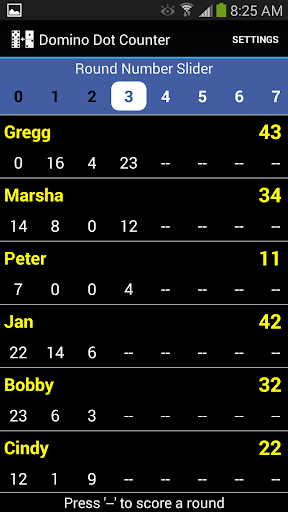
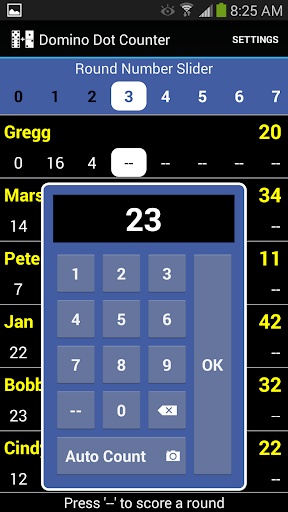
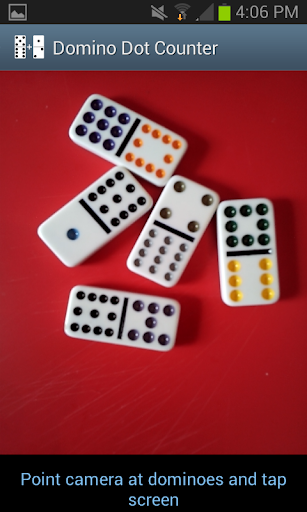
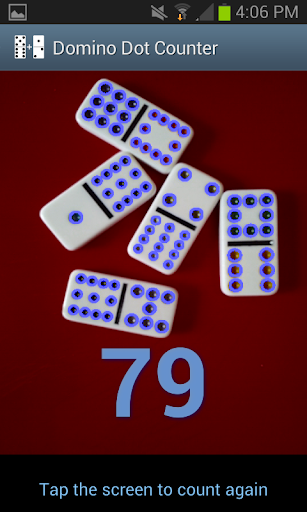
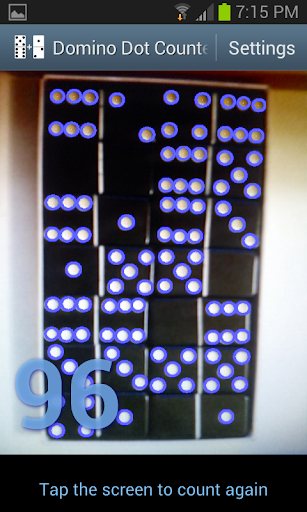
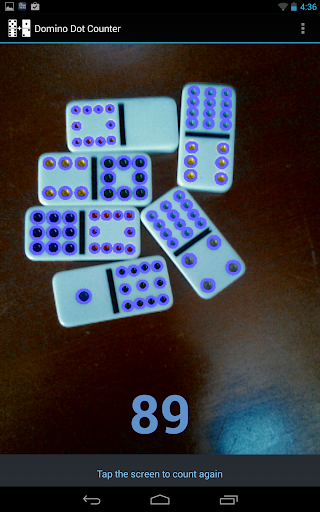
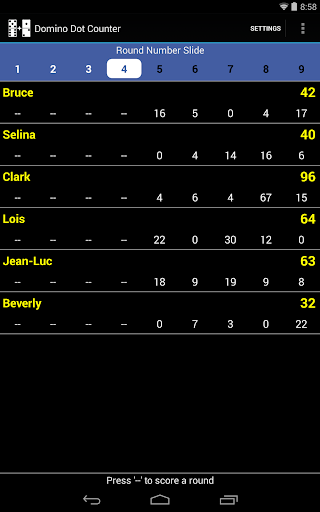
The latest version includes a complete score application, allowing you to keep track of scores for 2 to 8 players. With the AUTO COUNT feature, you can let your device do the heavy lifting, especially useful when dealing with a large number of tiles at the end of a round of Mexican Train dominoes. The app provides visual confirmation by drawing a circle around each counted dot, ensuring transparency and accuracy in scoring.

Whether you're playing casually or competitively, Domino Dot Counter offers a seamless way to manage player scores, customize player names, and navigate through rounds with ease. Its user-friendly interface and customizable settings make it suitable for all types of domino enthusiasts.

Features

Domino Dot Counter stands out with its unique AUTO COUNT feature, which utilizes your phone's camera to count the dots on dominoes. This functionality is particularly beneficial during complex games where manual counting can be tedious and error-prone. By simply pointing the camera at the dominoes and tapping the screen, users receive an accurate total within seconds.

Beyond its primary function, the app offers comprehensive score management capabilities. You can add or delete players mid-game, customize player names via a long press, and even adjust the direction of scoring rounds. The app intelligently tracks completed rounds and warns against rescoring finished rounds, maintaining the integrity of the game.

For optimal performance, it's recommended to use the app on a solid-colored surface and hold the camera horizontally over the dominoes. These guidelines ensure the highest level of accuracy and reliability in dot counting, making Domino Dot Counter an indispensable tool for any domino enthusiast.

Core gameplay simplicity

The Domino Dot Counter app exemplifies core gameplay simplicity by providing an intuitive and straightforward solution for counting domino dots. At its heart the app utilizes the phone's camera to automatically sum up the dots on a group of dominoes which is particularly useful in games like Mexican Train where tallying scores manually can be tedious. The essence of this feature lies in its ability to streamline gameplay by removing the manual counting aspect thus allowing players to focus more on strategy and less on arithmetic. To use the AUTO COUNT feature users simply point their device's camera at the dominoes they wish to count and tap the screen. Within seconds the app calculates the total number of dots and visually confirms the count by drawing circles around each dot or pip in the image. This seamless interaction reduces the complexity often associated with scorekeeping in domino games making it accessible even to younger players or those new to the game. Furthermore the app accommodates 2 to 8 players facilitating a wide range of game setups from intimate duels to larger social gatherings. Its adaptability extends to mid-game adjustments such as adding or deleting players customizing player names through a simple long-press action and managing multiple rounds of play. Players can also choose whether rounds count up or down adding another layer of flexibility to match different game rules. For clarity and ease of access a slider at the top allows navigation through numerous rounds when they cannot all be displayed simultaneously. The app thoughtfully warns users against re-scoring completed rounds ensuring score integrity. In essence the Domino Dot Counter app distills the complex process of manual scorekeeping into a user-friendly interface that enhances gameplay without overshadowing the traditional enjoyment of dominoes.

Session length flexibility

Session length flexibility is a crucial aspect of casual gaming that Domino Dot Counter adeptly addresses by offering features that cater to both short bursts of play and extended gaming sessions. The app's design acknowledges that modern users often engage in gaming during brief intervals throughout their day while also accommodating traditional longer play sessions typical of dedicated board game enthusiasts. One way the app achieves this flexibility is through its AUTO COUNT feature which significantly reduces the time required for scorekeeping. By enabling players to quickly tally their scores with a simple tap of the screen it allows for rapid transitions between turns making it ideal for short play sessions. This feature proves invaluable when playing fast-paced variants of domino games or when time constraints limit the duration of gameplay. Moreover the app supports games with 2 to 8 players making it versatile enough for various social settings whether it's a quick game between meetings or an all-day family gathering. The ability to add more rounds at any point during the game further enhances session length adaptability. Players can extend their gaming experience indefinitely by simply adding new rounds as desired without disrupting the flow of play. Additionally the option to customize player names via a long press action and track individual scores across multiple rounds provides a personalized touch that keeps players engaged regardless of session length. For visual clarity and ease of reference the app includes a slider at the top of the interface allowing users to navigate through numerous rounds when screen real estate becomes limited. This ensures that even during lengthy gaming sessions where many rounds are played information remains organized and accessible. Importantly the app maintains accuracy and consistency in scoring throughout varying session lengths preventing errors that could otherwise arise from manual calculations over extended periods. It also thoughtfully warns against re-scoring already completed rounds preserving the integrity of the game regardless of its duration. For optimal performance especially during longer sessions the app recommends playing on solid-colored surfaces and holding the camera horizontally over the dominoes. These guidelines help maintain consistent recognition rates and accurate counts even as fatigue might set in during prolonged use. Overall Domino Dot Counter demonstrates exceptional session length flexibility by combining efficient scorekeeping mechanisms with adaptable game management features creating an environment where players can enjoy dominoes whether they have minutes or hours to spare.

Props

Accurate dot counting

User-friendly interface

Customizable player names

Intuitive round management

Visual confirmation of counts

Cons

Requires solid-colored surface

Camera positioning crucial

Limited to domino games

No offline multiplayer

Potential learning curve

Features and Functions

What is this app and what can I use it for?

An app that counts domino dots via camera

How do I download and install this app on my device?

Search Domino Dot Counter on Google Play and tap Install

How do I get started after opening the app for the first time?

Grant camera access and follow on-screen instructions

What are the main features and capabilities of this app?

Auto dot counting, score tracking, player management

How can I customize my experience and adjust preferences?

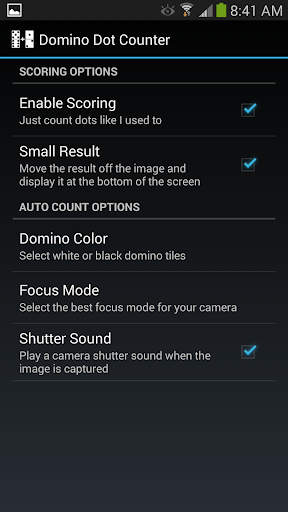
Adjust settings like scoring direction and player names

How do I save or bookmark my favorite content for later access?

Long press player name to edit or delete players

How can I share content with friends or on social media?

Share scores via social media links in the app

How do I access detailed information and explore more content?

Use slider at top to view different rounds' scores

What permissions does this app need and how do I manage them?

Needs camera access; manage in device settings

How do I check for updates and keep the app running smoothly?

Enable auto-updates in Google Play Store settings
Show more

User Reveiws

{{ comment.reviewer_name }}
{{ comment.review_date_formatted}}
{{ comment.review_content }}
{{ tab.name }}
{{ comment.reviewer_name }}
{{ comment.review_date_formatted}}
{{ comment.review_content }}
No reviews with this rating