For Tesla

4.3

Information

Category:

Entertainment

Price:

$ 0.10

Rank:

55

Rating:

4.3

Overview

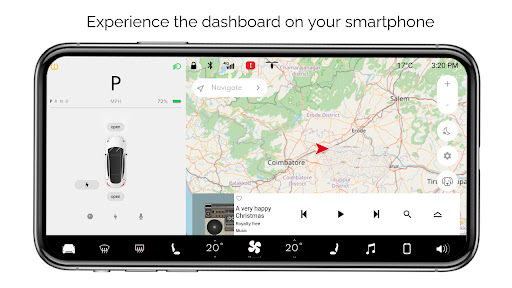
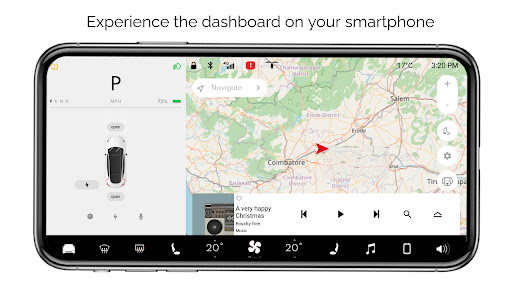
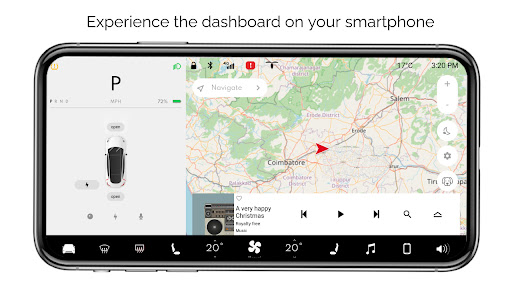
For Tesla is a premium simulator app designed for Tesla enthusiasts who want to experience the native dashboard touchscreen interface on their smartphones. The app offers an interactive simulation of the Tesla system, allowing users to explore nearly all features of the car's dashboard without needing an actual vehicle.

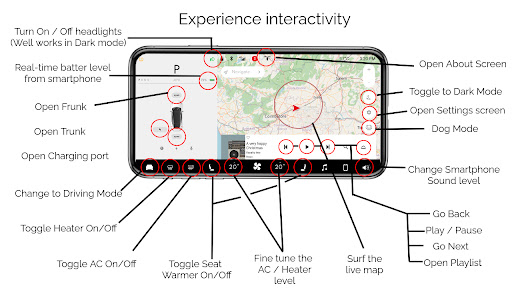
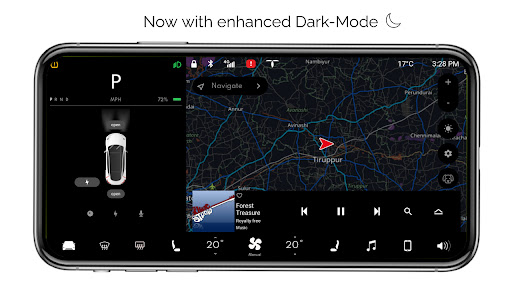
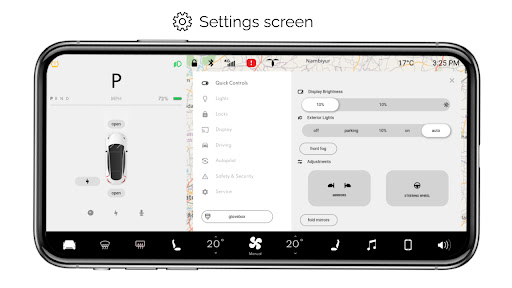
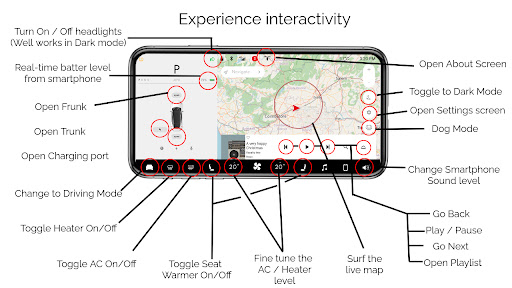
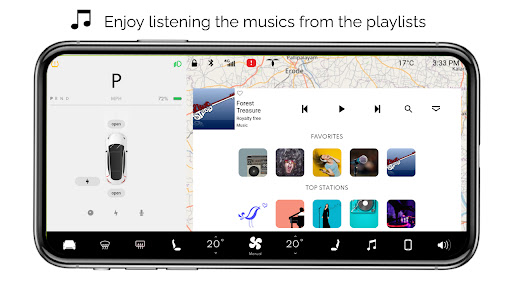
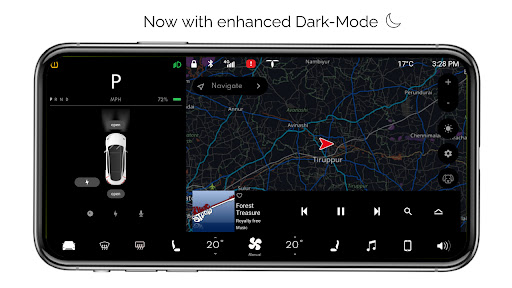
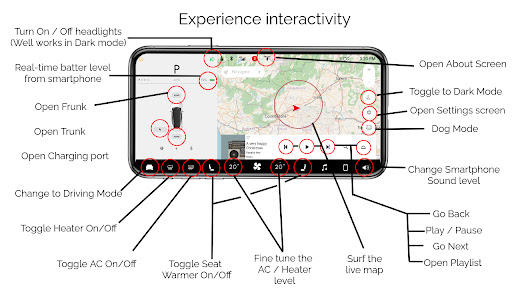
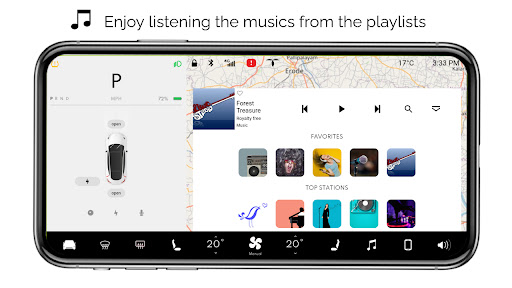
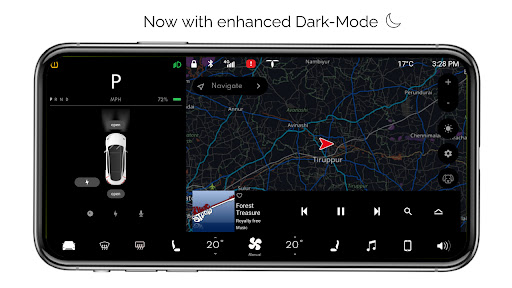
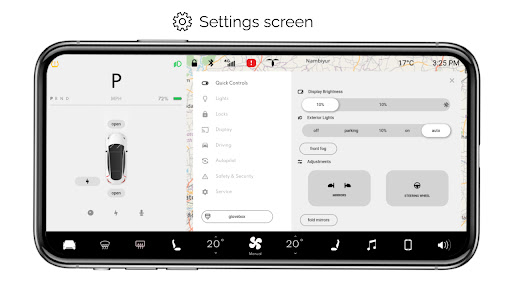
Key functionalities include interactive maps with live location tracking, headlight controls that work in dark mode, temperature adjustments, real-time battery level monitoring, trunk/frunk/charging port operations, driving mode snapshots, and access to various settings screens. Additionally, it provides entertainment options like an interactive music player with playlists, dark mode, and specialized modes such as Dog Mode.

This app is ideal for Tesla fans who wish to familiarize themselves with the dashboard interface or simply enjoy a simulated Tesla experience on their mobile devices. It captures the essence of Tesla's user experience while offering unique features tailored for enthusiasts.

Features

For Tesla stands out with its comprehensive set of simulated features that mirror the Tesla dashboard experience. One of the main highlights is the interactive maps functionality, which allows users to track their live location seamlessly within the app environment.

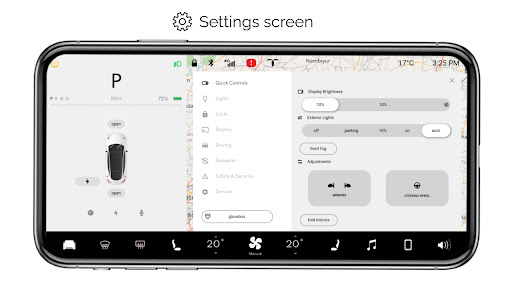
The app also includes detailed controls for headlights, temperature fine-tuning, and real-time smartphone battery monitoring, providing a realistic touch to the simulation. Users can operate virtual trunk, frunk, and charging ports, engage driving mode for a snapshot of the driving screen, and explore multiple settings screens that replicate those found in actual Tesla vehicles.

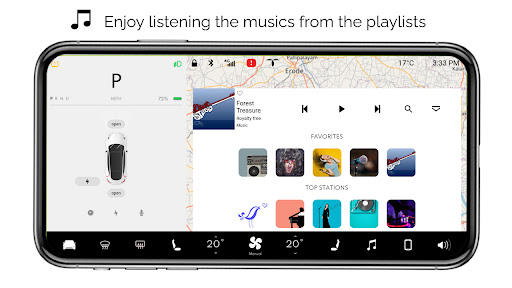
Additional notable features are the interactive music player complete with playlists, a dedicated dark mode for comfortable nighttime use, specialized Dog Mode for pet owners, and an about screen detailing model information. These rich functionalities make For Tesla not just a simulator but an engaging platform for Tesla aficionados worldwide.

Content variety & freshness

In the realm of entertainment applications like For Tesla this particular feature holds significant importance as it directly impacts user engagement and retention. Content variety refers to the range of different features and interactive elements available within the app providing users with a broad spectrum of activities to explore. For Tesla offers an impressive array of simulated functionalities that mirror the native user experience of a Tesla vehicle's dashboard. From interactive maps that track live location to the ability to turn headlights on or off in dark mode the app ensures that users have multiple touchpoints to interact with. The inclusion of features such as fine-tuning temperature real-time battery level display and various car controls like trunk frunk and charging port operations adds layers of engagement. Moreover the app goes beyond mere replication by integrating entertaining aspects like driving mode settings screen dark mode dog mode about screen and an interactive music player with playlists. This extensive content variety not only captivates Tesla enthusiasts but also provides a comprehensive virtual experience. Freshness in content is equally crucial as it determines how frequently new elements are introduced to keep the user experience engaging and prevent stagnation. Although For Tesla is a simulator without real car compatibility its developers have committed to maintaining a fresh and updated environment by simulating new features inspired by actual Tesla systems. While some features remain inactive due to the app's simulated nature the dedication to keeping content current and expanding the range of interactive possibilities showcases the app's commitment to delivering a dynamic and evolving entertainment platform.

User engagement duration & retention

User engagement duration and retention are pivotal metrics for evaluating the success of any entertainment application including For Tesla. Engagement duration measures how long users actively interact with the app during each session while retention tracks their likelihood of returning to the app over time. For Tesla excels in these areas by offering a highly immersive and interactive simulation of a Tesla vehicle's dashboard system. The app's rich variety of features such as interactive maps headlight controls temperature adjustments and battery monitoring creates numerous opportunities for users to engage deeply with the content. Each feature is designed to be both functional and entertaining encouraging prolonged exploration. For instance the driving mode provides a snapshot of what it feels like to be in control of a Tesla vehicle while the interactive music player with customizable playlists adds a personal touch to the experience. These elements collectively contribute to extended user sessions as Tesla fans delve into the intricacies of their favorite car's system. Retention is further bolstered by the app's continuous efforts to simulate new and exciting features inspired by real Tesla systems. Although all functionalities are simulated and not compatible with actual vehicles the developers' commitment to authenticity and attention to detail make For Tesla a compelling choice for enthusiasts. By regularly updating the app and expanding its feature set the developers ensure that users have reasons to return and explore new additions. This ongoing evolution helps maintain user interest and encourages regular revisits making For Tesla not just a one-time novelty but a lasting source of entertainment for its dedicated user base.

Props

User-friendly interface

Comprehensive feature set

Realistic simulation

Interactive maps

Engaging music player

Cons

Limited real-world functionality

No actual car integration

Some features inactive

Premium cost

Device compatibility issues

Features and Functions

What is this app and what can I use it for?

A Tesla dashboard simulator app for exploring features on your phone

How do I download and install this app on my device?

Search 'For Tesla' on Google Play Store and tap install

How do I get started after opening the app for the first time?

Follow the interactive tutorial upon first launch

What are the main features and capabilities of this app?

Interactive maps, headlight controls, temperature tuning, battery monitoring

How can I customize my experience and adjust preferences?

Adjust settings via the dedicated settings screen option

How do I save or bookmark my favorite content for later access?

Use bookmarks feature in the app's menu section

How can I share content with friends or on social media?

Share content using built-in share buttons

How do I access detailed information and explore more content?

Access details through interactive icons and menus

What permissions does this app need and how do I manage them?

App needs basic device permissions managed in settings

How do I check for updates and keep the app running smoothly?

Enable auto-updates in Google Play Store for latest version
Show more

User Reveiws

{{ comment.reviewer_name }}
{{ comment.review_date_formatted}}
{{ comment.review_content }}
{{ tab.name }}
{{ comment.reviewer_name }}
{{ comment.review_date_formatted}}
{{ comment.review_content }}
No reviews with this rating