
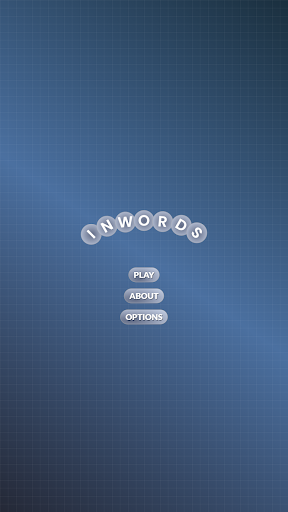
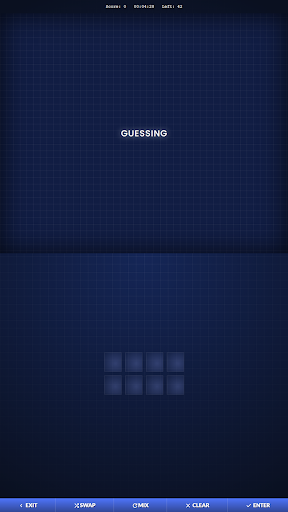
InWords is an engaging word puzzle game designed to challenge and expand your vocabulary. The primary function of the app is to present players with a pool of letters from which they must form as many words as possible before time expires. Each letter carries a specific point value based on its rarity, with some letters like Z being worth significantly more than common letters such as T.
One of the standout features of InWords is its scoring system. Players earn points not only from the rarity of the letters but also from the speed at which they find words. Additionally, discovering words that use all available letters grants a substantial bonus of 1500 points. This feature encourages strategic thinking and quick reflexes, making each round both challenging and rewarding.
The app is particularly suited for word game enthusiasts who enjoy testing their linguistic skills under pressure. By saving found words between rounds, InWords ensures that players continually encounter new challenges, preventing repetition and maintaining engagement. This dynamic keeps the gameplay fresh and motivates users to expand their vocabulary continuously.
InWords offers a rich set of features that enhance the traditional word puzzle experience. One notable aspect is the tiered scoring system, where players can earn extra points by finding all possible words or utilizing all provided letters in a single word. This complexity adds depth to the gameplay, appealing to both casual players and hardcore word enthusiasts.
Another significant feature is the adaptive difficulty level. As players progress, previously found words are saved, ensuring that each new round presents unique challenges. This prevents the game from becoming repetitive and maintains a steady increase in difficulty, keeping players engaged over time. Furthermore, the timer mechanic introduces an element of urgency, compelling players to think quickly and make strategic decisions under pressure.
Finally, the app includes a comprehensive tracking system that records high scores and discovered words. This allows users to monitor their progress, compete with friends, and strive for higher achievements. The combination of these features creates a compelling and immersive experience that highlights both the educational and entertainment value of word puzzles.
Challenging gameplay
Vocabulary expansion
Engaging scoring system
Adaptive difficulty levels
Comprehensive tracking
Repetitive over time
Steep learning curve
Limited social features
No offline mode
Ads between rounds
Unleash your vocabulary in the world’s #1 word cross puzzle game!
 4.70
4.70
Play heads up with family and friends in an amazing charades and guessing game!
4.30
Find words from the same topic, group them by association, win the word puzzle!
4.50
Relax and have fun with a combination of word games and solitaire!
4.60
Solve crossword puzzles challenge your brain and expand your vocabulary
4.90
101 offline games: words, puzzles, quizzes! Play, learn and compete!
4.70
The classic word game with advanced AI and built-in definitions
4.60
Word puzzles with cute bears to enjoy, just don’t let the bubble bee bother you!
4.0
Zen Word - where challengers relax, solve word games, and train their minds!
4.80
Play this visually-pleasing word game specially designed for seniors!
4.90
Train your brain with word puzzle games for adults and enjoy word search offline
4.90
Great Word Game with Friends!
4.80
Looking for inspiration? Enjoy offline Bible word games and unlock daily verses.
4.80
A fun multiplayer word game. Who can make the highest scoring words?
4.80
Relax, train your brain and improve your vocabulary with Word Search Journey
4.80
The highly addictive fun word game.
4.70
Crossword & Trivia Game for Christian
4.60
Daily logic and word puzzles: Sudoku, Bonza, Jigsaw, Keysmash & more.
4.60
Relax your brain with this fun word puzzle game and beautiful landscapes!
4.50


User Reveiws