
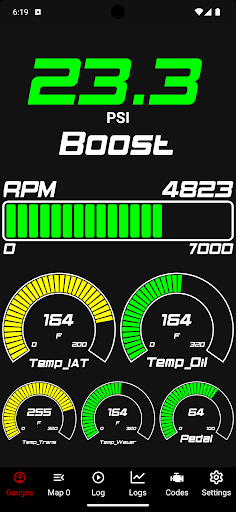
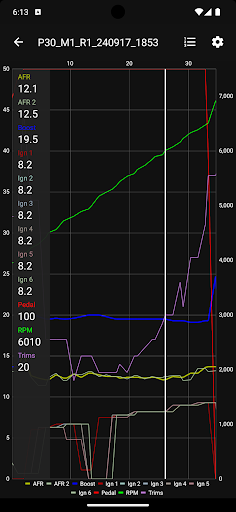

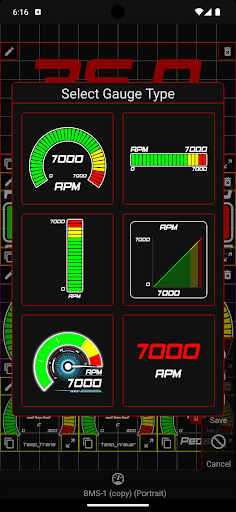
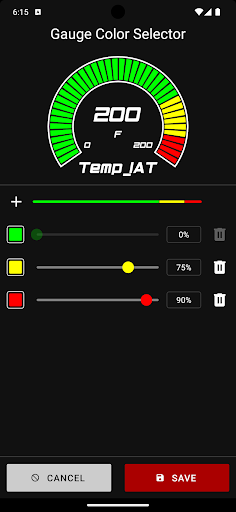
JB4 Mobile is a cutting-edge mobile application designed for automotive enthusiasts who use the JB4 tuner from Burger Motorsports. This app transforms your mobile device into a powerful data logger and display system, enabling real-time monitoring of crucial vehicle parameters. With features like live gauges, data logging, and graphing, users can track boost, RPM, fuel trims, air/fuel ratios, and more.
The app's modern UI offers customizable gauge themes and seamless integration with backend servers. Whether you're using the JB4 Connect Kit or BMS Data Cable, setup is straightforward and ensures reliable connectivity. The inclusion of advanced tools like code reading/deletion, user adjustment settings modification, and firmware updating makes this app an indispensable companion for performance tuning.
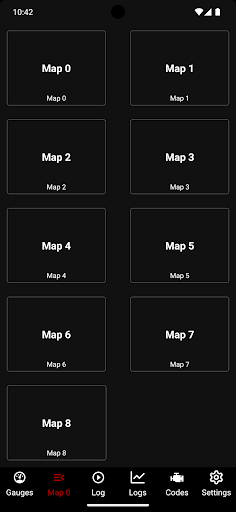
Designed for sports car enthusiasts, JB4 Mobile provides both professional tuners and hobbyists with precise control over their vehicle's performance metrics. Its ability to export logs via email and switch maps on the fly enhances its practicality, making it an essential tool for optimizing vehicle performance in real-world driving conditions.
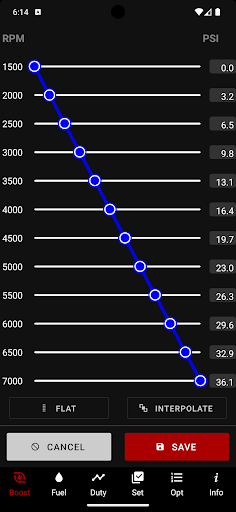
JB4 Mobile stands out with its comprehensive feature set tailored specifically for performance tuning. The app's built-in raw CSV data viewer allows users to analyze logged information directly on their mobile devices. Its revamped User Adjustment and WMI data editors provide intuitive interfaces for modifying critical engine parameters such as boost and fuel settings.
The app's modern UI isn't just visually appealing; it's completely rewritten from the ground up to ensure optimal performance. Advanced functionalities like auto WOT logging, firmware updating, and map switching demonstrate the app's technical sophistication. These features work together seamlessly, providing users with complete control over their JB4-equipped vehicles while maintaining stable connections through improved backend server integration.
For those seeking precision tuning capabilities, JB4 Mobile delivers professional-grade tools in a convenient mobile package. The combination of live monitoring, detailed data analysis, and remote parameter adjustment makes this app particularly valuable for serious automotive enthusiasts looking to maximize their vehicle's potential.
User-friendly interface
Comprehensive tuning options
Real-time data monitoring
Seamless device integration
Regular feature updates
Requires specific hardware
Limited vehicle compatibility
Advanced technical knowledge needed
Occasional connection issues
Premium price point

Create and customize your own golf course in this charming management sim.
 4.70
4.70
Try your hand at managing an auto racing team!
4.30
Quick-fire archery duels! Play the most realistic 3D archery game now!
4.70
Feel the thrill of American football: guide a team to triumph through touchdowns
4.40
Pixel Cup Soccer is a retro-style arcade game, just the fun part of soccer!
4.00
Play the 3 classic Duck Life games like you've never seen them before!
4.10
Battle, grow, and conquer in an epic fight to become the boss!
4.30
Ride, flip, and perform crazy stunts in an open BMX freestyle playground!
4.80
Sports app that presents matches' details from the most important championships.
4.50
Build a football club from scratch and see if you can conquer the leagues!
4.70
8 Pool Master is an interesting billiard game
4.70
Grab the ball and play your Basketball career in this 3D Real-time Sport Game!
4.60
Push your skills, express your style, or just enjoy the ride.
4.60
Basketball dunking fun !
4.50
Trick cliff dive backflips, stunts & doubles! Unparalleled real physics!
4.50
Challenging 1vs1 online matches! Strike, score, and be a soccer champion!
4.40
Play one of most famous lawn games in America called foot bag toss family games!
4.30
Exploring Football from a Unique Perspective
4.10
Rediscover the joy of the original Backyard Baseball 1997
3.70


User Reveiws