

Look Up - Pop Up Dictionary Pro is an innovative offline dictionary application designed for book lovers and language enthusiasts who value convenience and efficiency. This app eliminates the need to search online every time you encounter a challenging word, making it perfect for avid readers and former iOS users who miss the built-in lookup feature.
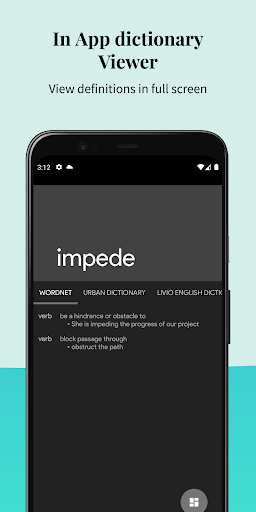
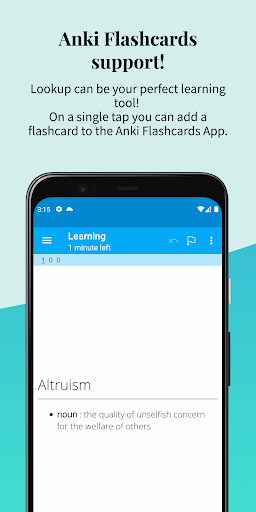
The application supports seven languages including English, Italian, Spanish, German, Portuguese, and French. It also integrates with popular services like Moon Reader, Anki Flashcards, Urban Dictionary, Google Define, Vocabulary.com, Wikipedia, and Cambridge. With its extensive offline Wordnet database of 0.22 million words and phrases, Look Up ensures fast and predictive searching capabilities.
Whether you're reading an eBook or studying a new language, Look Up enhances your learning experience by allowing you to quickly find definitions, add personal notes, and even create flashcards for future reference. Its user-friendly features such as dark mode, word pronunciation, and material design make it an essential tool for anyone looking to expand their vocabulary effortlessly.
Look Up - Pop Up Dictionary Pro offers a rich set of features that cater to various user needs. One standout feature is its ability to integrate seamlessly with third-party applications such as Moon Reader and Anki Flashcards, enhancing your reading and learning experience. The app's offline functionality includes a comprehensive Wordnet database containing 0.22 million words and phrases, ensuring that you have access to definitions without needing an internet connection.
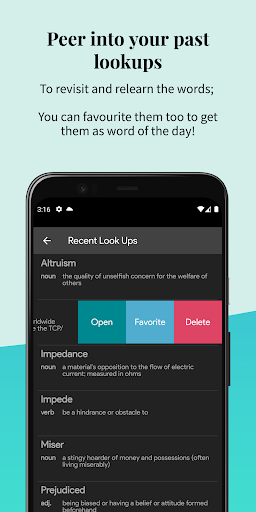
Another remarkable aspect is the multiple ways to search for words. Users can look up words by copying them (for Android versions below 9.0), pressing the lookup button after selecting a word (for Android 6.0 and above), or sharing the selected word directly to the Lookup App. Additionally, Look Up provides useful tools like syncing to Google Drive, starring important words, viewing recent searches, and adding contextual notes to each entry.
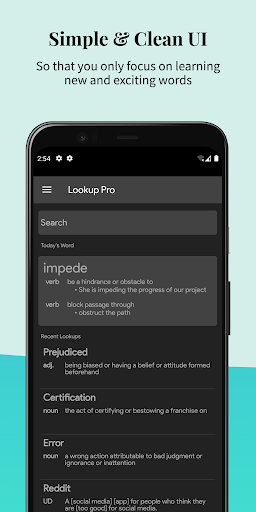
For those who appreciate aesthetics and usability, Look Up does not disappoint. It boasts a sleek material design with beautiful typography, a dark mode for comfortable nighttime reading, and text-to-speech functionality for auditory learners. Other notable features include receiving a 'word of the day' both within the app and via notifications, which helps users continuously expand their vocabulary in an engaging manner.
User-friendly interface
Offline functionality
Multi-language support
Integration with third-party apps
Fast and predictive search
Limited advanced grammar tools
No live translation feature
Premium version required for full access
Occasional sync issues
Some features only available on specific Android versions

Bible, Catechism, Study, Saints, Mass Readings, Rosary, Prayer, Bible in a Year
 4.80
4.80
Pretty Moon information App with Complications and Tile
4.30
The favorite Christmas story comes to life!
4.80
Discover Stars and Planets: Live Map Shows Current Constellations in Full Detail
4.70
Enjoy your favorite books
3.50
Manage collectibles, survey and treasure maps in Elder Scrolls Online.
4.40
Zerobooks Light Novel Reader by GOLDENAGATO
4.20
What’s that bird? Just answer 5 questions, snap a photo, or record its song!
4.90
Build family tree & discover DNA, family history heritage, origins and ancestors
4.60
"When tweetle beetles fight, it's called a tweetle beetle battle."
4.90
Track your Star Wars book collection across Canon & Legends
4.80
Contains the 365 daily readings and everything other thing needed for catholics
4.70
Daily Devotional Widgets & Hourly Verses. Listen to Bible & Watch Holy Stories
4.70
The Original & Authentic Crystals, Gemstones, Rocks & Minerals Encyclopedia.
4.60
Essential Technical Rescue Field Operations Guide 6, the Industry Standard Guide
4.20
A companion for prayer, with Azan alarm, Quibla direction, and Holy Quran book
4.10
ISAIAH EXPLAINED with Avraham Gileadi Ph.D.
4.00
Sea tide predictions for all coastal U.S. locations.
4.4
The Psalms for singing
4.5


User Reveiws