
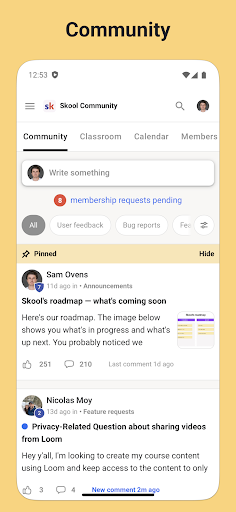
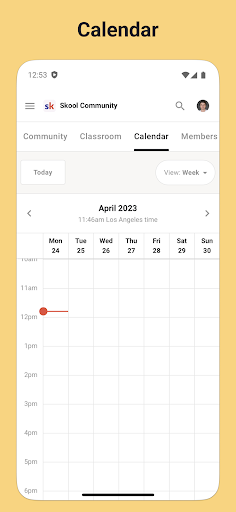
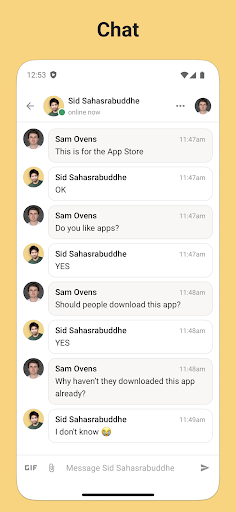
Skool is a dynamic social platform designed to keep users engaged with their online communities while on the move. This app serves as a comprehensive mobile solution that incorporates all essential features for community interaction. With Skool, you can actively participate in group discussions through posts and comments, stay updated with community events using the integrated calendar feature, and enjoy seamless private messaging with any member of your communities.
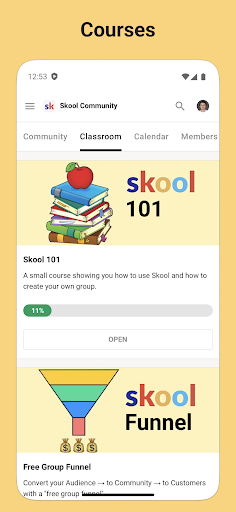
In addition to its core communication tools, Skool also offers educational resources through its Courses feature, allowing users to learn via video and text-based lessons. The inclusion of push notifications ensures that you never miss an important update or message. Whether you're looking to contribute to discussions, expand your knowledge, or simply stay connected with like-minded individuals, Skool provides a valuable platform that enhances your social and learning experiences wherever you are.
Skool stands out with its diverse set of features tailored for optimal community engagement. One of its key functionalities is the Community section, where users can engage in detailed discussions by creating posts and commenting on existing threads. This interactive environment fosters meaningful conversations and collaboration among members.
Another significant feature is the Courses module, which supports both video and text-based learning. This allows users to acquire new skills and knowledge at their own pace, directly within the app. Additionally, the Calendar tool helps users keep track of upcoming community events, ensuring they can plan their participation accordingly. The Chat function further enhances connectivity by enabling direct messaging between users, making communication more personal and immediate.
Each of these features is designed to provide tangible value to users by enhancing their ability to connect, learn, and engage with their communities effectively. The combination of communication tools, educational content, and event tracking makes Skool a versatile and indispensable app for anyone looking to maintain active involvement in online communities.
User-friendly interface
Comprehensive community tools
Integrated learning resources
Real-time event updates
Convenient direct messaging
Limited customization options
Occasional notification delays
Restricted offline functionality
Device-specific issues
Learning curve for new users

Video call and chat, live stream and making friends around the world!
 4.60
4.60
Dive into diverse fandoms. Connect, create, reblog.
3.90
Swipe, Meet & Chat Real People
3.80
Watch super live shows 24/7, chat & meet friends in Plamfy social networking app
4.70
Instant messaging — simple, fast, secure, and synced across all your devices.
4.00
Go Live, Chat & Meet New People! Friends. And more than friends.
3.80
SuperLive is a super popular video-streaming social network
4.60
Create & share photos, stories, & reels with friends you love
3.90
Join your friends and discover videos you love, only on TikTok
4.10
The hottest live chat app so far. Video chat and meet great people...
4.60
Connection Beyond Content
4.50
Live video chat to connect with people around the world. Video chatting on Olive
4.40
Free texting (SMS) to US, Canada & more. Free new number. Call free & Text free.
4.30
Looking for a date or a friend? Swipe to match and meet open-minded singles.
4.20
Honest dating app where real people find genuine love and real matches.
4.20
The world's leading social networking app for gay, bi, trans, and queer people.
4.10
Chat and make new friends around the world!
3.90
Random chat & meet online. Find your soulmate or someone special and have fun!
3.90
Resonate & Date with New Match
3.70


User Reveiws