



TeamSnap is a leading Sports Management app designed for coaches, sports organization administrators, and parents involved in youth sports. This powerful tool simplifies the complex operations of managing sports teams, clubs, or leagues by centralizing communication, scheduling, registration, and financial management into one easy-to-use platform.
The app's standout feature is its ability to replace scattered group texts and separate payment apps with a unified system that handles everything from player registration to game-day logistics. With functionalities like real-time updates, availability tracking, and robust scheduling tools, TeamSnap ensures that users can focus on what truly matters—enhancing player development and creating memorable experiences.
Whether you're managing a local soccer team or running a competitive ice hockey league, TeamSnap provides the organizational support needed to keep all stakeholders informed and engaged. Its intuitive interface and comprehensive features make it an invaluable asset for any sports management scenario.
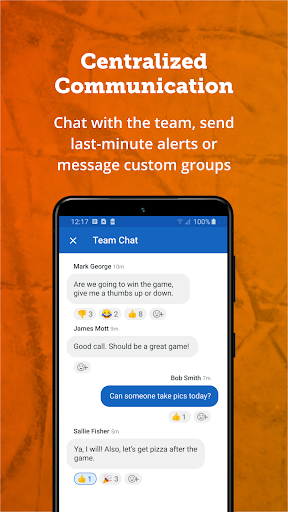
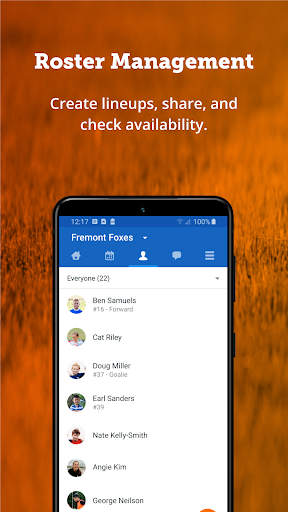
TeamSnap offers a rich set of features tailored to meet the needs of both coaches and sports administrators. For coaches, the app provides efficient communication tools such as individual or group messaging, push notifications, and SMS alerts, ensuring everyone stays informed. The roster management system allows for dynamic updates, enabling coaches to build teams, collect player details, and manage contact information seamlessly.
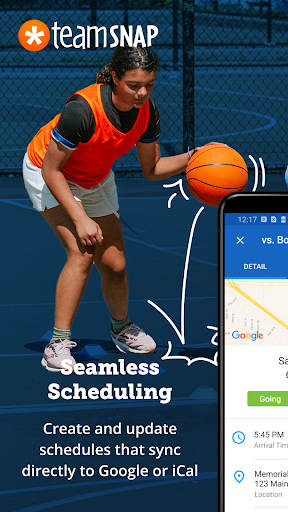
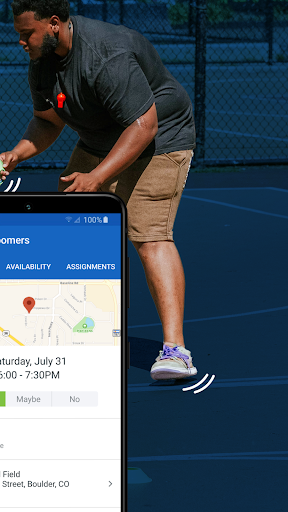
Scheduling is made simple with TeamSnap's Availability feature, which helps track attendance for games and practices. Administrators benefit from advanced capabilities like streamlined communication across entire clubs or specific teams, automated scheduling tools, and custom registration forms that simplify the collection of player information and waivers.
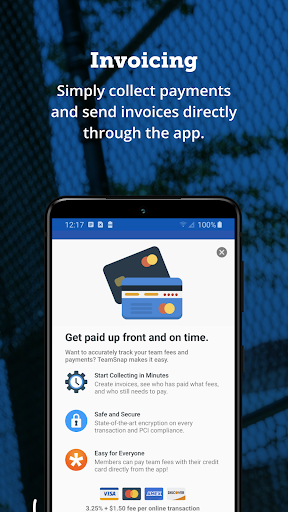
Financial management is another key aspect, allowing organizations to collect payments upfront and access detailed financial reports. With over 24 million users, TeamSnap supports various sports including soccer, baseball, and basketball, making it a versatile solution for enhancing operational efficiency while fostering a connected sports community.
User-friendly interface
Comprehensive scheduling tools
Real-time communication features
Integrated payment processing
Wide range of sport support
Limited free version features
Occasional syncing issues
Subscription costs may add up
Learning curve for new users
Some advanced features require paid plans

Very fun billiards game.
 4.60
4.60
Play darts against the world!
4.70
The King of Retro Soccer!
3.60
Run the ball into the endzone in AR.
4.4
Recruit and train players to form a winning team!
4.10
Advanced Shotgun Shooting Simulator: Skeet, Trap, Sporting and Bird Hunting
4.20
Raise your duckling into a champion racer in this addictive pet & adventure game
3.90
Mental skills exercise/training - improve your power of focus and concentration
4.1
Golfing in an Endless Desert
4.10
For Fans to Buy Tickets
4.80
Play the hit multiplayer Carrom Disc Pool board game and become the best!
4.60
Shoot, score, and outplay your rival in a fast-paced basketball battle duel!
4.60
BE A SOCCER HERO! Pass, Shoot & Score your way to legendary status!
4.50
Enjoy an easy to play multiplayer Baseball game!
4.40
Join over 10,000,000 people in the only official PBA bowling game!
4.40
Challenging 1vs1 online matches! Strike, score, and be a soccer champion!
4.40
Out of the Park Baseball Go is a strategy & sports gaming fan’s dream come true.
4.40
Master your shots and climb the ranks in the ultimate golf game!
4.30
Realistic golf, real courses
4.10


User Reveiws