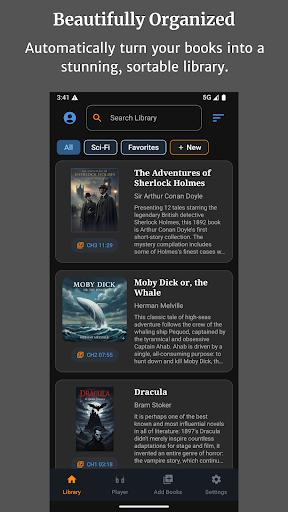
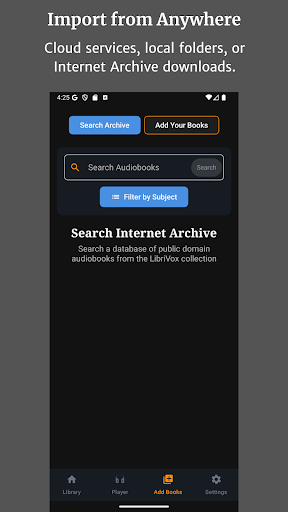
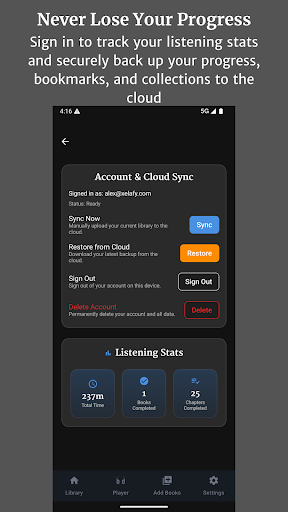
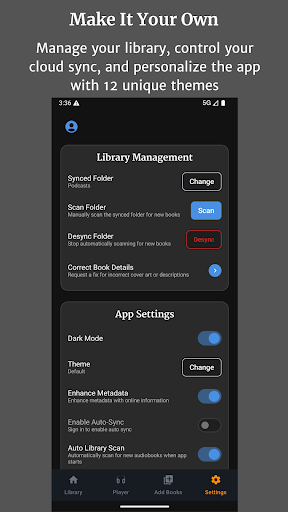
Audiobook Buddy is a comprehensive audiobook management app that transforms scattered audio files into an organized, visually appealing library. It supports syncing from local folders and popular cloud services like Google Drive, OneDrive, and Dropbox, creating a unified listening experience.
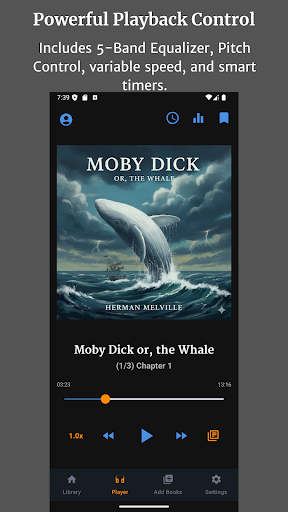
The app offers advanced playback features including a 5-band equalizer, pitch control, per-book speed settings, and sleep timer functionality. With support for background playback, lock-screen controls, and customizable themes, Audiobook Buddy provides a seamless user experience across devices.
Designed for audiobook enthusiasts, the app supports multiple file formats, reads embedded metadata, and allows users to track listening progress through cloud-synced bookmarks. Its multilingual interface and public domain book integration make it a versatile tool for managing personal audiobook collections.
Audiobook Buddy stands out with its smart library organization system that automatically groups audiobooks into collections based on series or genres. The app's comprehensive file support includes various audio formats (MP3, M4A, FLAC) and metadata types, ensuring compatibility with most audiobook files.
Playback customization is exceptional, featuring advanced audio controls and flexible listening options. Users can create personalized collections, import ZIP archives, and access public domain books from LibriVox. The app's widget support and lock-screen controls enhance accessibility while its cloud backup feature ensures seamless device synchronization.
Additional notable features include 11 customizable themes, multilingual support (English, German, French, Japanese), and detailed statistics tracking for listening time and completed books. These features combine to create a powerful yet user-friendly audiobook management solution.
User-friendly interface
Extensive format support
Advanced playback options
Cloud synchronization
Multilingual support
No DRM support
Limited free features
Occasional sync issues
Large file size
Subscription required
Bilingual dictionary with English translations of Modern Standard Arabic words.
 4.30
4.30
Guide for dōTERRA® Products
3.60
"Five Dr. Seuss titles in one omBook!"
4.60
Contains the 365 daily readings and everything other thing needed for catholics
4.70
Pretty Moon information App with Complications and Tile
4.30
Bible Study App with Audio Book, Verse of the Day, and Devotionals.
4.80
Prime novels await! Fantasy & Romance on JoyRead. Immersive reads!
4.20
King James Bible read offline, AI Priest, Bible Quiz, Guiding Prayers & Plans
4.80
World's most comprehensive dictionary app: 13 languages, all online or offline!
4.80
Personalized Chat with Bible
4.80
Universal Zoom, learn about sizes & distances of the universe and microcosmos
4.80
A lightweight reader for comics and mangas files (.cbr, .cbz, .cbt, .pdf, ...)
4.80
Crowd-sourced listing of businesses with anti-gun signs, and pro-2a alternatives
4.60
F9 Cookbook Mobile App
4.60
Research your family history to explore ancestors and search for your heritage
4.50
Daily Bible app: King James Version with verses and audio for studying&prayer
4.40
Read the romance stories on the go. Take my breath away, The Spoiled Girl
4.30
A story reading app: Read stories, novels and books, or write your own.
3.90
All in one Calibre libraries on your phones and tablets.
3.80


User Reveiws