

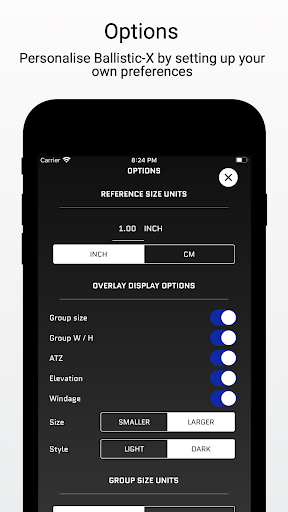
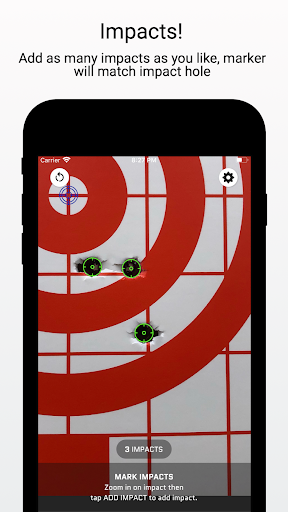
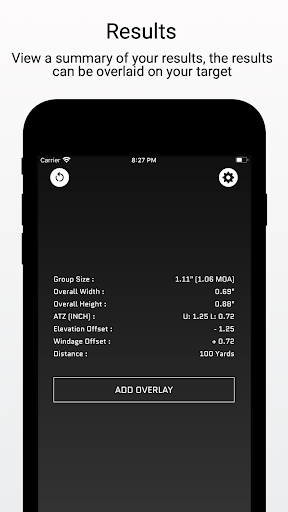

Ballistic X is a specialized mobile application designed for shooting enthusiasts who want to improve their precision and streamline the process of zeroing their rifles. The app offers an intuitive interface that allows users to calculate shot groups, adjust turrets with its ATZ feature, and customize settings according to their preferences such as MOA/MIL or INCH/CM. With seamless compatibility across various targets including Steel, Ballistic X provides a comprehensive toolkit for both casual and professional shooters.
The core functionality includes essential tools accessible through a one-time purchase, eliminating the need for subscriptions. Users can sync settings across multiple devices by signing in, although this step is optional. The app also supports load development with useful data labeling options. Its standout feature, ATZ (Adjustment To Zero), dynamically assists in adjusting turrets at any range, saving both time and ammunition. This makes it an invaluable tool for anyone looking to enhance their shooting accuracy efficiently.
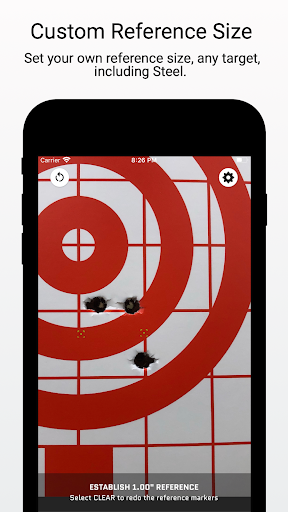
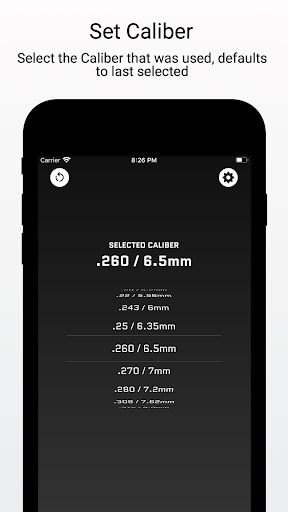
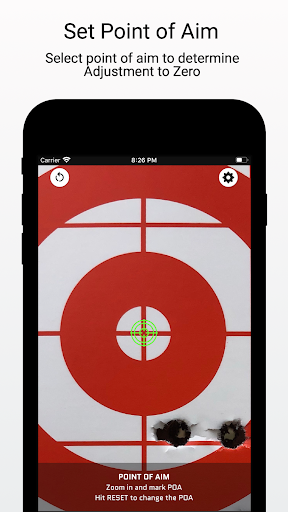
Ballistic X stands out with its robust set of features tailored specifically for shooters. One of the key highlights is the ability to take an image of your target directly within the app or import it from your library. Users can designate a reference size via Settings, mark two points on the target corresponding to the reference, input the distance, select the caliber used, and mark the Point of Aim and Impacts. This streamlined workflow ensures precise calculations every time.
In addition to these fundamental features, Ballistic X offers advanced overlay display options available through an in-app purchase. These include Mean Radius, Circular Error Probable (CEP), Radial Standard Deviation (SD), Vertical SD, Horizontal SD, Mean Windage, Mean Elevation, and Impact Selector. Users can export data to CSV for further analysis, making it a powerful tool for those engaged in load development. The app's commitment to providing top-notch customer service and being community-driven adds significant value for its users.
User-friendly interface
No subscription required
Sync settings across devices
ATZ feature saves time
Advanced toolkit available
Premium features cost extra
Limited to shooting sports
Requires manual input
Optional sign-in only
Not suitable for beginners

Score stunning goals and outsmart defenders on your path to football glory!
 4.40
4.40
Trick cliff dive backflips, stunts & doubles! Unparalleled real physics!
4.50
Run the ball into the endzone in AR.
4.4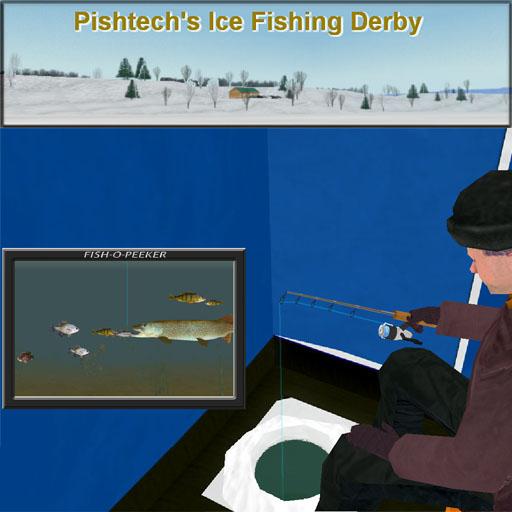
Ice Fishing Derby - It's the fun of ice fishing without the frostbite
4.40
Pixel Cup Soccer is a retro-style arcade game, just the fun part of soccer!
4.00
Mental skills exercise/training - improve your power of focus and concentration
4.3
It’s time to play pool in the world’s No.1 arcade style Pool game on Android!
4.70
An Archery Scoring App. Use Target Faces for Arrow Plotting, Arrow Tag, Analysis
4.60
Experience the thrill of NFL with the ultimate app for Football enthusiasts!
3.80
Retro Basketball Simulation
4.80
For Fans to Buy Tickets
4.80
Score as a Super Star in Football Strike: Action Multiplayer Online Soccer Game!
4.70
The ultimate Golf game! Compete in 6 player real-time multiplayer golf battles!
4.70
Very fun billiards game.
4.60
Build and play your own team! Baseball at your fingertips! BASEBALL NINE!
4.60
Out of the Park Baseball Go is a strategy & sports gaming fan’s dream come true.
4.40
Play one of most famous lawn games in America called foot bag toss family games!
4.30
NEOGEO's masterpiece game is now available in the app!
4.20
Recruit and train players to form a winning team!
4.10


User Reveiws