


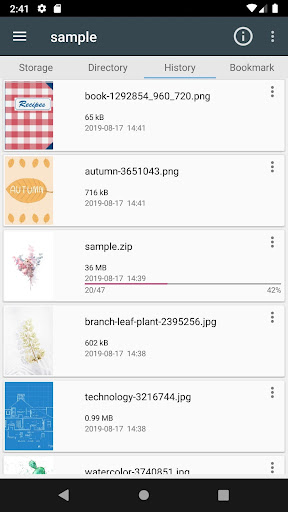

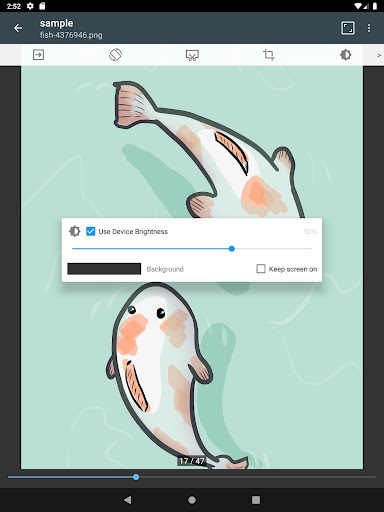


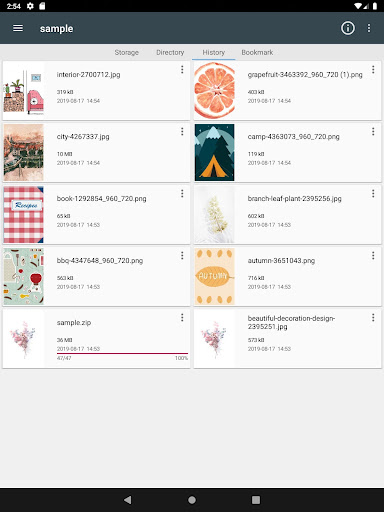
ComicScreen is a versatile comic reader and manager designed for comic enthusiasts who require efficient ways to access and manage their collections. This app supports various compressed file formats including zip, rar, cbz, cbr, and pdf, making it easy to store and read large volumes of comics without consuming excessive storage space.
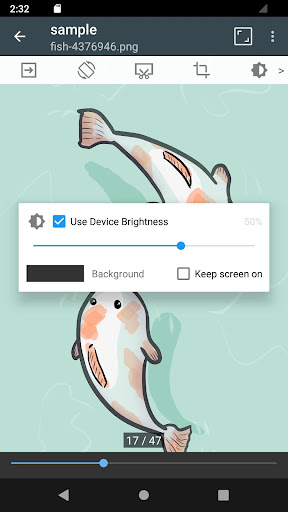
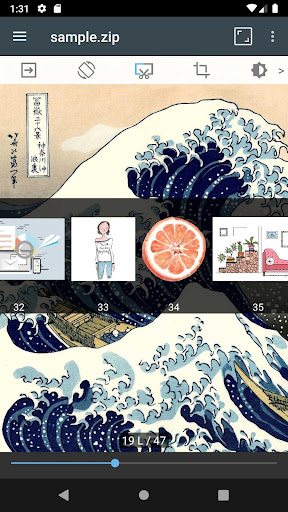
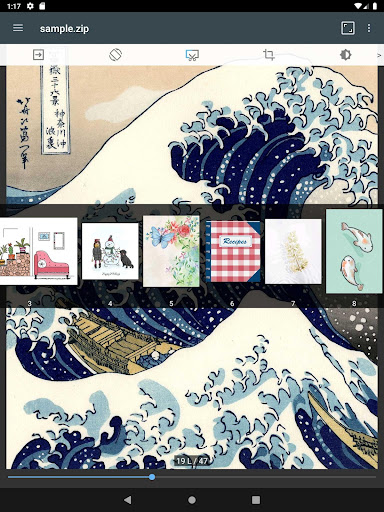
In addition to its robust file support, ComicScreen offers advanced image viewing capabilities. It supports multiple image formats such as jpg, png, gif, bmp, tiff, webp, and avif. The app features smooth image scrolling, bookmark previews, zip file quick views, and page move previews, ensuring an uninterrupted reading experience. Its dual horizontal and vertical view modes allow users to customize their reading style, while automatic page sorting and margin cutting enhance readability.
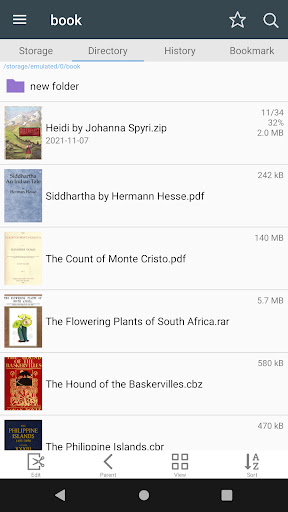
Designed with user convenience in mind, ComicScreen includes practical tools like folder and file explorers, USB-OTG drive support, and network connectivity options such as SMB and FTP. These features enable seamless file management and transfer, allowing users to organize their digital libraries effortlessly. Whether you're a casual reader or a dedicated collector, ComicScreen provides the tools necessary to enjoy and manage your comic collection effectively.
ComicScreen stands out with its comprehensive feature set tailored for comic lovers. One of its key strengths is the extensive file compatibility, supporting both common and specialized formats like zip, rar, cbz, cbr, and pdf. This ensures that users can access their entire library without worrying about format restrictions, providing unparalleled flexibility in managing digital comics.
The app's image handling capabilities are equally impressive. With support for a wide range of image types including jpg, png, gif, bmp, tiff, webp, and avif, ComicScreen delivers high-quality visuals. Its smooth scrolling function allows readers to navigate through pages effortlessly, while the bookmark preview feature helps them pick up right where they left off. Additionally, the zip file quick view and page move preview functions streamline the reading process, offering instant access to content without unnecessary delays.
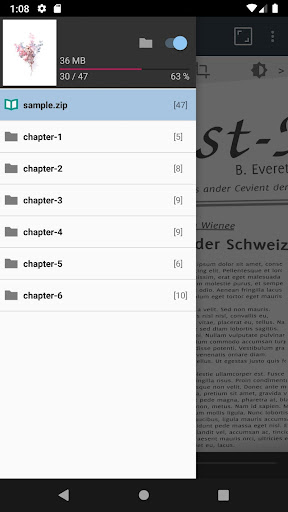
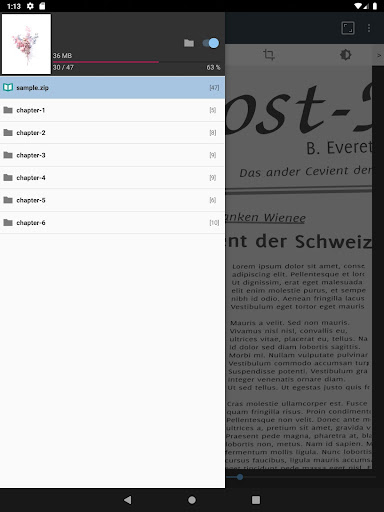
ComicScreen also excels in usability with its intuitive interface and practical tools. The folder and file explorer enables users to search, rename, and delete files directly within the app. USB-OTG support and network connectivity options like SMB and FTP make it simple to transfer and manage files across different devices. Furthermore, the drag-and-drop functionality simplifies file organization, while the chapter drawer and automatic page resort features ensure a well-structured reading experience. These thoughtful design elements combine to create a powerful yet user-friendly comic management solution.
User-friendly interface
Extensive file support
Smooth image scrolling
Advanced bookmarking
Flexible viewing modes
No built-in store
Limited social features
Occasional bugs
Heavy on storage
Ads in free version

Follow your favorite manga and get notifications for new chapters!
 4.50
4.50
Scan comics instantly! Find comic value, price, and key collector details fast.
4.50
Draw the comics with glow brushes! Easy and relax!
4.40
Read manga, comics, and manhwa
4.1
Discover manga stories & stream anime series with unlimited entertainment access
4.40
Manga Reader for Comics, Webtoons & Manhwa. Read Mangas, Chat Stories and Novel.
4.30
Catalog your collection. Just scan covers with your device camera. (US $20/yr)
4.80
Toomics is a premium comic service with every genre for all readers to enjoy!
4.00
Pose Tool 3D for the Artists, create any human figure pose quickly for your art.
4.00
The pure application on the Manga SWAT website
4.80
Dive into the App for Premium Comics, Webtoons and Manga!
4.80
Official from Japan
4.80
100k comics, manga & webcomics, including Batman, Invincible, Hellboy & more
4.60
Manga reader for manga, manhua, manhwa & webtoon, online & offline, update daily
4.50
The largest manga, comics, and manhwa community with millions of fans!
4.50
The fastest and most convenient comic book reader - comics of all formats
4.40
Kodansha official Manga app
4.30
Daily updates & FREE chapters
4.00
Comic reader app: open ZIP, RAR, CBZ, CBR, and PDF files
3.00


User Reveiws