Coverstar

4.20

Information

Category:

Social

Price:

Free

Rank:

33

Rating:

4.20

Overview

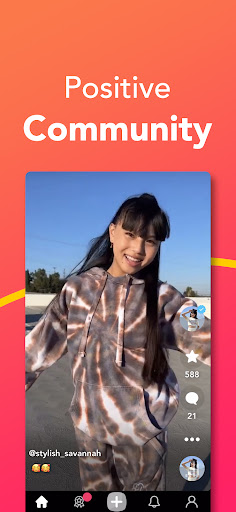
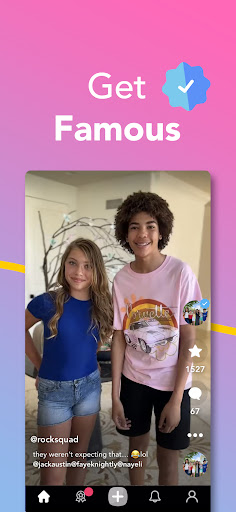
Coverstar is a social platform designed for creative expression without the negativity often found in other social media apps. The app allows users to record and share short videos, participate in challenges, explore trends, and connect with a friendly community that values kindness and respect. Every post is fully moderated, ensuring a safe environment free from bullying and explicit content.

With features like custom avatars, face tracking tools, live streaming, and Picture in Picture support on compatible devices, Coverstar offers a variety of ways to express oneself creatively. As an American company focused on privacy and family-friendly content, Coverstar provides a worry-free space where users can create vlogs, GRWM clips, hauls, reactions, dance videos, and more while feeling secure in a positive online community.

Features

Coverstar stands out with its unique combination of creative tools and safety features. Users can create and share various types of video content including vlogs, GRWM clips, hauls, reactions, and dance videos. The app's challenge feature encourages creativity through fun prompts while allowing users to create their own challenges.

The platform includes advanced avatar customization options and face tracking tools that bring emotes and reactions to life. Its live streaming capabilities support background audio and Picture in Picture functionality on supported devices. Most importantly, Coverstar maintains a clean and safe environment through full moderation of all content, zero tolerance for bullying, no explicit material, and no direct messaging, making it ideal for users seeking a positive social experience.

User profile customization & authenticity verification

User profile customization and authenticity verification are essential features in any social platform aiming to foster a safe and engaging environment. Coverstar excels in these areas by allowing users to create personalized profiles that reflect their unique identities while ensuring the authenticity of these profiles through moderation. When users join Coverstar, they can customize their profiles with avatars and other personal details that showcase their individuality. The use of custom avatars not only adds a layer of fun and creativity but also helps maintain privacy by giving users the option to represent themselves without using real photographs. Furthermore, Coverstar employs face tracking tools which bring emotes and reactions to life, enhancing the user experience and allowing for more expressive interactions within the community. In terms of authenticity verification, Coverstar takes a proactive approach by reviewing every post to ensure compliance with its strict no-bullying and no-explicit-content policies. This moderation process ensures that all user profiles and shared content adhere to the platform's standards of kindness and respect. By maintaining a fully moderated environment, Coverstar provides a worry-free space where users can confidently connect with others knowing that each profile they encounter is genuine and has been vetted for authenticity. This dual focus on customization and verification creates a trusted social space that prioritizes user safety and fosters positive interactions among its members.

Connection discovery

Connection discovery is a pivotal feature in social platforms as it enables users to find and engage with like-minded individuals, thereby enriching their social experience. Coverstar offers robust connection discovery mechanisms that allow users to expand their networks in meaningful ways while maintaining a safe and friendly environment. Upon joining Coverstar, users can explore a variety of content including vlogs, GRWM clips, hauls, reactions, dance videos, and more. This diverse range of content serves as a foundation for connection discovery, as users can identify others who share similar interests or creative pursuits. The platform encourages participation in challenges and trends, which further facilitates the discovery of new connections. By engaging in these activities, users increase their visibility within the community and attract interactions from others who appreciate their contributions. Moreover, Coverstar's live streaming feature with background audio support and Picture in Picture capabilities on supported devices provides another avenue for real-time interaction and connection building. Users can join live streams, participate in discussions, and form bonds with fellow viewers and creators. Importantly, Coverstar's commitment to privacy and safety ensures that all connection discovery processes occur within a secure framework. With no direct messaging and a strict policy against bullying and explicit content, users can explore new connections without concern for unsolicited contact or inappropriate behavior. This thoughtful approach to connection discovery allows Coverstar to offer a unique social experience where users can confidently expand their networks while enjoying a clean, family-friendly environment that promotes creativity, positivity, and good vibes.

Props

User-friendly interface

Fully moderated content

Creative challenge prompts

Advanced avatar tools

Family-friendly environment

Cons

Limited direct messaging

Fewer viral opportunities

Smaller user base

Restricted content types

Less mainstream appeal

Features and Functions

What is this app and what can I use it for?

A safe social platform for creating and sharing videos without drama

How do I download and install this app on my device?

Search 'Coverstar' in Google Play Store, tap Install, and open after download

How do I get started after opening the app for the first time?

Sign up, create avatar, and explore trending challenges or live streams

What are the main features and capabilities of this app?

Video creation tools, challenges, avatars, live streaming, full moderation

How can I customize my experience and adjust preferences?

Customize avatar, adjust notification settings in Settings menu

How do I save or bookmark my favorite content for later access?

Save favorite videos by tapping bookmark icon below each post

How can I share content with friends or on social media?

Share content via direct links or social media platforms

How do I access detailed information and explore more content?

Browse Explore tab, use search function, check notifications for new content

What permissions does this app need and how do I manage them?

Needs camera-microphone access; manage in device settings

How do I check for updates and keep the app running smoothly?

Enable auto-updates in Google Play Store or manually check for updates
Show more

User Reveiws

{{ comment.reviewer_name }}
{{ comment.review_date_formatted}}
{{ comment.review_content }}
{{ tab.name }}
{{ comment.reviewer_name }}
{{ comment.review_date_formatted}}
{{ comment.review_content }}
No reviews with this rating