
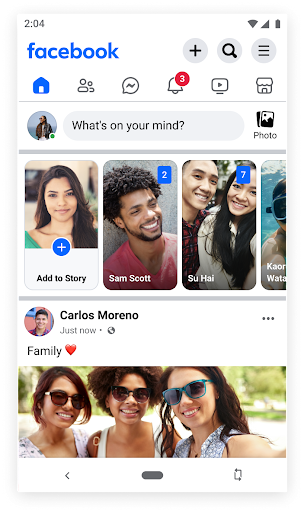
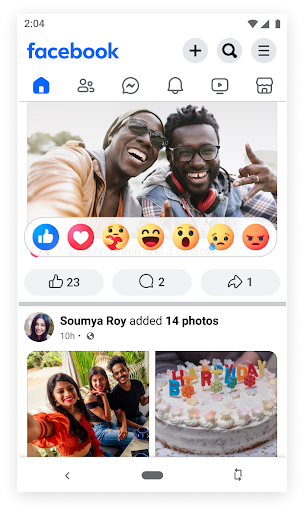
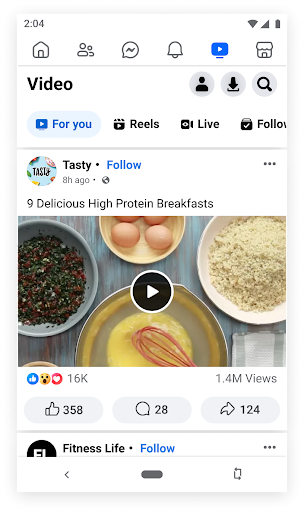
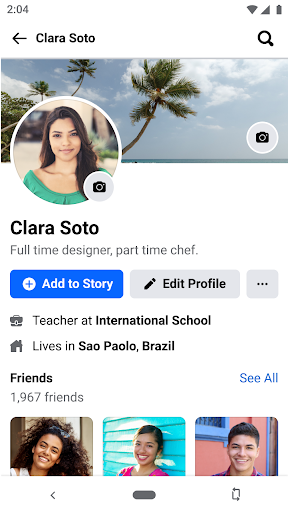
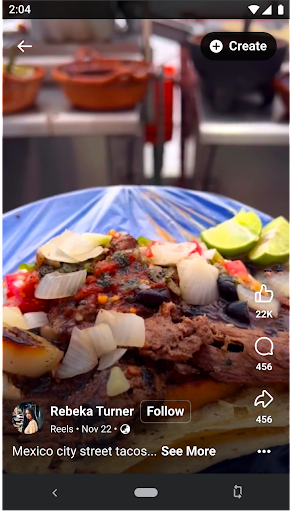
Facebook Lite is a streamlined version of the classic Facebook app, designed specifically for users with limited storage space or those operating in 2G network conditions. This social networking app allows you to stay connected with friends and family while using minimal data and phone storage. The app offers essential features such as posting status updates, sharing photos, liking posts, and commenting on content, all optimized for efficient performance even on less capable devices.
One of the key strengths of Facebook Lite is its ability to function seamlessly in areas with poor internet connectivity. Despite its reduced size, the app still delivers core functionalities like event RSVPs, local business discovery, and access to Facebook Marketplace for buying and selling items locally. Whether you're looking to catch up with friends' updates, organize your photos, or follow the latest news from your favorite brands, Facebook Lite provides a reliable platform that caters to these needs without compromising on speed or accessibility.
Facebook Lite stands out through its lightweight design and efficient performance. The app incorporates several notable features including the ability to find friends and family members easily, post status updates enhanced by Facebook's range of emojis, and share photos along with popular memes. Notifications keep you updated when others interact with your content through likes and comments, ensuring you never miss important social interactions.
The app also facilitates local social engagement by allowing users to discover nearby events, make plans with friends, and explore local businesses complete with reviews and operational details. Additionally, Facebook Lite supports photo album management, enabling users to save and organize their images effectively. With Marketplace integration, users can conveniently buy and sell items within their community. These features collectively ensure that despite its smaller footprint, Facebook Lite remains a powerful tool for staying socially connected.
User-friendly interface
Low storage requirement
Optimized for 2G networks
Fast loading times
Essential Facebook features included
Limited advanced features
No video calling capability
Reduced image quality
Fewer customization options
Occasional syncing issues

Match, chat & date with singles nearby. The dating app to find true love
 4.50
4.50
Live video chat to connect with people around the world. Video chatting on Olive
4.40
Discover an open-minded dating experience when you download today
4.10
Raise cute Pengus with friends
4.70
Chill and Chat with Tagged Live Video with millions of peeps
4.10
The world's leading social networking app for gay, bi, trans, and queer people.
4.10
Message and video call your family and friends!
2.60
Create & share photos, stories, & reels with friends you love
3.90
Join your friends and discover videos you love, only on TikTok
4.10
The hottest live chat app so far. Video chat and meet great people...
4.60
Get your NGL Link
4.60
Live pics from your friends - Only the photos you want to see
4.60
Dating & make friend to chat, meet, flirt, and make real connections!
4.60
FREE calling and texting (SMS texts + MMS) in US & Canada with FREE phone number
4.30
Dive into diverse fandoms. Connect, create, reblog.
3.90
Go Live, Chat & Meet New People! Friends. And more than friends.
3.80
Resonate & Date with New Match
3.70
Video call, live video chat & talk to strangers. Meet people on Omega!
3.60
This is to support the developer of Infinity for Reddit. No exclusive features.
4.2


User Reveiws