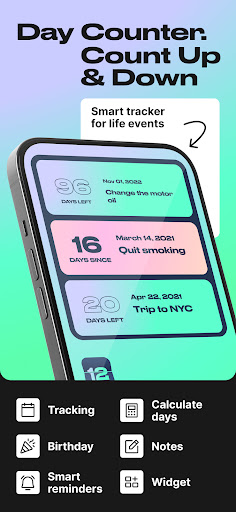
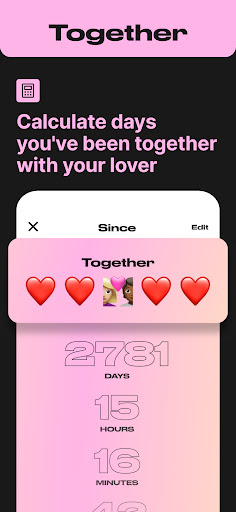
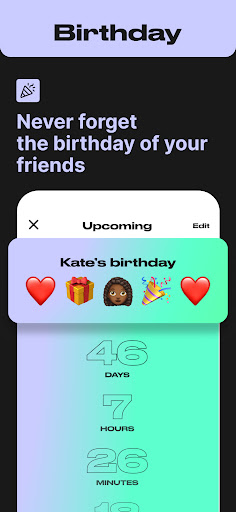
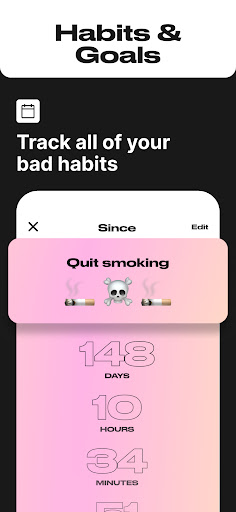
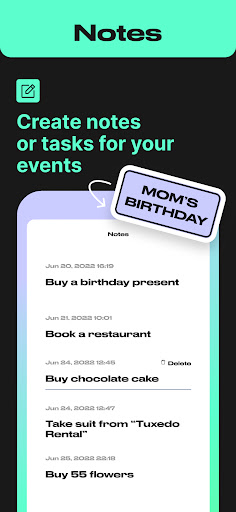
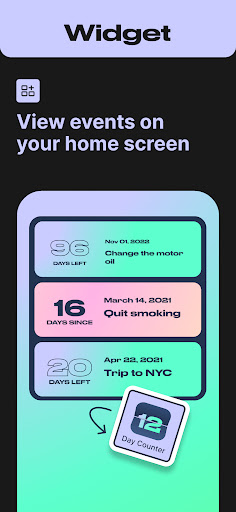
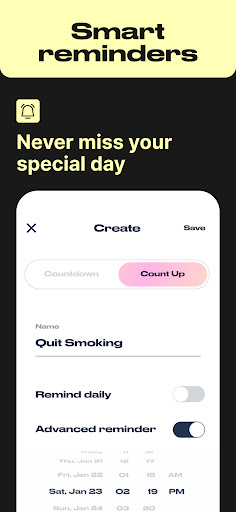
Day Counter is an intuitive and versatile time tracking application designed to help users monitor important events, deadlines, and personal milestones. The app offers two primary modes - count up and countdown - allowing users to track days since or until any significant moment. With unlimited counters, customizable notifications, and a clean minimal design, it serves as a comprehensive solution for both productivity and personal time management.
The application's functionality extends beyond basic date tracking. Users can create dedicated counters for various purposes such as sobriety milestones, habit streaks, work deadlines, and special occasions like birthdays and holidays. The inclusion of widgets and reminders ensures users stay on top of their schedules while the app's distraction-free interface maintains focus on what matters most.
Whether you're managing professional commitments or personal goals, Day Counter provides valuable assistance in staying organized and achieving objectives. Its ability to track past events by week, month, or year makes it an indispensable tool for reviewing progress and maintaining long-term focus. From remembering important dates to building better habits, this app helps users take control of their time effectively.
Day Counter distinguishes itself through its robust feature set tailored for diverse time tracking needs. The app's dual-mode functionality allows seamless switching between counting up and counting down, providing maximum flexibility for different use cases. Users can create unlimited counters for everything from work projects to personal goals, ensuring comprehensive coverage of all important dates and deadlines.
A key innovation is the app's customizable notification system. Users can set personalized alerts for each counter, guaranteeing they never miss crucial milestones or upcoming events. The implementation of widgets enhances accessibility, allowing quick viewing of countdowns and count-ups directly from the home screen. These features are presented within a clean, minimal interface that eliminates distractions while maintaining essential information at users' fingertips.
The app's versatility shines through its specialized tracking capabilities. Whether monitoring sobriety progress, maintaining habit streaks, or preparing for significant events, Day Counter adapts to various scenarios with ease. The inclusion of precise countdown timers and detailed event tracking demonstrates the developers' attention to detail and commitment to providing practical value for users across different aspects of their lives.
User-friendly interface
Unlimited event tracking
Customizable notifications
Clean minimal design
Versatile functionality
Limited advanced features
No desktop version
Premium subscription required
Occasional bugs
Basic widget options

An App for Bhutanese
 4.1
4.1
Greeting card maker with photos best app| Birthday cards| All wishes eCards FREE
4.50
Watch live football matches and streaming events on our Arabic TV app!
3.50
Get live football here
4.30
The world's largest selection of tickets is now at your fingertips
3.90
The Official Football Ticketing App for Fans in Qatar
4.5
Design Invitations & Cards for Any Occasion
4.80
Thanksgiving Wishes, Thanksgiving Stickers & Animated GIF for Whatsapp Stickers
4.5
Plan your wedding for free on the go: vendors, budget, website and checklists!
4.80
Invitation card maker for birthday party & Wedding. Digital greeting card editor
4.90
TodayTix is the easiest way to get tickets to the best shows in your city.
4.90
For weddings, parties & events
4.60
Everything you need for the Best Thursday Ever.
4.40
Invitation Card Maker, Design & share wedding, birthday & party invites fast
4.40
No invest, Easy way to earn USDT through crypto cloud mining
3.80
Local events, contests, and giveaways for local dads
3.70
Audio guide companion APP for SEE's Michelangelo's Sistine Chapel
3.50
It is an Event Planning Application.
4.0
Digital Income Wallet of the Final Libertadores 2025
4.2


User Reveiws