
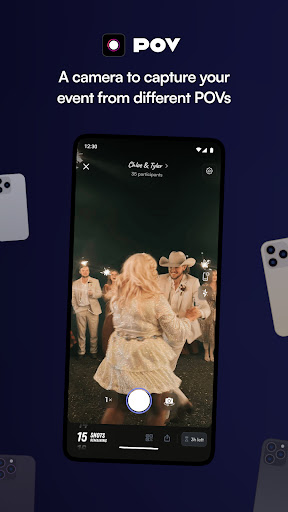
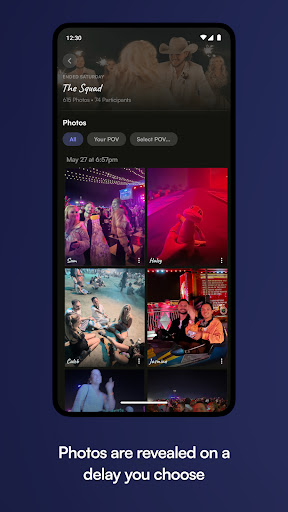
POV is an innovative event photography app that allows guests to capture and share moments from unique perspectives. Designed for event organizers, this digital disposable camera app lets you control the number of photos each guest can take, creating a sense of exclusivity and anticipation. The next-day reveal feature adds excitement as attendees look forward to reliving the event's best moments.
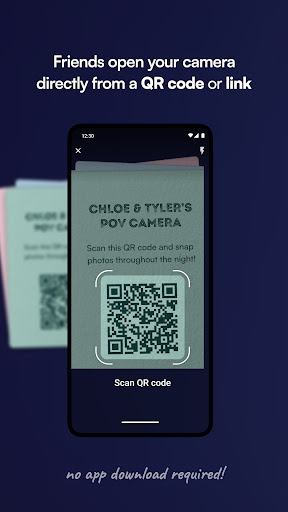
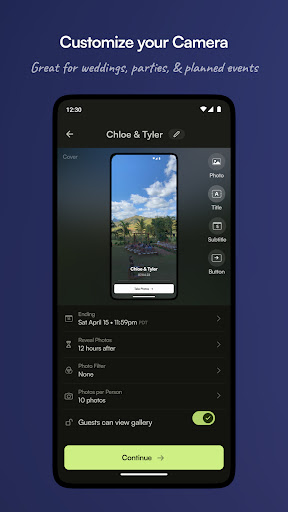
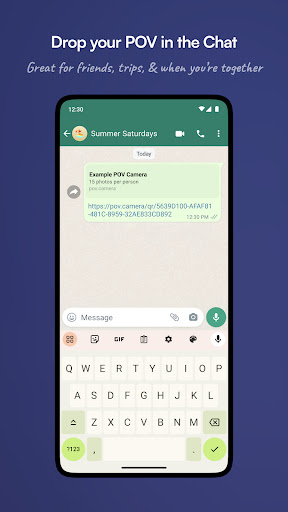
The app's strength lies in its exceptional customizability. Event hosts can personalize every aspect of the photo-taking experience, from designing custom interfaces with stickers and backgrounds to setting specific photo limits. POV also offers practical solutions for seamless sharing through QR codes and NFC tags, making it easy for guests to access and participate without needing to download an app.
POV stands out with its comprehensive set of features tailored for event photography management. The camera functionality gives hosts complete control over the number of photos guests can capture, while maintaining high-quality image standards. The customizable gallery options allow for either real-time or delayed photo reveals, creating different experiences based on event requirements.
Advanced customization tools enable hosts to design unique visual themes using various elements like stickers, text overlays, and background patterns. The app's sharing capabilities are enhanced through purchasable QR codes and NFC tags, facilitating easy access for guests. Additionally, the no-download requirement for participants makes it highly accessible and user-friendly across different devices and platforms.
User-friendly interface
Highly customizable options
Unique next-day reveal feature
No download required for guests
Versatile sharing capabilities
Limited to event use cases
Premium features may cost extra
Requires initial setup time
Dependent on internet connection
Learning curve for advanced features

Buy event tickets easily with our user-friendly App. Stay updated on hot events
 4.1
4.1
CUE Live utilizes ultrasonic sound waves to sync devices at CUE enabled events
4.80
Invitation card maker for birthday party & Wedding. Digital greeting card editor
4.90
Listen Full Quran MP3 Offline - Qibla Compass, Salah Timing & 99 Names of Allah
4.60
Instant photo sharing for every occasion
3.80
The KRUU app - plan, celebrate, remember
4.80
Beautiful invitation cards + easy RSVP tracking for any event. Design Invites.
4.80
Discover events, experiences, and things to do near you - Anytime, Anywhere!
4.70
Buy and sell tickets to sports, concerts, theater, festivals, and comedy events
4.10
Clubs, Festivals, Discounted Tickets, Guest Lists & VIP Tables
4.90
Birthday Greetings provides Birthday Card, Frames, Gifs & Father's day Wishes
4.80
Fast Scans. Happy Fans. For Every Hometown!
4.60
Events, Meetings, Photo Shoots
4.50
PheedLoop Go! is the mobile event app for events powered by PheedLoop.
4.40
The world's largest selection of tickets is now at your fingertips
3.90
No invest, Easy way to earn USDT through crypto cloud mining
3.80
Watch live football matches and streaming events on our Arabic TV app!
3.50
ETH Mining provides secure way to mine Ethereum & earn ETH in Cloud mining app
3.50
RAISE-365 makes fundraising easy and fun!
3.20


User Reveiws