Family Nest

4.40

Information

Category:

Parenting

Price:

Free

Rank:

35

Rating:

4.40

Overview

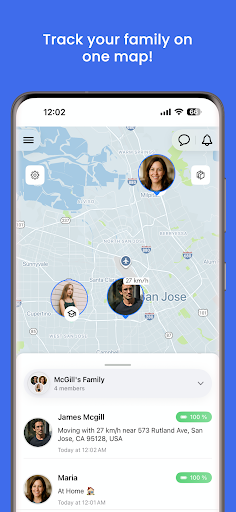
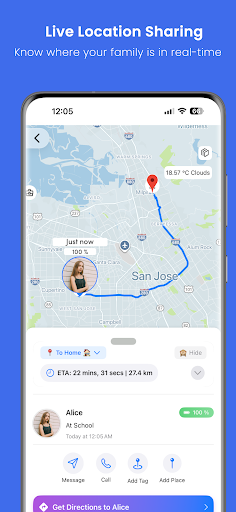
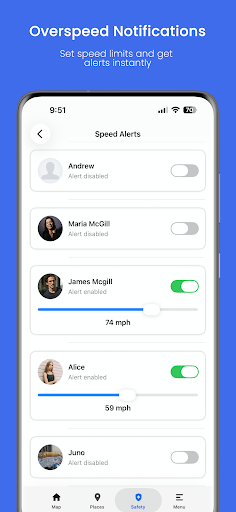
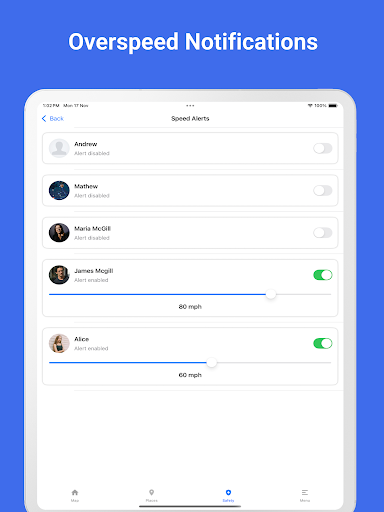
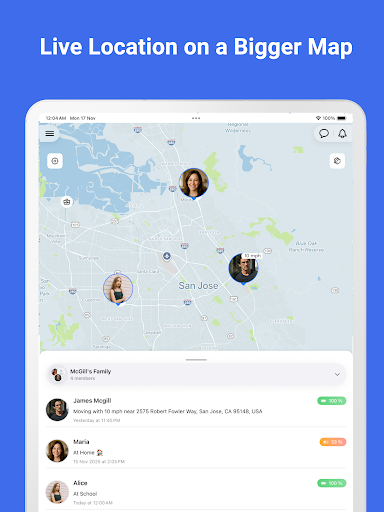
Family Nest is a secure child GPS tracker designed to help parents monitor their children's real-time location, driving safety, and travel history using precise GPS technology. The app provides peace of mind to guardians by allowing them to keep track of their kids' whereabouts anytime, anywhere. With features like private Nests for organizing children, entry/exit alerts for safe zones, and overspeeding notifications, Family Nest ensures the safety of minors while maintaining privacy protection.

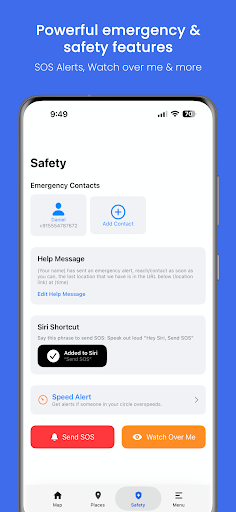
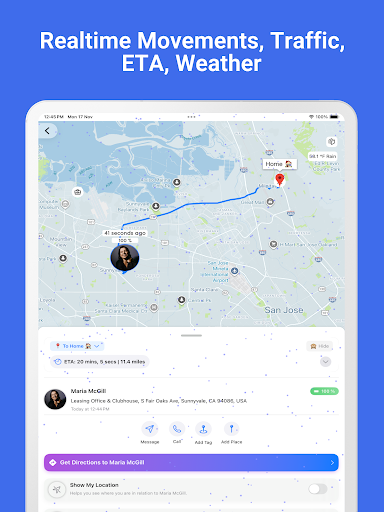
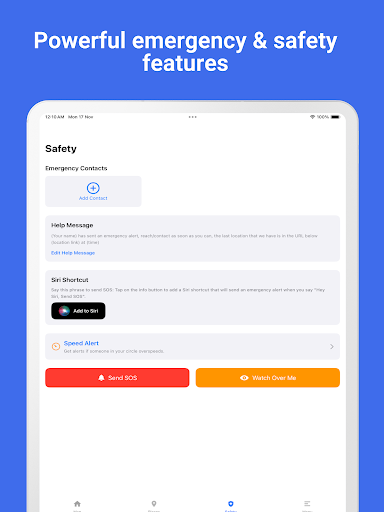
Beyond basic tracking, Family Nest offers advanced tools such as trip history exports, SOS emergency alerts, and real-time traffic updates. These features empower parents with better context about their child’s movements and help them respond quickly in case of emergencies. The app strictly adheres to ethical guidelines, ensuring it is used only for lawful parental monitoring without hidden data tracking or ads.

Features

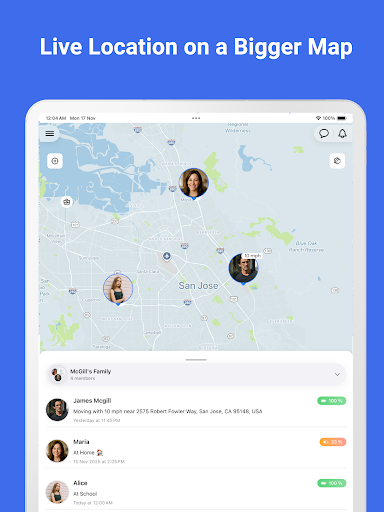
Family Nest stands out with its comprehensive set of parental control tools tailored specifically for child safety. One key feature is the high-accuracy GPS tracking that allows parents to view their child's live location in real time. Additionally, users can create private Nests (formerly Circles) to group and organize multiple children under one account, making family management easier.

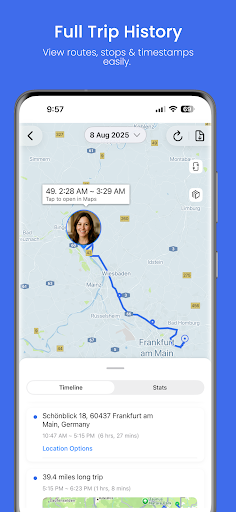
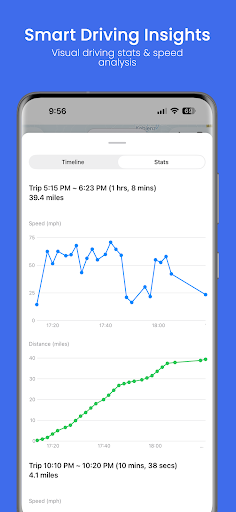
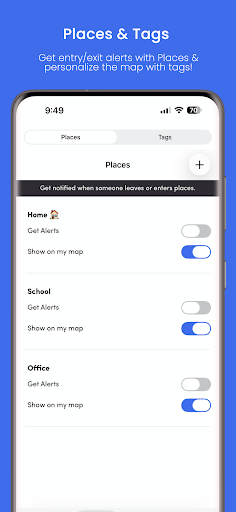
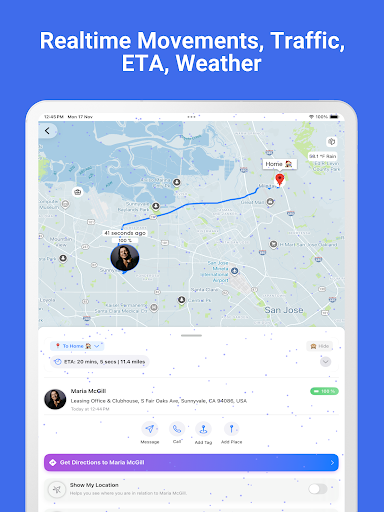
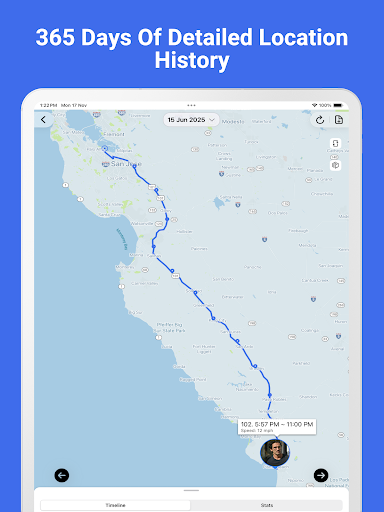
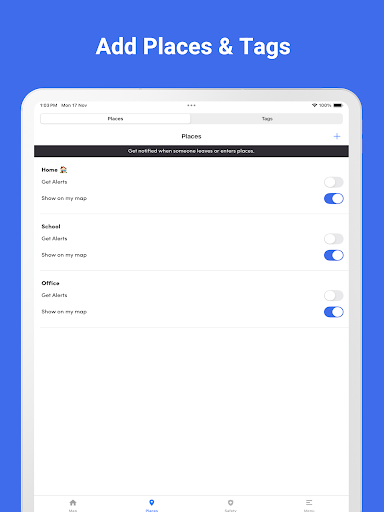
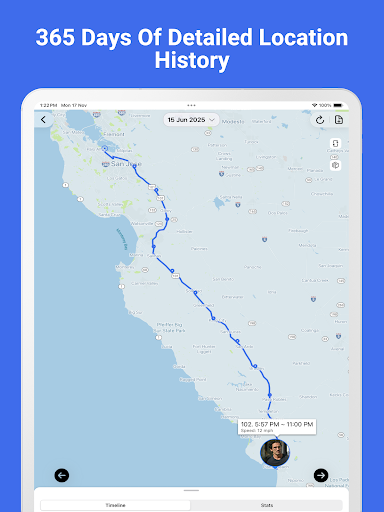
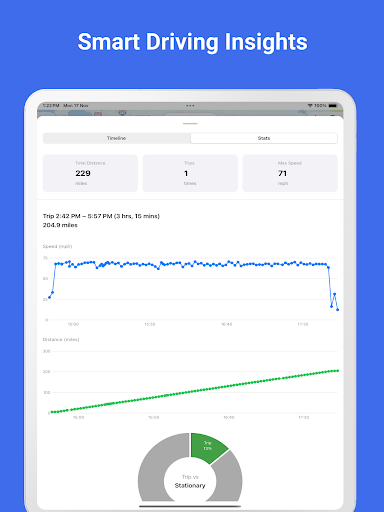
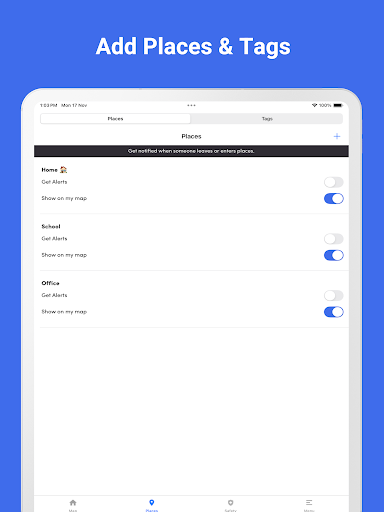
The app also includes geofencing capabilities, sending instant alerts when a child enters or leaves predefined safe zones. Parents receive detailed insights through trip history reports, which include stops, routes, speed graphs, and distance traveled. Advanced options like detecting fake GPS usage and providing ETA updates further enhance the app's reliability. With no ads and strict privacy policies, Family Nest prioritizes user trust and transparency.

Parenting content credibility & expert validation

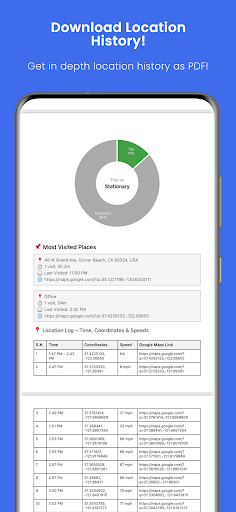
In the realm of parenting applications, content credibility and expert validation stand as pillars for user trust and reliability. Family Nest, a secure child GPS tracker, embodies these principles by offering features that are not only technologically advanced but also ethically aligned with parental needs. The app's core functionality revolves around real-time GPS tracking, geofencing alerts, trip history, and driving safety notifications. These features have been meticulously designed to ensure parents can monitor their childrenu2019s whereabouts safely and responsibly. The credibility of Family Nest is further reinforced through its compliance with Google Playu2019s stringent policies on location tracking and child safety. This ensures that all functionalities are in line with legal and ethical standards, providing peace of mind to guardians. Additionally, the app offers expert-validated tools such as detecting fake GPS locations and overspeeding notifications, which are crucial for maintaining the integrity of location data. By prioritizing privacy and security, Family Nest ensures no hidden data tracking or advertisements, thus fostering an environment of trust. Parents can export full location histories as PDFs, complete with speed and distance graphs, enabling them to maintain transparent records. Furthermore, the availability of a forever-free plan with essential features underscores the app's commitment to accessibility without compromising on quality or safety. With dedicated support channels and a robust feature set, Family Nest exemplifies how expert validation and credible content can create a reliable tool for modern parenting.

Growth tracking accuracy

Growth tracking accuracy in parenting applications refers to the precision and reliability with which an app monitors and records a child's developmental milestones and activities. For Family Nest, this concept extends beyond traditional growth metrics to encompass comprehensive location tracking and behavioral monitoring. The application leverages high-precision GPS technology to provide real-time updates on a child's whereabouts, ensuring parents receive accurate and timely information. One of the standout features is the ability to view detailed trip histories, including stops and route patterns, allowing parents to understand their child's daily movements comprehensively. The app goes a step further by offering analytical tools such as speed and distance graphs within exported PDF reports, giving parents insights into travel behaviors and potential areas of concern. Another critical aspect of growth tracking in Family Nest is its geofencing capability, where parents can set up safe zones and receive instant alerts when these boundaries are crossed. This feature aids in understanding a child's regular environments and identifying anomalies promptly. Moreover, the detection of fake GPS or mocked locations adds another layer of accuracy, preventing misleading data from skewing parental perceptions. The inclusion of an SOS emergency alert button provides immediate assistance options, reinforcing the app's role in safeguarding children effectively. By focusing on delivering precise and actionable data, Family Nest empowers parents to make informed decisions regarding their child's safety and development. The combination of real-time traffic updates, driving route monitoring, and ETA notifications ensures that parents are always equipped with the most current and relevant information. Overall, Family Nest's emphasis on growth tracking accuracy transforms it into an indispensable tool for contemporary parenting, blending technological sophistication with practical utility.

Props

High GPS accuracy

Real-time location tracking

Private Nests organization

No ads or hidden fees

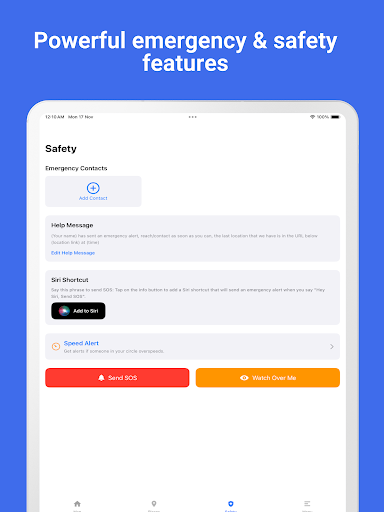
Comprehensive safety alerts

Cons

Premium features require subscription

Limited to parental use cases

Dependent on internet connection

Requires consent from child

Geofencing limited in free version

Features and Functions

What is this app and what can I use it for?

A child GPS tracker for parental monitoring

How do I download and install this app on my device?

Search 'Family Nest' on Google Play Store and tap Install

How do I get started after opening the app for the first time?

Sign up, add your child's details, and enable location permissions

What are the main features and capabilities of this app?

Live GPS tracking, geofencing, trip history, and safety alerts

How can I customize my experience and adjust preferences?

Adjust notification settings via the app's Preferences menu

How do I save or bookmark my favorite content for later access?

Export trip history as PDFs for future reference

How can I share content with friends or on social media?

Share location directly via social media or messaging apps

How do I access detailed information and explore more content?

View detailed trip analytics including speed and distance

What permissions does this app need and how do I manage them?

Needs location access; manage in device settings

How do I check for updates and keep the app running smoothly?

Enable auto-updates in Google Play Store settings
Show more

User Reveiws

{{ comment.reviewer_name }}
{{ comment.review_date_formatted}}
{{ comment.review_content }}
{{ tab.name }}
{{ comment.reviewer_name }}
{{ comment.review_date_formatted}}
{{ comment.review_content }}
No reviews with this rating