
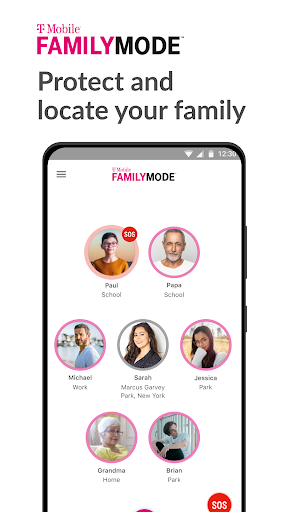
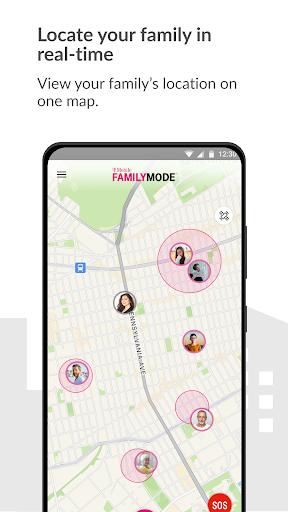
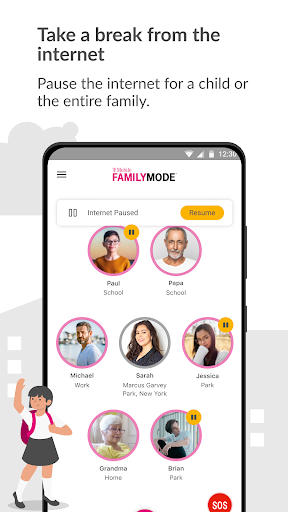
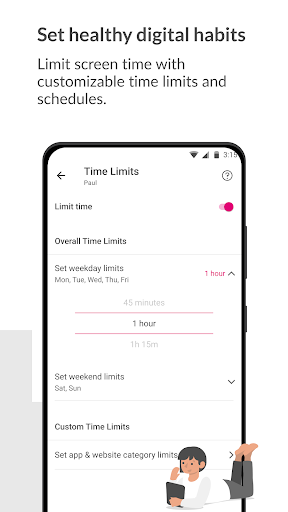
T-Mobile FamilyMode is a comprehensive family safety solution designed to help parents manage their children's digital habits while ensuring their safety. The app allows real-time location tracking of family members, helping you stay connected and informed about your loved ones' whereabouts.
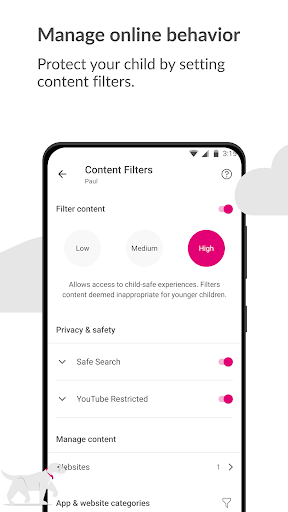
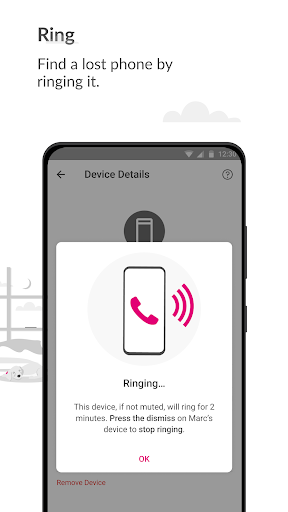
With features like pausing Internet access during dinner time or setting time limits for kids' devices, FamilyMode makes digital parenting more manageable. It also includes content filters that ensure children only access age-appropriate material online. Whether it's rewarding good behavior with extra screen time or finding a lost device by ringing it, this app provides tools that support modern family needs.
The app is particularly useful for families who want to maintain healthy digital habits while staying safe both online and offline. By integrating essential safety features with parental controls, T-Mobile FamilyMode offers peace of mind for parents in the digital age.
FamilyMode stands out with its robust set of features tailored for today's digital families. One key feature is the ability to locate family members in real-time, which can be crucial in emergency situations or simply to check on a child's whereabouts after school.
Another significant aspect is the app’s capability to manage online habits across multiple devices. Parents can pause Internet access at specific times, such as during meals or homework hours, and set daily time limits for each child. This helps promote healthier relationships with technology from an early age.
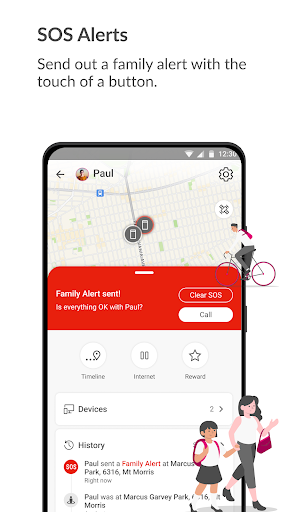
Additionally, FamilyMode uses Google Accessibility Services API to enable advanced parental controls. These controls allow parents to block unwanted or dangerous content effectively. With customizable filters and instant SOS alerts, the app ensures that both online and physical safety are maintained without compromising user privacy.
Real-time location tracking
Customizable time limits
Advanced content filters
Instant SOS alerts
User-friendly interface
Limited to T-Mobile users
Requires constant internet
Some features need premium
Occasional bugs reported
Device compatibility issues

Track your pregnancy & your baby's growth in 3D. Get support from our community
 4.60
4.60
Fake call application designed for parents and adults to discipline their children through the children's police.
4.20
Parental Control including Screen time control, GPS tracking, App/Game blocker.
3.90
Pregnancy and baby formula tips for moms, plus Enfamil coupons & cash back
4.10
Family parental control app: limit screen time, block apps, GPS tracker.
4.20
Keep Your Family Safe with Pollog Family Assistants
4.10
Real-time family location with consent, check-ins & SOS—private by default.
4.40
Learn according to the age of your child and consult with other moms.
4.20
The 10 development leaps of your baby | newborn milestones & leap days tracker
4.10
A simple way to track your baby’s breastfeeding, diaper changes, sleep patterns.
4.90
Track baby’s development & growth week by week with BabyCenter’s pregnancy app!
4.90
Daily Routine & Timer for kids, ADHD, & Autism
4.80
Family GPS locator app — child location tracker. GPS kids tracker, family safety
4.70
Live Location, Alerts & 2-Way Voice for Kids and Adults with Special Needs
4.60
It is a screen time management tool for games and mobile applications
4.50
Magic chalkboard coloring and drawing!
4.20
Limit screen time, Block Apps & Games, Monitor with Parental control app
4.20
The Baby’s Bounty App is your hub to register for our diaper banks in Nevada
3.70
SemLog aims to raise awareness among families and their children
3.40


User Reveiws