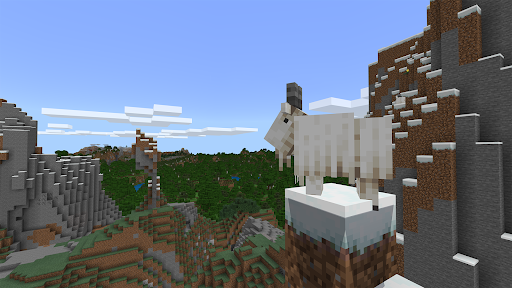
Minecraft Education

4.10

Information

Category:

Education

Price:

Free

Rank:

27

Rating:

4.10

Overview

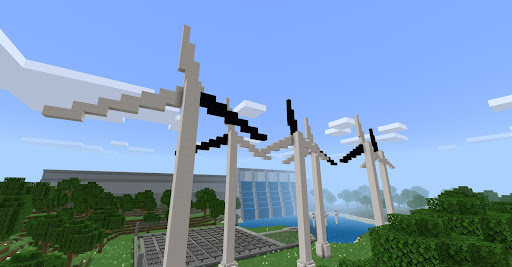
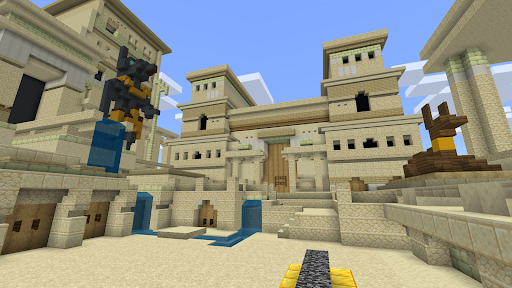
Minecraft Education is a game-based learning platform designed to inspire creative and inclusive education through interactive play. This educational tool allows students and educators to explore blocky worlds that provide innovative ways to approach various subjects and challenges. With lessons and standardized curriculums covering topics like reading, math, history, and coding, Minecraft Education caters to all types of learners.

The platform offers hundreds of ready-to-teach lessons and open-world environments for creative exploration. It helps students develop essential skills such as problem-solving, collaboration, digital citizenship, and critical thinking. These skills are crucial for thriving in future workplaces and spark interest in STEM fields. Additionally, Minecraft Education features content created with partners like BBC Earth, NASA, and the Nobel Peace Center, providing culturally relevant lessons and build challenges.

Features

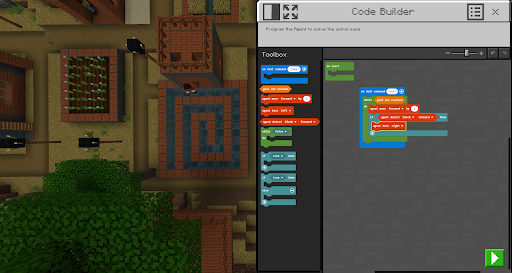
Minecraft Education boasts several key features that enhance its educational value. The multiplayer mode enables collaboration across different platforms, devices, and hybrid environments, making it versatile for various teaching setups. Code Builder supports block-based coding, JavaScript, and Python, offering an intuitive interface with in-game execution capabilities.

Immersive Reader helps players read and translate text, ensuring accessibility for diverse learners. The Camera and Book & Quill items allow documentation and export of in-game creations, facilitating project-based learning. Integration with Microsoft Teams and Flipgrid supports assessment and provides teacher controls, streamlining classroom management. These features collectively create an engaging and effective learning environment.

Content accuracy & authority

In the realm of educational tools Minecraft Education stands out by offering content that is both accurate and authoritative ensuring that learners receive information that is not only engaging but also reliable and aligned with educational standards The platform achieves this through partnerships with renowned organizations such as BBC Earth NASA and the Nobel Peace Center which contribute to creating immersive and culturally relevant lessons These collaborations ensure that the subject matter ranging from reading and math to history and coding is presented in a way that is both informative and captivating for all types of learners Moreover Minecraft Education integrates features like Immersive Reader which aids in reading and translating text thereby supporting comprehension and accessibility This feature combined with the ability to document and export in-game creations using Camera and Book & Quill items ensures that students can engage with the content in a meaningful way while also having tangible outcomes to reflect on Teachers can further enhance the learning experience by utilizing the platforms integration with Microsoft Teams and Flipgrid which allows for assessment and teacher controls thereby ensuring that the educational journey is both guided and enriched By providing a game-based learning environment that is underpinned by accurate and authoritative content Minecraft Education not only facilitates learning across various subjects but also prepares students for future academic and professional success by instilling key skills such as problem-solving collaboration digital citizenship and critical thinking

Personalized learning paths

Minecraft Education excels in providing personalized learning paths that cater to the individual needs of each student through its versatile and adaptive platform With hundreds of ready-to-teach lessons creative challenges and blank canvas worlds educators have the flexibility to tailor the learning experience to suit their students unique learning styles and paces This adaptability ensures that whether a student is a visual auditory or kinesthetic learner they can all find a way to engage with the material that resonates with them Furthermore the platform supports various coding languages including block-based coding JavaScript and Python through its Code Builder feature This allows students to progress at their own speed while also challenging them to expand their skill sets in programming and computational thinking Additionally the multiplayer mode enables collaboration in-game across platforms devices and hybrid environments fostering a sense of community and teamwork among learners regardless of their physical location This collaborative aspect is crucial in developing social skills and learning how to work effectively with others By offering a plethora of customization options and learning tools Minecraft Education empowers students to take ownership of their learning journey while also providing teachers with the necessary resources to guide and assess their progress Through these personalized learning paths Minecraft Education not only makes learning more accessible and enjoyable but also equips students with the essential skills needed to thrive in the future workplace

Props

Engaging gameplay

Educational content

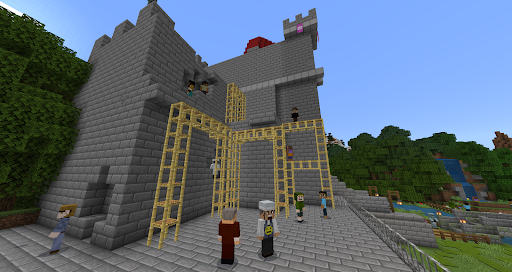
Multiplayer support

Coding integration

Accessible tools

Cons

Subscription required

Complex setup

Limited free resources

Device compatibility

Learning curve
Features and Functions

What is this app and what can I use it for?

Minecraft Education is a game-based platform for interactive learning.

How do I download and install this app on my device?

Download it from Google Play or Apple Store.

How do I get started after opening the app for the first time?

Follow the in-app tutorial to get started.

What are the main features and capabilities of this app?

Main features include coding, collaboration, and creativity tools.

How can I customize my experience and adjust preferences?

Customize settings via the options menu.

How do I save or bookmark my favorite content for later access?

Use bookmarks to save favorite content.

How can I share content with friends or on social media?

Share content via social media links.

How do I access detailed information and explore more content?

Access details through in-app guides.

What permissions does this app need and how do I manage them?

Manage permissions in device settings.

How do I check for updates and keep the app running smoothly?

Check updates in the app store.
Show more

User Reveiws

{{ comment.reviewer_name }}
{{ comment.review_date_formatted}}
{{ comment.review_content }}
{{ tab.name }}
{{ comment.reviewer_name }}
{{ comment.review_date_formatted}}
{{ comment.review_content }}
No reviews with this rating