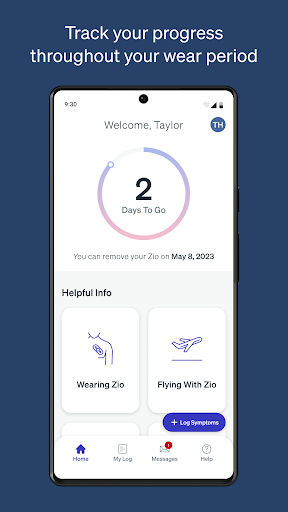
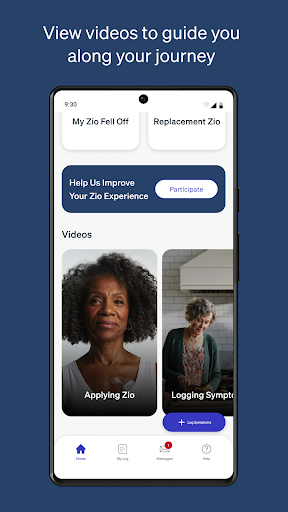
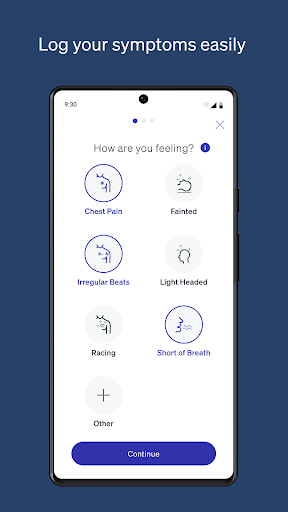


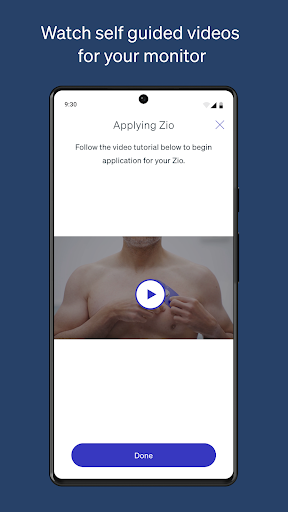
MyZio is a specialized medical application designed to complement the Zio ECG monitor. This app allows users to track the shipping status of their monitors, log and manage symptoms, and access instructional content related to the Zio service. With its user-friendly interface, MyZio ensures that patients can stay informed and engaged throughout their cardiac monitoring journey.
The app's functionality extends beyond simple tracking; it provides an integrated platform where users can create accounts, register their devices, and maintain detailed symptom records. These features collectively enhance patient compliance and improve the quality of data collected during the monitoring period.
Designed for individuals using the Zio ECG monitor, MyZio serves as an essential tool in managing heart health. By offering accessible resources and real-time updates, it empowers users to take an active role in their healthcare, ultimately leading to better outcomes.
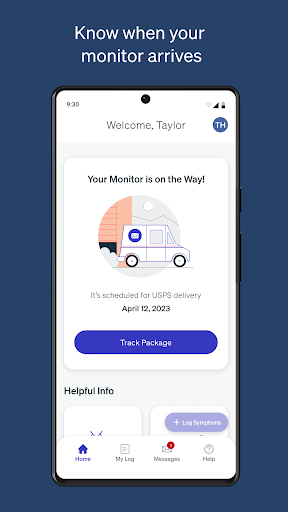
MyZio offers a comprehensive set of features tailored to support users of the Zio ECG monitor. One of its primary capabilities is enabling users to sign up for an account at any time, providing seamless access to the app's functionalities. Once registered, users can effortlessly track the shipping status of their monitors, ensuring they are always informed about delivery timelines.
In addition to logistics tracking, MyZio facilitates the registration of Zio ECG monitors, allowing users to begin logging symptoms immediately. The symptom management feature is particularly robust, permitting users to enter, view, and edit their symptoms as needed. This flexibility ensures accurate and up-to-date symptom tracking, which is crucial for effective cardiac monitoring.
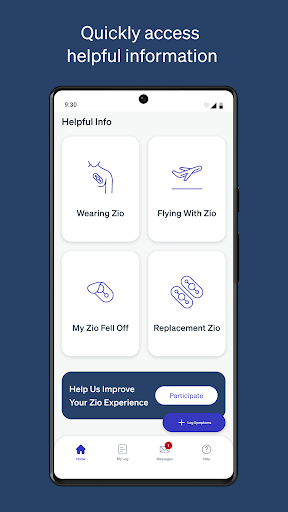
Another standout feature is the app's repository of instructional videos and informational content. These resources guide users through every step of their Zio experience, from initial setup to ongoing usage. By combining practical tools with educational materials, MyZio enhances both the usability and effectiveness of the Zio ECG monitor.
User-friendly interface
Comprehensive symptom tracking
Real-time shipping updates
Educational video library
Seamless device integration
Limited to Zio ECG users
Market-specific features
No offline functionality
Requires constant internet
Symptom input can be manual

The OptumRx app empowers you to become an advocate of your pharmacy benefits.
 4.40
4.40
Spruce is the leading platform for HIPAA-compliant communication and care.
4.90
Identify pills, search different drugs, get drug information and much more!
4.50
A fantastic 3d reference that includes over 300 structures and a quiz function.
3.00
Manage your prescriptions and pharmacy care anytime, anywhere.
4.80
Care Simplified by MyChart
3.40
Easy access to benefits and rewards
3.70
Assess and treat left neglect more effectively in stroke and brain injury rehab.
4.30
Voice pitch monitor for speech therapy, LSVT, Parkinson's, singing & trans
4.30
Pelvic Floor Muscle Exercises
4.80
Donating blood and platelets is easier than ever with The American Red Cross.
4.80
Easy telehealth appointments + urgent care
4.70
Amplify surrounding sounds, conversations, TV or lectures for louder hearing.
4.70
Coaches you through labour using hypnobirthing techniques & tracks contractions
4.70
Boost reading, writing, speaking and listening with a scientifically proven app.
4.70
Check and Track your Blood Pressure & Heart Rate.
4.50
Modivcare members can book and manage trips.
4.50
Internal medicine literature at your fingertips.
4.50
X-Vein: Advanced vein detection for medical practice
3.10


User Reveiws