OruxMaps GP

4.30

Information

Category:

Travel & Local

Price:

$ 4.49

Rank:

4

Rating:

4.30

Overview

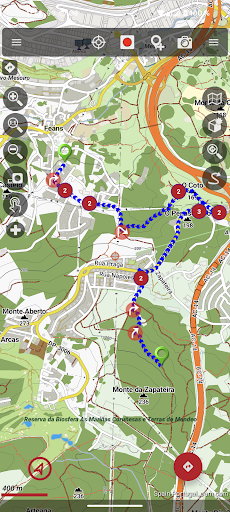
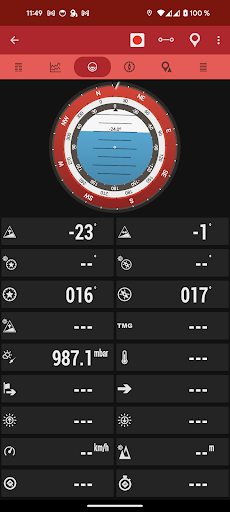
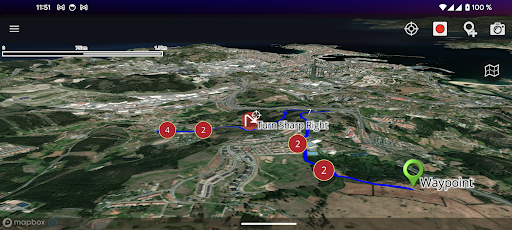
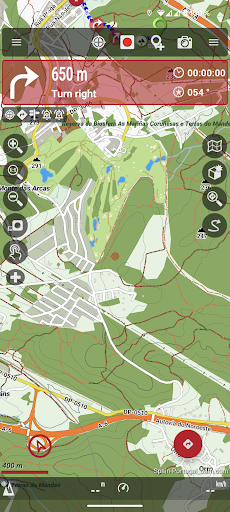
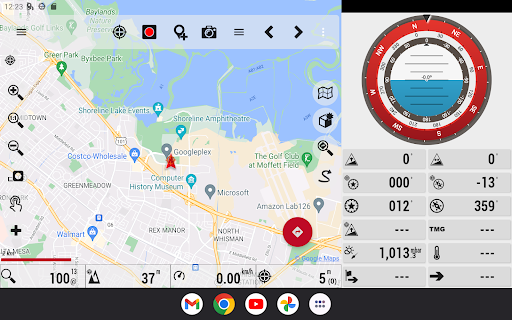
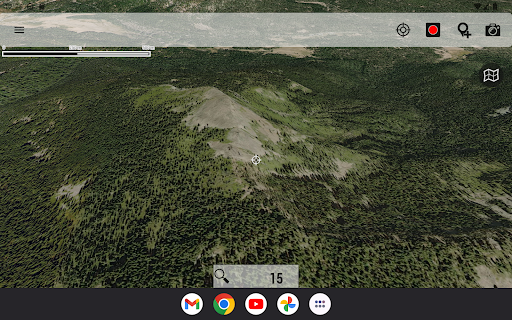
OruxMaps GP is a versatile mapping application designed for outdoor enthusiasts. It supports both online and offline map viewing, allowing users to access various map formats including GeoPDF, GeoTIFF, and .mbtiles. The app provides advanced features such as WMS and WMTS support, making it suitable for activities like hiking, cycling, and nautical sports.

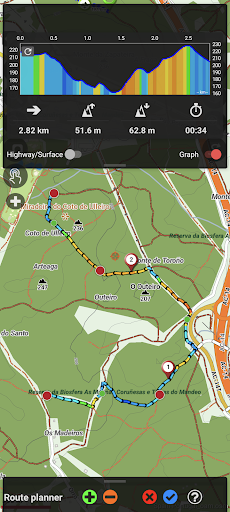
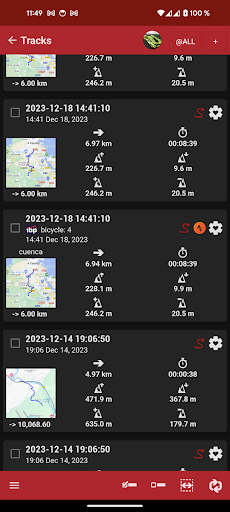
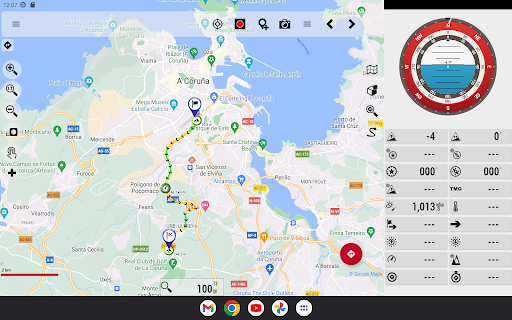
One of the standout capabilities is its compatibility with external devices, enabling connection to GPS units, heart rate monitors, and other sensors. Users can track routes, share locations, and even correct altitudes using DEM files. With support for multiple file formats like KML, GPX, and FIT, OruxMaps GP ensures comprehensive route planning and tracking.

The application's value lies in its ability to function without internet connectivity while still offering powerful tools for navigation and data collection. Whether you're an avid hiker or a professional requiring detailed geospatial data, OruxMaps GP delivers a reliable solution for all your mapping needs.

Features

OruxMaps GP offers a rich set of features tailored for outdoor activities. The app supports numerous map formats, including GeoPDF, GeoTIFF, and .mbtiles, catering to diverse user requirements. Its ability to function as a WMS and WMTS viewer allows users to download maps for offline use, ensuring accessibility in remote areas.

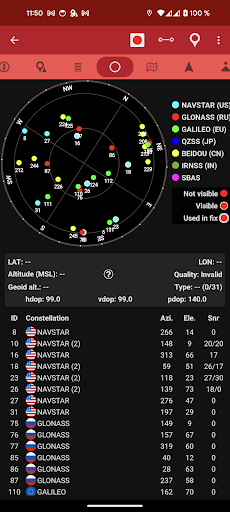
Integration with external devices enhances the app's functionality. Users can connect to GPS units, heart rate monitors, bike sensors, and AIS systems for nautical sports. This connectivity enables real-time tracking and monitoring, providing valuable data during activities. Additionally, the app includes a track editor tool, allowing users to modify track points for accuracy.

Other notable features include geofencing alarms, custom waypoint types, and basic geocaching support. These tools empower users to create detailed and personalized maps. With options to correct altitudes using DEM files and search/download tracks from various sources, OruxMaps GP stands out as a comprehensive solution for outdoor navigation.

Booking authenticity

Booking authenticity in OruxMaps GP ensures that all reservations and bookings made through the app are legitimate and trustworthy. This feature is particularly important for users who rely on the app to plan their outdoor activities and need accurate information about map availability and accessibility. The app provides a comprehensive system for verifying the authenticity of maps, ensuring that users can trust the information they receive. When users download maps for offline use or access online maps such as Mapbox and Google online maps which require a subscription, the booking authenticity feature confirms that these sources are reliable and available for use. Additionally, the app allows users to register into OruxMaps servers, although it is not mandatory. If users choose to register, the app collects personal information including an email account, date of birth, sex, weight, and height. This data is securely stored on OruxMaps servers and is not shared with any other user, person, or company. The booking authenticity feature also extends to the multitracking option, where users can share their position with selected contacts. The app stores the emails of these contacts on the server solely for this purpose and deletes the information if the user's account is deleted. Overall, booking authenticity in OruxMaps GP provides users with peace of mind knowing that their outdoor activity plans based on the app's map services are dependable and secure.

Price transparency

Price transparency in OruxMaps GP refers to the clear and open communication of costs associated with using the app's features and services. This aspect is crucial for users who want to understand what they are paying for and ensure there are no hidden fees when utilizing the app for their outdoor activities. OruxMaps GP offers various functionalities such as viewing online and offline maps in different formats like GeoPDF from USGS store GeoTIFF maps .ozf2 .img garmin vectorial no full support provided .mbtiles and others. While many of these features are available without additional charges some premium services such as accessing featured Mapbox and Google online maps require a subscription. The app clearly outlines these requirements allowing users to make informed decisions about which services to use based on their budget and needs. Furthermore OruxMaps GP supports multiple external devices including external GPS heart rate monitors bike cadence and speed bike power ANT+ speed cadence heart rate distance cycle power temperature and more. These integrations do not come with extra costs making it easier for users to enhance their experience without worrying about unexpected expenses. Another area where price transparency is evident is in the app's ability to correct the altitude of tracks routes using DEM files offline or online services. This feature along with the track editor tool which allows users to modify track points add remove move if they are wrong does not incur additional charges. Additionally users can search or create tracks using online services from Graphopper or offline using Brouter app without any hidden costs. In summary price transparency in OruxMaps GP ensures that users have a clear understanding of the financial aspects involved in using the app empowering them to plan their outdoor activities effectively while staying within their budget.

Props

User-friendly interface

Extensive format support

Offline functionality

Device integration

Advanced tracking

Cons

Complex setup process

Limited customer support

High system requirements

Premium subscription costs

Occasional bugs
Features and Functions

What is this app and what can I use it for?

A versatile mapping app for outdoor activities with offline support

How do I download and install this app on my device?

Download from Google Play Store and follow installation prompts

How do I get started after opening the app for the first time?

Grant necessary permissions and explore main menu options

What are the main features and capabilities of this app?

Supports multiple map formats and external device integration

How can I customize my experience and adjust preferences?

Adjust settings via the preferences menu for a tailored experience

How do I save or bookmark my favorite content for later access?

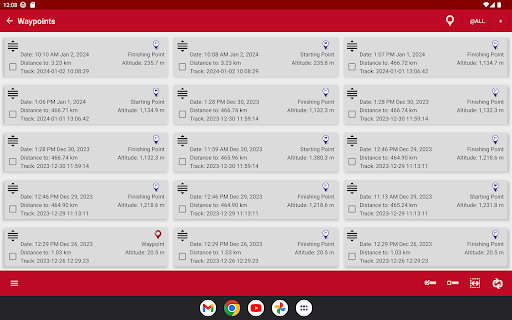
Save waypoints and attach multimedia files for future reference

How can I share content with friends or on social media?

Share locations directly through the app or export files

How do I access detailed information and explore more content?

Access detailed info by selecting specific map elements

What permissions does this app need and how do I manage them?

Requires location and storage permissions; manage in settings

How do I check for updates and keep the app running smoothly?

Check Play Store for updates and enable auto-update in settings
Show more

User Reveiws

{{ comment.reviewer_name }}
{{ comment.review_date_formatted}}
{{ comment.review_content }}
{{ tab.name }}
{{ comment.reviewer_name }}
{{ comment.review_date_formatted}}
{{ comment.review_content }}
No reviews with this rating