
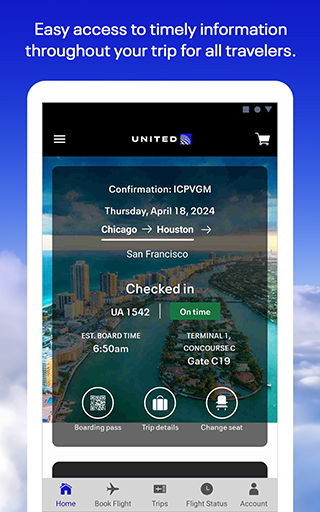
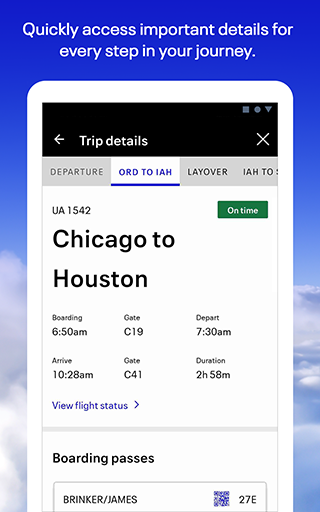
United Airlines app is your comprehensive travel companion, designed to simplify every aspect of your journey. With a focus on seamless travel management, this application allows users to search and book flights across United's extensive global network. Whether you're planning your next vacation or managing business trips, the app provides essential tools for smooth travel coordination.
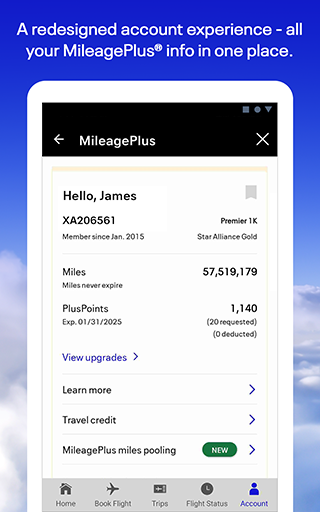
The app goes beyond basic booking functionalities by offering features like mobile check-in, seat selection, and real-time flight status updates. Its integrated Travel-Ready Center ensures passengers are well-prepared for their trips while the baggage tracking system provides peace of mind throughout the journey. Additionally, travelers can enjoy in-flight entertainment options and manage their MileagePlus loyalty program directly through the app.
Particularly beneficial for frequent flyers, the United Airlines app serves as a personal travel assistant that streamlines airport navigation, offers customer support through various communication channels, and helps handle unexpected travel disruptions efficiently.
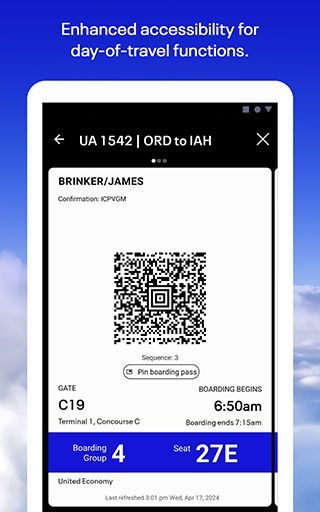
The United Airlines app distinguishes itself through an impressive array of features tailored for modern travelers. One of its standout capabilities is the comprehensive flight management system that enables users to book, modify, and manage reservations with remarkable ease. The app's intuitive interface allows passengers to check-in up to 24 hours before departure, select preferred seats, and store digital boarding passes securely.
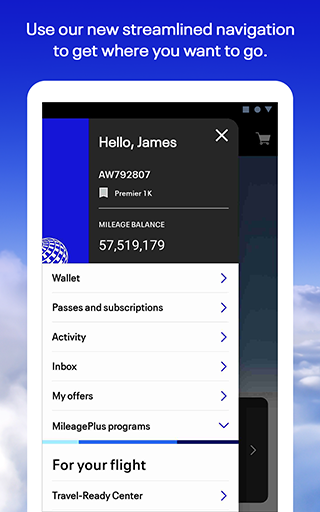
A key innovation is the Travel-Ready Center, which helps ensure travelers meet all necessary requirements before departure. The app also features advanced baggage tracking technology, allowing passengers to monitor their luggage's journey in real-time. For those seeking convenience at the airport, the built-in terminal maps and navigation tools provide step-by-step guidance through complex airport layouts.
Additional notable features include integrated in-flight entertainment options, multiple customer service contact methods including video chat, and robust MileagePlus account management tools. These features collectively create a comprehensive travel ecosystem that addresses virtually every traveler's needs from trip planning to post-flight follow-up.
User-friendly interface
Comprehensive flight management
Real-time baggage tracking
Integrated loyalty program
Multiple support channels
Limited international features
Occasional bugs reported
Some functions require login
In-flight services vary
Heavy app size

OFFLINE detailed information about the Florida National and State Parks
 4.2
4.2
Tide Table Chart provides quick and easy access to high and low tide forecasts.
3.20
Learn about one of the most famous Victorian cemeteries in the world
2.80
Download now and start earning rewards on hotels, tours, and everything travel.
4.50
NEW! Vacation with Ease.
4.60
One app, 300,000+ travel experiences, tours, and tickets you’ll remember.
4.90
Rent the perfect car for wherever you’re going
4.90
Examine the planet
3.80
Stack Upside with your current credit & debit rewards for even more cash back!
4.50
Find the perfect vacation rental. Search from over 2 million properties.
4.80
All-in-one delivery and taxi app. Ride, food, & grocery delivery app.
4.80
Book flight, car or packages. Instant access to hotel discounts & travel deals
4.80
Bus tickets at unbeatable prices with routes across the US. All aboard FlixBus!
4.70
Easily rent a car at over 9,500 locations with the Enterprise car rental app.
4.60
A tool for outdoor activities.
4.30
Iowa 511 is the Iowa Department of Transportation's traveler information app.
3.80
Listen live to pilots and air traffic controllers around the world
3.80
Mix of explore game, travel mapping & tracking to memorize everywhere you go
3.60
Every Diners, Drive-in & Dives location in one place! Your guide to Flavortown!
3.00


User Reveiws