
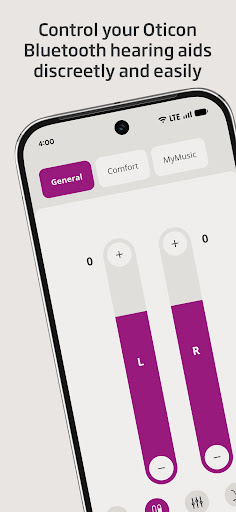
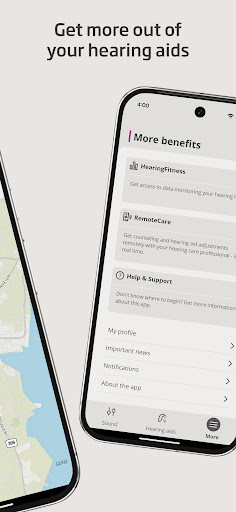
Oticon Companion is a specialized medical application designed to enhance the hearing aid experience for users. This app allows direct control of hearing aids from a mobile device, offering features such as volume adjustment, program switching, and battery level monitoring. With compatibility across most hearing aid models, it ensures personalized sound settings tailored by your hearing care professional.
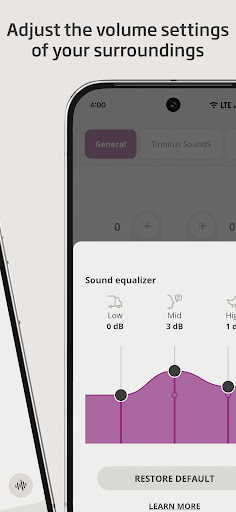
Unique functionalities include SpeechBooster for noise reduction, streaming capabilities for calls and media, and location tracking for lost devices. Advanced features like HearingFitness™ and sound equalizers provide additional customization options. The app requires initial pairing with hearing aids and may need specific phone models or operating systems for full functionality.
Ideal for individuals seeking greater autonomy and precision in managing their hearing aids, Oticon Companion represents a significant advancement in hearing healthcare technology. By integrating professional support with user-friendly controls, it delivers both convenience and improved quality of life for hearing aid users.
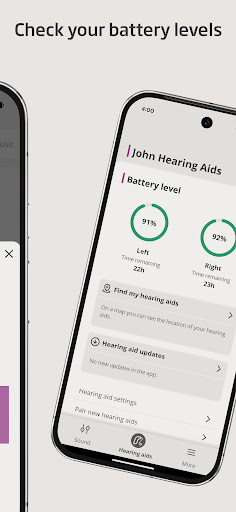
The Oticon Companion app boasts an array of sophisticated features designed to optimize hearing aid performance. Users can adjust sound volume individually or simultaneously for each hearing aid, mute surroundings for better focus, and switch between pre-set programs configured by their hearing care professional. The app also provides real-time battery monitoring and supports wireless accessories like TV Adapters and ConnectClip.
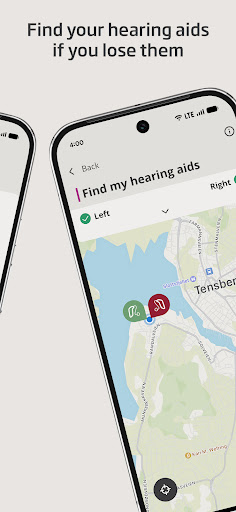
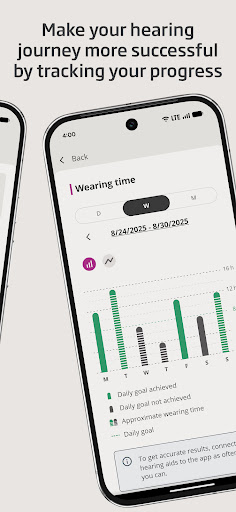
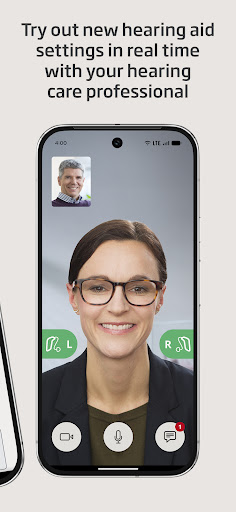
Advanced functionalities include SpeechBooster for background noise reduction (excluding Oticon Opn™ models), streaming equalizer adjustments (not available for Opn™ and Siya models), and specialized sound equalizers for select models. The HearingFitness™ feature helps track hearing progress over time. Additionally, users can locate misplaced hearing aids using location services and schedule virtual appointments with their hearing care provider.
These features collectively ensure optimal sound quality and user convenience while maintaining professional-grade control over hearing aid settings. The app's compatibility with various hearing aid models and requirement for regular updates guarantee sustained performance and technological relevance.
User-friendly interface
Wide device compatibility
Advanced sound customization
Remote professional support
Comprehensive hearing aid control
Limited to compatible models
Dependent on phone specs
Requires initial setup
Some features model-specific
Location services mandatory

The MDLIVE app makes connecting with a doctor fast, easy, and convenient.
 4.60
4.60
One app to unlock your health
4.30
Enables quick access to medical data and contacts in case of emergency (ICE)
4.70
Manage your prescriptions anytime, anywhere with the Publix Pharmacy mobile app.
4.80
Medication reminder, Medicine list, Trackers for BP, glucose, weight, water, etc
4.70
Remote, medical-grade heart care at your fingertips
4.70
Good for You. Great for Life.
4.00
PPP provides quick offline access to over 350 field treatment protocols.
4.60
The doctor will see you now
4.70
Manage your healthcare through the FollowMyHealth® Universal Health Record.
4.80
The NightOwl Companion app allows you to interact with the NightOwl sensor.
4.70
World's largest contact lens store
4.60
Take on apraxia and aphasia with a powerful video-driven speech therapy app.
4.60
Radiographic Positioning Guide for Medical Imaging Professionals and Students
4.50
Patient Health Portal
4.20
Master AEMT with 1,400+ study items, TEIs, practice tests, and scoring.
4.10
Easy access to benefits and rewards
3.70
X-Vein: Advanced vein detection for medical practice
3.10
A fantastic 3d reference that includes over 300 structures and a quiz function.
3.00


User Reveiws