Stick Nodes Pro

4.70

Information

Category:

Entertainment

Price:

$ 3.99

Rank:

3

Rating:

4.70

Overview

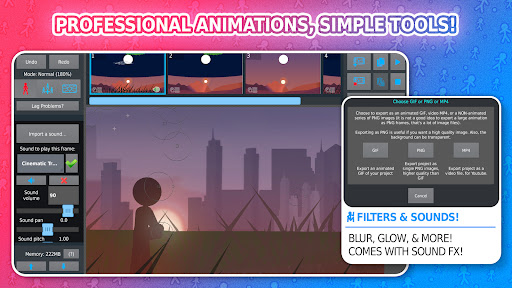
Stick Nodes Pro is a premier stickman animation application tailored for mobile devices, offering advanced features for creating professional-quality animations. Inspired by Pivot Stickfigure Animator, this app allows users to design intricate stick-figure movies and export them as GIFs or MP4 videos.

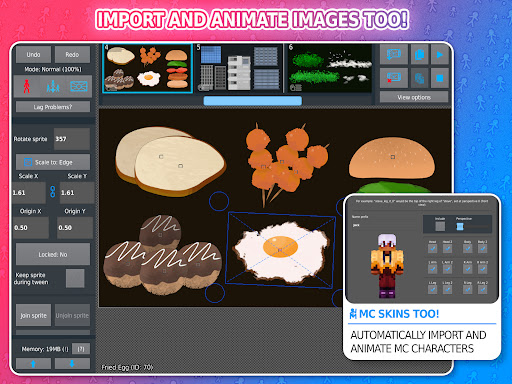
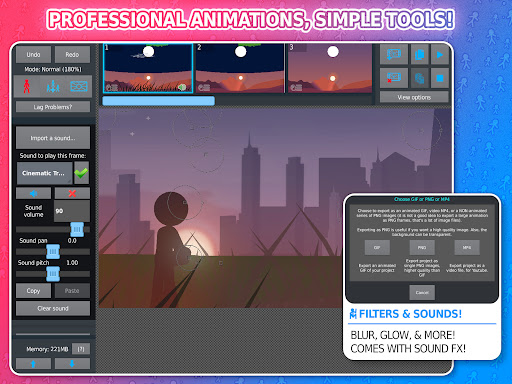
The PRO version enhances the animation experience with exclusive features such as ad-free startup, watermark-free exports, sound effects per frame, and MP4 video export. With over 30,000 downloadable stick figures and compatibility with Minecraft skins, it caters to both amateur enthusiasts and skilled animators.

Whether you're an aspiring animator or using it in educational settings, Stick Nodes Pro provides all necessary tools to create detailed animations, making it an invaluable asset for creative expression and learning.

Features

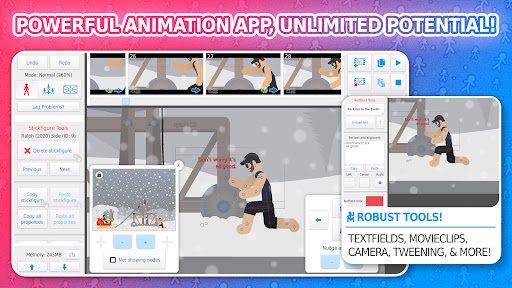
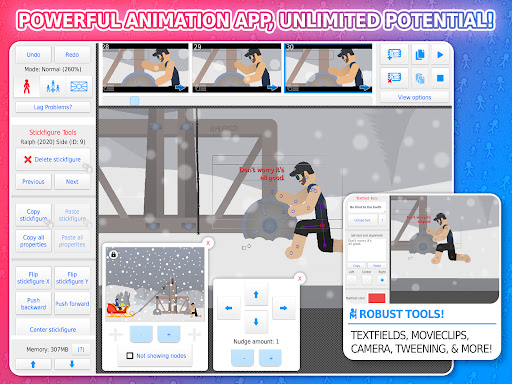
Stick Nodes Pro boasts an impressive array of features that cater to diverse animation needs. The automatic customizable frame-tweening ensures smoother animations while the virtual camera allows panning, zooming, and rotating within scenes akin to Flash's "v-cam".

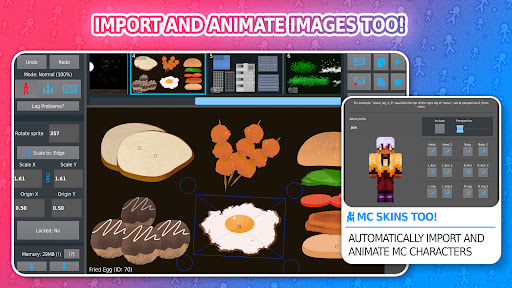
Users can import and animate images, apply various filters like transparency, blur, and glow, and add sound effects to frames. Movieclips enable the reuse and looping of animated objects, enhancing project efficiency. Additionally, text fields facilitate easy incorporation of dialogue and narration.

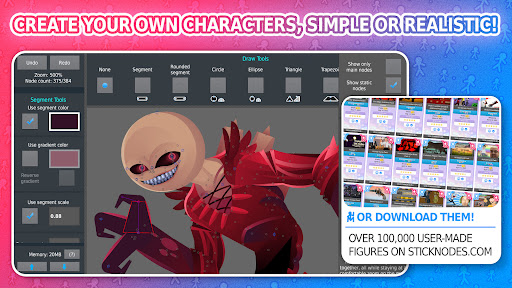
With support for gradients, per-segment color scaling, and joint manipulation for simulating interactions, animators can craft complex figures effortlessly. This comprehensive feature set positions Stick Nodes Pro as a versatile tool suitable for both beginners and professionals alike.

Content variety & freshness

In the realm of entertainment applications, content variety and freshness are crucial for maintaining user engagement and satisfaction. Stick Nodes Pro excels in this area by offering a vast array of features that cater to both novice and experienced animators. The app allows users to create their own stickfigure-based animations with an extensive set of tools including customizable frame-tweening, a simple camera system for panning, zooming, and rotating around scenes, and movieclips for reusable animation objects within projects. Additionally, it supports importing and animating images, applying various filters like transparency, blur, and glow, and even includes text fields for adding speech or text to animations. With over 30,000 stickfigures available for download and compatibility with pre-3.0 Pivot stickfigure files, users have access to a rich library of resources to fuel their creativity. Furthermore, the ability to export animations as GIFs or MP4 videos without watermarks adds another layer of versatility. This continuous influx of new content and features ensures that users always have fresh material to work with, keeping them engaged and excited about using the app regularly.

User engagement duration & retention

User engagement duration and retention are vital metrics for evaluating the success of any entertainment application, and Stick Nodes Pro demonstrates exceptional performance in these areas. The app's comprehensive suite of animation tools provides users with endless possibilities for creative expression, encouraging prolonged usage sessions. Features such as automatic customizable frame-tweening make animations smoother and more professional-looking, while the inclusion of sound effects and different filters enhances the overall quality of the final product. Moreover, the thriving community surrounding Stick Nodes Pro plays a significant role in retaining users. Animators can interact, share their work, and collaborate on projects, fostering a sense of belonging and motivation to continue using the app. The large repository of downloadable stickfigures and frequent updates introducing new functionalities further contribute to sustained user interest. By allowing users to save, open, and share their projects, stickfigures, and movieclips, the app promotes a seamless workflow that encourages revisiting previous works and building upon them. These factors combined ensure that users not only spend considerable time within the app but also return frequently, solidifying Stick Nodes Pro's position as a leading choice for aspiring and professional animators alike.

Props

Ad-free experience

Watermark-free exports

Advanced tweening options

Extensive community support

Versatile animation tools

Cons

Pro version is paid

Steep learning curve

Limited free resources

Occasional performance lags

Requires internet for full functionality

Features and Functions

What is this app and what can I use it for?

Stick Nodes Pro is an animation app for creating stick figure movies and exporting them as GIFs or MP4s.

How do I download and install this app on my device?

Download Stick Nodes Pro from Google Play Store and install it on your Android device.

How do I get started after opening the app for the first time?

Start by exploring tutorials and importing stick figures to begin animating.

What are the main features and capabilities of this app?

Key features include frame-tweening, virtual camera, sound effects, and movieclips.

How can I customize my experience and adjust preferences?

Customize preferences through settings to adjust animation parameters and interface.

How do I save or bookmark my favorite content for later access?

Save favorite content locally or bookmark online resources via the app's sharing feature.

How can I share content with friends or on social media?

Share animations directly to social media platforms or with friends via export links.

How do I access detailed information and explore more content?

Access detailed guides and explore more content on the official Stick Nodes website.

What permissions does this app need and how do I manage them?

The app requires permissions for storage and internet access; manage these in settings.

How do I check for updates and keep the app running smoothly?

Check for updates via the app store or official website to ensure smooth operation.
Show more

User Reveiws

{{ comment.reviewer_name }}
{{ comment.review_date_formatted}}
{{ comment.review_content }}
{{ tab.name }}
{{ comment.reviewer_name }}
{{ comment.review_date_formatted}}
{{ comment.review_content }}
No reviews with this rating