Thunderstorm for Hue

4.30

Information

Category:

Entertainment

Price:

$ 2.99

Rank:

21

Rating:

4.30

Overview

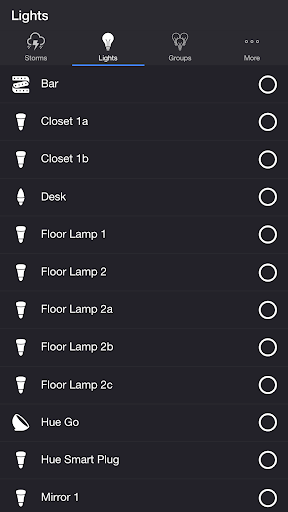
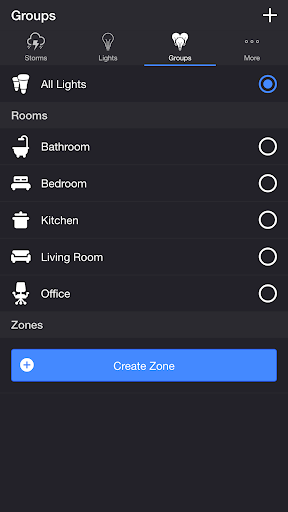
Thunderstorm for Hue is an innovative entertainment application that transforms your Philips Hue lights into a dynamic thunderstorm light show. The app allows users to simulate various types of thunderstorms, from weak to strong, with accompanying sound effects and customizable lighting patterns.

The application's core functionality lies in its detailed storm simulation capabilities. Users can choose from different storm intensities, each with unique lighting and audio characteristics. Whether it's the slow pulsing lights of a weak storm or the rapid flashes of a strong thunderstorm, the app creates an immersive environment.

This app is particularly useful for home ambiance creation, relaxation, or even as a tool for meditation. By syncing lights and sounds, it creates realistic weather conditions indoors, providing both entertainment value and potential therapeutic benefits.

Features

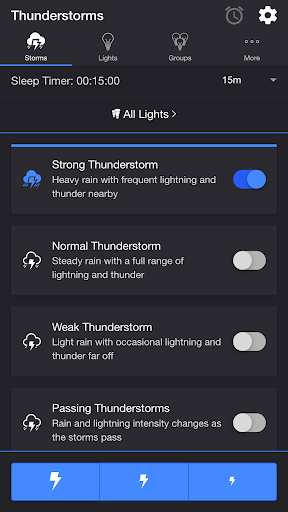
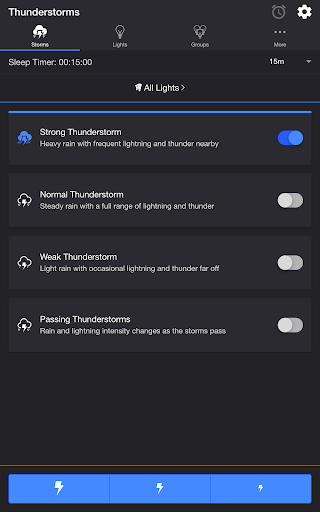
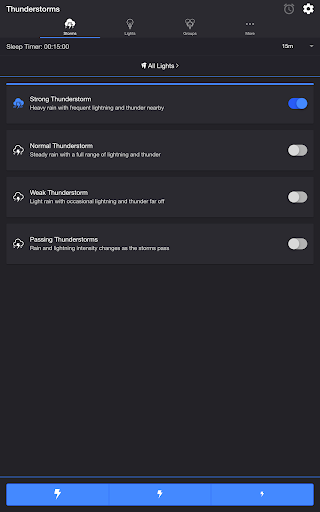
Thunderstorm for Hue stands out through its comprehensive feature set tailored for creating personalized storm experiences. The app offers multiple storm intensity levels - Weak, Normal, Strong, and Passing Thunderstorms - each with distinct audio-visual patterns that adapt to user preferences.

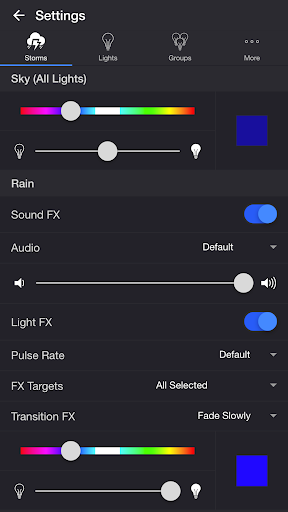
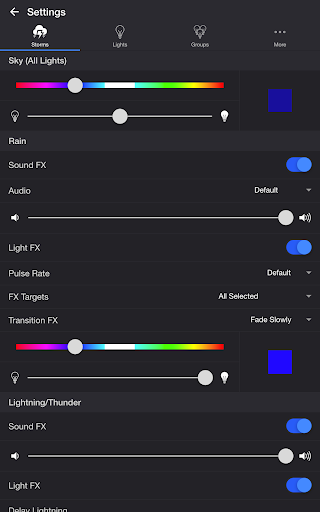
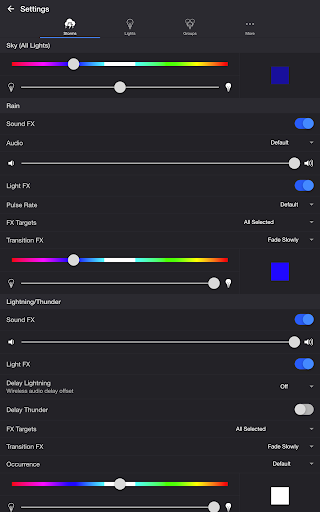
A key innovation is the app's extensive customization options. Users can modify base colors, brightness levels, rain sound effects, and lightning patterns through intuitive controls. Advanced settings include wireless audio delay compensation, background nature sounds, and automated scheduling features.

The implementation of professional-grade transition effects such as Pulse, Fade Quickly, and Flash, combined with precise control over lightning occurrence rates, demonstrates the app's attention to detail. These features collectively enable users to create highly realistic and customizable storm simulations.

Content variety & freshness

In the realm of entertainment applications, content variety and freshness are crucial for maintaining user interest and engagement. Thunderstorm for Hue offers a diverse selection of thunderstorm experiences that cater to different moods and preferences. Users can choose from Strong, Normal, Weak, and Passing Thunderstorms, each providing a unique combination of light and sound effects that simulate the natural phenomena of a real storm. The application goes beyond static content by allowing users to customize their experience with an array of settings. These include options to modify the base color and brightness of lights, toggle rain and thunder sound effects, adjust audio levels, and control the rate and style of light pulsing. Such customization ensures that every session can be tailored to the user's current desire, whether they seek a dramatic lightning show or a gentle rain ambiance. Moreover, the app includes additional features like Lightning on Demand and a Sleep Timer, which contribute to the overall versatility of the content provided. By supporting external audio devices through Bluetooth and Chromecast, it further enhances the freshness of the audio-visual presentation. This diversity in content not only attracts users but also encourages them to return to the app repeatedly, as there is always a new way to experience the simulated weather conditions. With regular updates and potential new modes or features, Thunderstorm for Hue demonstrates its commitment to keeping its content fresh and engaging for its audience.

User engagement duration & retention

User engagement duration and retention are vital metrics for entertainment apps like Thunderstorm for Hue, indicating how well the app holds the attention of its users over time. The app employs several strategies to ensure that users remain engaged during each session and are motivated to return frequently. One key aspect is the depth of interaction allowed by the extensive customization options. Users can fine-tune their environment with precise controls over lighting effects, soundscapes, and even background noises such as birds or crickets. This level of personalization means that individuals can create an atmosphere that resonates with their specific needs, whether it's for relaxation, sleep aid, or simply enjoying a dynamic light show. Furthermore, the inclusion of features like the Sleep Timer adds practical value, encouraging longer sessions by seamlessly integrating into bedtime routines without concern for manually turning off the system. Another factor contributing to sustained engagement is the Passing Thunderstorms mode, which dynamically changes the intensity of the storm over time, mirroring natural weather patterns and preventing any sense of repetition or predictability. Additionally, the ability to connect to external audio systems via Bluetooth or Chromecast allows for high-quality sound reproduction, enhancing the immersive experience and potentially extending the time spent within the app. By offering both immediate enjoyment and long-term usability through customizable settings and practical functionalities, Thunderstorm for Hue effectively promotes higher user retention rates. As users discover more possibilities within the app, they build a habit of returning to explore new configurations or relax into familiar ones, thus solidifying their ongoing relationship with the application.

Props

Highly customizable

Realistic storm effects

User-friendly interface

Wide range of presets

Excellent immersion quality

Cons

Requires Hue Bridge

Premium version needed

Complex for beginners

Resource intensive

Limited device support

Features and Functions

What is this app and what can I use it for?

Create realistic indoor thunderstorms with Philips Hue lights

How do I download and install this app on my device?

Download via Google Play Store on Android devices

How do I get started after opening the app for the first time?

Select storm type and adjust basic settings first

What are the main features and capabilities of this app?

Offers various storm simulations with detailed customization

How can I customize my experience and adjust preferences?

Adjust sky color, rain effects, and lightning patterns

How do I save or bookmark my favorite content for later access?

Save favorite settings through custom presets

How can I share content with friends or on social media?

Share storm settings via app's export function

How do I access detailed information and explore more content?

Explore detailed settings in dedicated tabs

What permissions does this app need and how do I manage them?

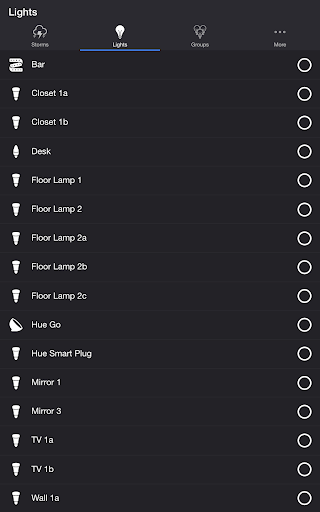
Needs access to Hue lights and system storage

How do I check for updates and keep the app running smoothly?

Check updates through Google Play Store settings
Show more

User Reveiws

{{ comment.reviewer_name }}
{{ comment.review_date_formatted}}
{{ comment.review_content }}
{{ tab.name }}
{{ comment.reviewer_name }}
{{ comment.review_date_formatted}}
{{ comment.review_content }}
No reviews with this rating