
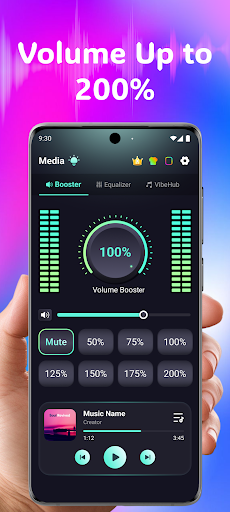

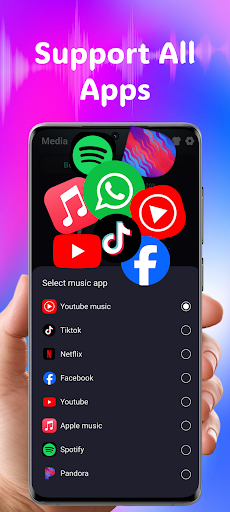
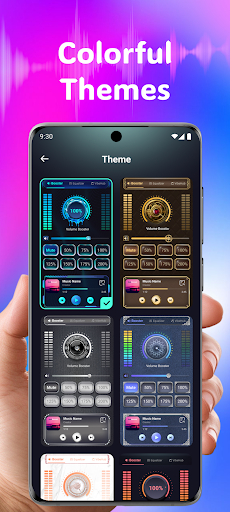
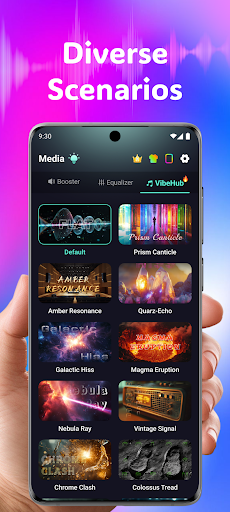
Volume Booster Bass Booster EQ is a versatile audio enhancement application designed to elevate your sound experience across various scenarios. The app's core functionality lies in its ability to amplify media volume up to 200%, making it an ideal solution for outdoor parties, movie watching, and gaming sessions where audio clarity is crucial.
Beyond simple volume control, the application offers advanced features like a 5-band equalizer with tailored sound ranges, wide app compatibility with major streaming platforms, and optimized performance for all devices including headphones and Bluetooth speakers. Its user-friendly interface ensures accessibility for users of all technical backgrounds.
The app particularly shines in medical-related use cases through its Advanced Hearing Mode. This feature provides independent left and right ear control, advanced frequency amplification across six sound ranges, and real-time noise reduction powered by AI technology. These capabilities make it especially valuable for users with hearing challenges or those requiring enhanced audio clarity in professional medical environments.
The application stands out with its comprehensive suite of audio enhancement tools. The Powerful Volume Boost feature allows precise control over sound levels, while the Advanced Equalizer enables detailed customization of bass and other frequency ranges through its 5-band system (60Hz to 14kHz).
What sets this application apart is its specialized medical-grade features. The Independent Left & Right Ear Control offers unprecedented customization for users with asymmetrical hearing needs, supported by real-time visual feedback. The Advanced Frequency Amplification spans six crucial sound ranges from 125Hz to 8kHz, addressing various hearing requirements.
The inclusion of AI-powered Real-Time Noise Reduction demonstrates the app's commitment to providing clear audio in any environment. Additional features like Live Sound Recorder & Playback, Wide App Compatibility, and 3D Surround Sound Effect create a complete package that serves both entertainment and medical purposes effectively.
Advanced hearing support features
Wide device compatibility
User-friendly interface design
Comprehensive equalizer options
Real-time noise reduction
Potential hearing risks at high volumes
Limited advanced medical certification
Dependent on device hardware quality
No offline customer support
Requires careful calibration

Live vet support by text/video
 4.80
4.80
HealtheLife lets you easily manage your health online.
3.20
One app to unlock your health
4.30
A rapid reference for prehospital providers caring for pediatric patients.
4.5
Personalized hearing experience and health data tracking
4.50
Use the phone microphone or headset mic as sound amplifier for louder hearing.
4.30
Voice pitch monitor for speech therapy, LSVT, Parkinson's, singing & trans
4.30
Take your aphasia therapy to the next level with 4 evidence-based advanced apps
4.70
CPR Timer for High Performance AHA BLS / ACLS
5.00
myVCA is your tailor-made guide to raising a healthy and happy pet.
4.90
Donating blood and platelets is easier than ever with The American Red Cross.
4.80
Hear far away sounds, conversations, TV and surrounding sounds more clearly.
4.70
Adaptive-learning flashcards and quizzes for the Top 250 Drugs
4.60
Download the PulsePoint app and use your CPR skills to save a life!
4.60
The Omada app enhances your program experience and helps you stay engaged.
4.50
Donating plasma just got easier with the BioLife Plasma Services mobile app.
3.90
MySafeRide simplifies booking and managing rides for health plan members.
3.50
MHealth is the mobile version of MEDITECH’s Patient and Consumer Health Portal.
3.10
ECG modules improve rhythm ID. ACLS is a simulator for cardiac arrest scenarios.
4.0


User Reveiws