
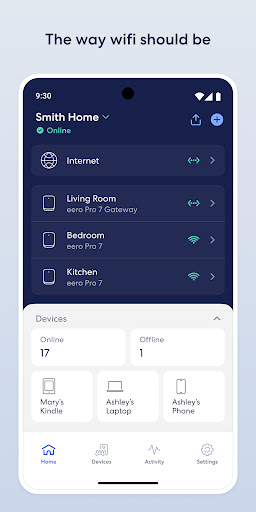
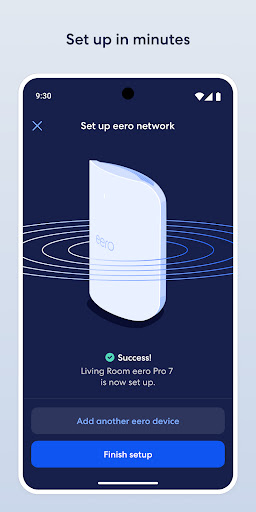
eero wifi system is a comprehensive home networking solution that ensures fast and reliable internet coverage throughout your living space. The eero app serves as the control center for this system, allowing users to set up and manage their network with ease. With its intuitive interface, even non-technical users can complete setup in minutes.
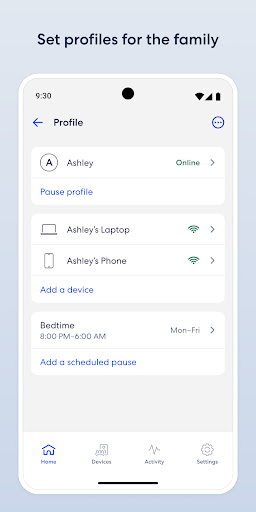
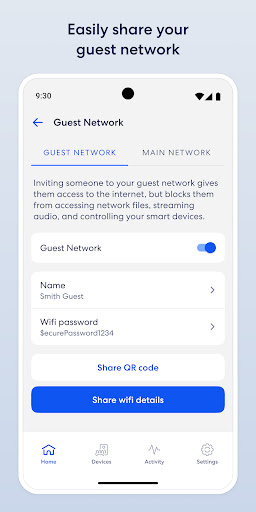
The system automatically updates itself with new features, performance improvements, and enhanced security protocols. This ensures your network stays current and protected against emerging threats. Users can remotely view and manage their network, create guest access, schedule internet usage, and block devices when needed. For those seeking advanced protection, eero Plus offers subscription-based services including enhanced security features and priority customer support.
The eero app provides several key features that enhance the user experience. First and foremost is the simplified setup process that takes only minutes to complete. Once operational, the system automatically receives updates containing new functionalities, performance enhancements, and strengthened security measures.
Another notable feature is the remote management capability. Whether you're at home or away, you can easily monitor your network status, adjust settings, and control device access. The app also enables secure guest network sharing, customizable internet schedules, and device blocking options. For power users, the optional eero Plus subscription adds advanced security tools, extended parental controls, and direct access to wifi experts.
The integration of VPN by Guardian through Android's VpnService is another valuable feature. When enabled, it establishes a secure Virtual Private Network connection, protecting your online activities and maintaining privacy across all devices connected to the eero network.
Easy setup process
Automatic system updates
Remote network management
Comprehensive security features
Optional premium subscription
Premium features cost extra
Physical hardware sold separately
Advanced settings may overwhelm beginners
Occasional connectivity issues reported
Subscription required for full functionality

Smart controls for your Ember Smart Mugs
 4.10
4.10
Tap to the beat with interactive videos — warm up your reflexes & have fun
4.70
A uniquely designed isometric digital watch face made for Wear OS
4.2
Discover your Nationality, Family Origin, and Ancestry from one selfie
4.50
Get the news, events and savings that matter to you with AARP Now.
4.80
My Diary - Daily Journal with lock: Diary journal app and secret diary with lock
4.80
Creativity and savings for kids, beginners and experts in arts and crafts
3.50
Colorful minimal digital watch face for Wear OS
4.60
A unique and customizable watch face which rotates its layout every minute.
4.80
Discover the "To Be a Christian" App: Your Guide to Deepening Faith!
5.00
Get roadside help, discounts, travel tools & more — AAA is with you everywhere.
4.80
Daily lessons from A Course in Miracles with scheduled reminders
4.80
Stay connected with your loved ones & vehicles | Share live GPS location updates
4.60
The go to app for taking unlimited notes!
4.50
Digital watch face design. Modern looking, hi-res & battery friendly.
4.00
Spirit Communicator is a real paranormal ghost hunting app with many fun modes.
3.90
Paranormal EVP, Ghost Box, Spirit box, ITC, Haunted, Spirit communication device
3.70
The Miracle Box includes methods used by Steve Huff of Huff Paranormal.
3.20
Discover how to help puppies stay calm around noise with this helpful app.
4.5


User Reveiws