









Notebooks Pro

4.50

Information

Category:

Lifestyle

Price:

$ 4.99

Rank:

53

Rating:

4.50

Overview

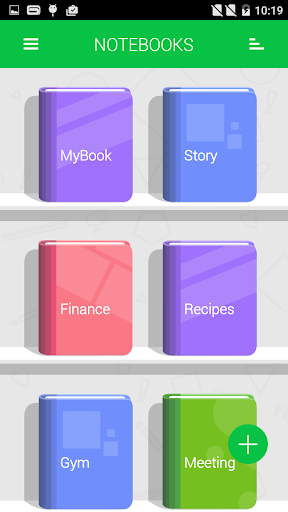
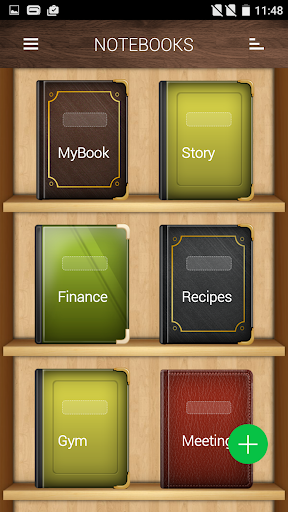
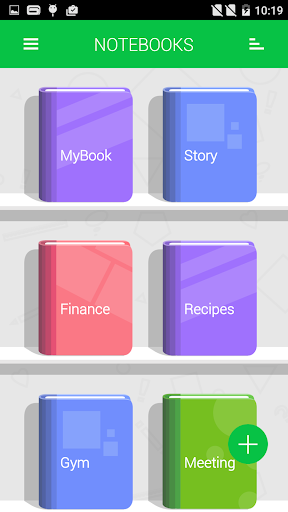
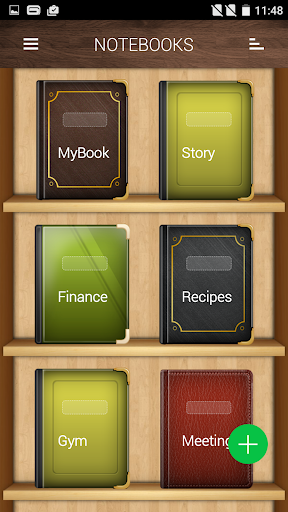
Notebooks Pro is a versatile note-taking application designed for users who want to organize their notes in a stylish and paperless manner. The app allows you to create multiple notebooks, each customizable with unique titles, cover colors, and page styles. Whether you're a student, businessman, or just someone who frequently uses their phone or tablet for note-taking, Notebooks Pro offers the flexibility and ease of use you need.

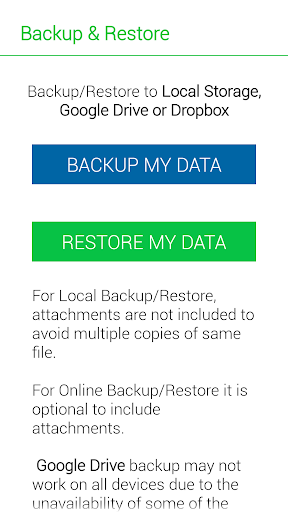
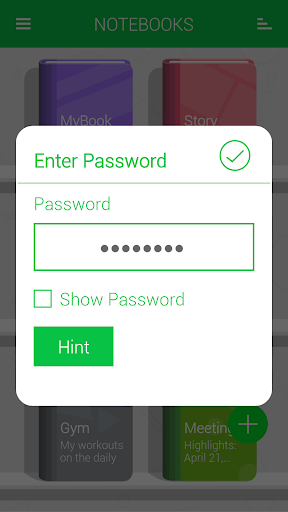
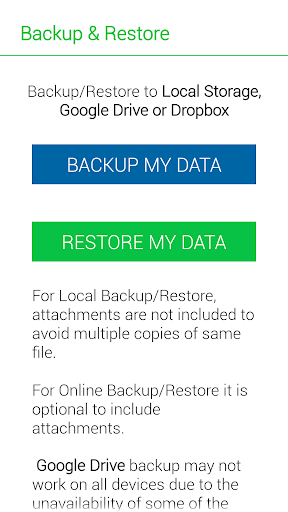
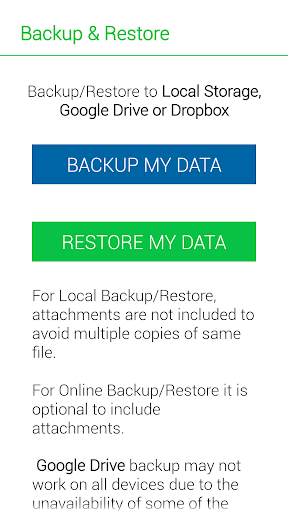
One of the standout features of this app is its ability to attach freehand drawings and image files to your notes. With options like password protection, fingerprint unlocking, and instant search within each notebook, your data remains secure yet easily accessible. Additionally, the app supports backing up and restoring your data to cloud services like Google Drive and Dropbox, ensuring that your notes are safe and can be accessed from anywhere.

Features

Notebooks Pro stands out with its comprehensive set of features tailored to enhance your note-taking experience. You can create multiple notebooks, each with customizable covers, titles, number of pages, and page styles. This level of customization ensures that every subject or project you work on can have its own distinct notebook.

The app also includes advanced functionalities such as password protection with fingerprint unlocking, setting titles for every page, and instant search capabilities within each notebook. Users can attach image files, bookmark pages, and even create freehand drawings. Furthermore, Notebooks Pro supports exporting entire books or individual pages to PDF format, complete with attachments. Text styles like bold, italics, and colored highlights can be applied, making your notes not only informative but visually appealing as well.

Lifestyle category coverage

The Lifestyle category encompasses a wide range of applications that aim to enhance various aspects of everyday living. Notebooks Pro, as a lifestyle application, offers comprehensive features that cater to the diverse needs of users in organizing and managing their personal and professional lives. The app provides an all-in-one solution for note-taking, allowing users to create multiple notebooks for different subjects, each with customizable covers, titles, and page styles. This level of customization ensures that whether you are a student, a businessperson, or someone who uses their mobile device for taking notes, you can tailor your notebooks to fit your specific lifestyle requirements. Additionally, the ability to attach image files, create freehand drawings, and apply text styles such as bold, italics, and colored highlights adds another layer of versatility to the app. With support for password protection and fingerprint unlocking, Notebooks Pro also addresses the growing concern for personal data security within lifestyle apps. Furthermore, the option to export entire books or individual pages to PDF format allows users to share their notes conveniently while maintaining the integrity of the original layout. Overall, Notebooks Pro's extensive feature set demonstrates its commitment to covering a broad spectrum of lifestyle categories, ensuring that users from various walks of life can find value and utility in their offering.

Content authenticity & expert credibility

In the realm of digital note-taking, content authenticity and expert credibility are paramount to ensure users that their information is not only secure but also reliable and accurate. Notebooks Pro takes these concerns seriously by implementing robust measures to protect user data and maintain high standards of content integrity. One of the key features of the app is its ability to backup and restore data to trusted cloud services like Google Drive and Dropbox. This functionality reassures users that their notes are safely stored and can be recovered in case of device loss or damage. Moreover, the permissions required for these operations, such as GET_ACCOUNTS and INTERNET, are solely for facilitating communication with cloud storage services and do not involve storing account details within the app itself. Another aspect that bolsters content authenticity is the provision of instant search capabilities within each notebook, enabling users to quickly locate their entries without any compromise on data accuracy. The app also supports setting passwords and utilizing fingerprint unlocking, which underscores its dedication to safeguarding sensitive information against unauthorized access. By providing detailed FAQs and clear instructions on how to use its features effectively, Notebooks Pro establishes itself as a credible tool developed with the input of experts who understand the nuances of digital note management. These efforts collectively contribute to building trust with users, assuring them that their notes and personal data are handled with utmost care and professionalism.

Props

User-friendly interface

Customizable notebooks

Secure data protection

Cloud backup support

Versatile note-taking options

Cons

Limited language support

No collaboration features

Premium version required

Occasional bugs

Heavy on storage

Features and Functions

What is this app and what can I use it for?

A versatile note-taking app for organizing notes securely and stylishly

How do I download and install this app on my device?

Visit Google Play Store, search for Notebooks Pro, and tap Install

How do I get started after opening the app for the first time?

Create a new notebook using the '+' icon and customize its settings

What are the main features and capabilities of this app?

Multiple customizable notebooks, freehand drawing, cloud backup

How can I customize my experience and adjust preferences?

Adjust notebook settings via the customization options menu

How do I save or bookmark my favorite content for later access?

Bookmark pages using the dedicated bookmark feature in the app

How can I share content with friends or on social media?

Share content by exporting notebooks to PDF and sending via email

How do I access detailed information and explore more content?

Use the search function to find specific notes within notebooks

What permissions does this app need and how do I manage them?

App needs storage and account permissions for backups and access

How do I check for updates and keep the app running smoothly?

Check for updates in the app store or within app settings
Show more

User Reveiws

{{ comment.reviewer_name }}
{{ comment.review_date_formatted}}
{{ comment.review_content }}
{{ tab.name }}
{{ comment.reviewer_name }}
{{ comment.review_date_formatted}}
{{ comment.review_content }}
No reviews with this rating