Fire Remote TV Control

3.30

Information

Category:

House & Home

Price:

Free

Rank:

43

Rating:

3.30

Overview

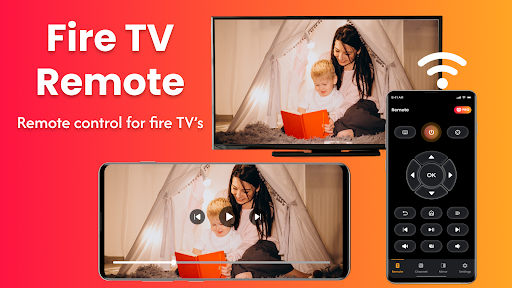
Fire Remote TV Control is a versatile application that transforms your Android phone into a comprehensive remote control for Fire TV and Fire Stick devices. It offers full navigation, playback controls, volume management, and screen mirroring capabilities without the need for pairing codes or complex setups.

The app's standout feature is its seamless integration with the Fire TV ecosystem, including Fire TV Sticks, Fire TV Cube, and Fire TV Edition smart TVs. Whether you're looking to replace a lost physical remote or seeking enhanced functionality like screen mirroring, this app provides an intuitive solution tailored specifically for Fire TV users.

With its user-friendly interface and reliable performance, Fire Remote TV Control enhances your streaming experience by allowing effortless control and content sharing from your mobile device to the big screen.

Features

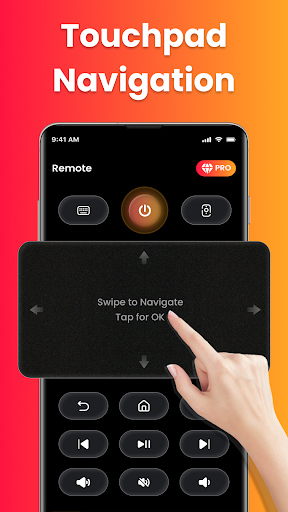
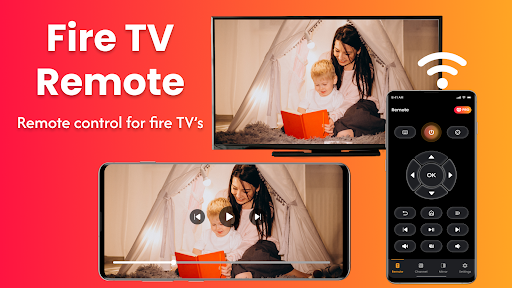
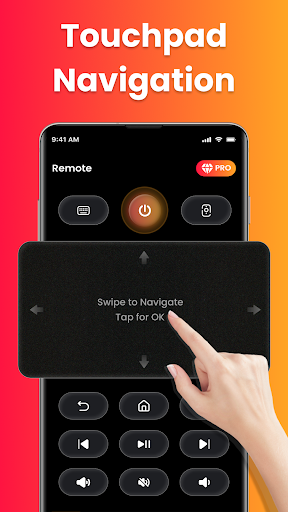
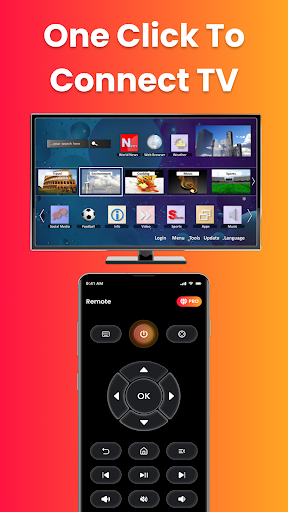
Fire Remote TV Control boasts an array of features designed to maximize convenience and efficiency. The app includes a full directional pad for menu navigation, playback controls such as play, pause, rewind, and fast forward, and volume management options like mute and unmute.

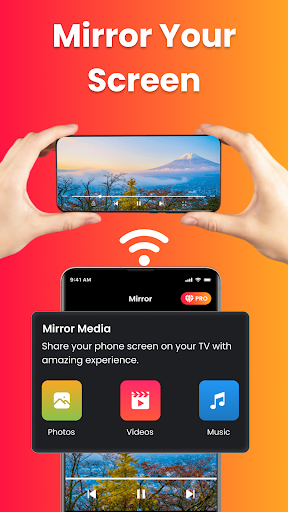
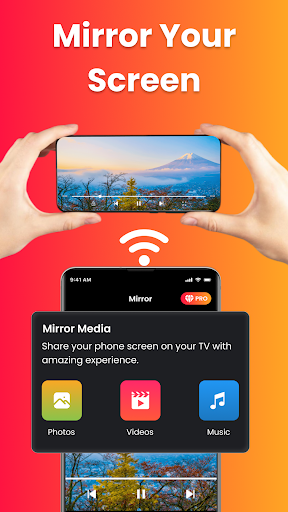
One of the most notable features is the one-tap screen mirroring capability, which allows users to cast their phone's screen directly to their Fire TV. This makes it easy to display photos, stream videos, browse apps, or even present work content on a larger display.

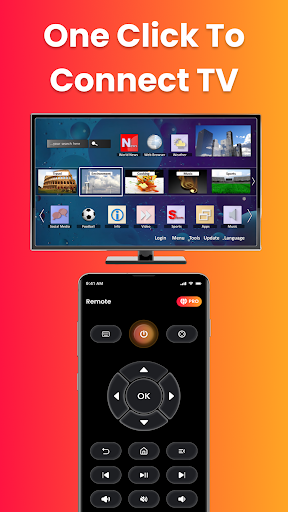
Additionally, the app supports instant connection over Wi-Fi without requiring any pairing codes, ensuring a hassle-free setup process. Its lightweight design ensures fast performance while maintaining battery efficiency, making it an ideal choice for those seeking a dedicated Fire TV remote solution.

Property listing authenticity

In the context of smart home applications like Fire Remote TV Control the concept of property listing authenticity refers to the accurate representation and compatibility information provided for supported devices This ensures users can trust that the app will work seamlessly with their specific Fire TV or Fire Stick models The Fire Remote TV Control app excels in this area by offering precise compatibility details clearly stating which Fire TV devices are supported including Fire TV Stick all versions Fire TV Stick 4K 4K Max Fire TV Cube and Fire TV Edition smart TVs from brands like Toshiba and Insignia This level of transparency is crucial as it allows users to verify upfront whether their device is compatible eliminating potential frustration from downloading an app that doesn't meet their needs Furthermore the app provides explicit disclaimers about its third-party status ensuring users understand its independent development while confirming compatibility with Amazon's Fire TV ecosystem By focusing exclusively on Fire TV products the application guarantees optimized performance and reliability Users benefit from this authenticity assurance as they can confidently use the app knowing it's specifically designed for their devices From a practical perspective this means instant connectivity over Wi-Fi without pairing codes and access to essential features like full navigation playback controls volume management and screen mirroring These functions are explicitly confirmed to work with listed devices creating a seamless user experience The app's attention to detail extends to its compatibility list which avoids generic claims and instead offers concrete assurances about supported hardware This commitment to authentic property listings helps build user trust and ensures optimal functionality across all supported Fire TV platforms

Home management features

Home management features in the context of Fire Remote TV Control encompass the various tools and functionalities that help users efficiently operate and manage their smart home entertainment systems Specifically these features enable users to control multiple aspects of their Fire TV devices directly from their smartphone providing a comprehensive remote control solution The app offers an impressive array of home management capabilities starting with basic navigation through directional pad and touch controls Users can manage power settings where supported adjust volume levels mute or unmute audio and control video playback including play pause rewind fast forward and stop functions These core features are complemented by advanced options such as an on-screen keyboard for quick typing and searches which significantly enhances the usability of the Fire TV platform particularly when entering passwords or searching for content Additionally one of the standout home management features is the integrated screen mirroring functionality This allows users to cast their phone's screen directly to their Fire TV with a single tap enabling them to display photos stream videos browse apps or even present work-related content wirelessly The simplicity of connecting both devices to the same Wi-Fi network and instantly accessing these features demonstrates the app's focus on user-friendly home management The application's lightweight design and battery-efficient operation further contribute to its effectiveness as a home management tool ensuring that users can maintain control over their entertainment system without significant impact on their phone's resources Moreover the intuitive interface requires no technical expertise making it accessible to users of all skill levels The combination of these comprehensive home management features creates a powerful tool for controlling and optimizing the Fire TV experience from a mobile device

Props

User-friendly interface

Instant Wi-Fi connection

Comprehensive remote functions

Efficient screen mirroring

Lightweight and fast

Cons

Limited to Fire TV ecosystem

No Chromecast support

Third-party app risks

Wi-Fi dependency

Device compatibility issues

Features and Functions

What is this app and what can I use it for?

A remote app for Fire TV offering full control and screen mirroring

How do I download and install this app on my device?

Search 'Fire Remote TV Control' on Google Play Store and tap install

How do I get started after opening the app for the first time?

Connect both devices to same Wi-Fi and select Fire TV from app list

What are the main features and capabilities of this app?

Full navigation, playback, volume controls, and screen mirroring

How can I customize my experience and adjust preferences?

Adjust settings within app for personalized preferences

How do I save or bookmark my favorite content for later access?

Use app's bookmark feature to save favorite channels or settings

How can I share content with friends or on social media?

Share content via app's direct screen mirroring function

How do I access detailed information and explore more content?

Access details through app's comprehensive navigation controls

What permissions does this app need and how do I manage them?

App needs Wi-Fi access; manage in phone settings if needed

How do I check for updates and keep the app running smoothly?

Check updates in Play Store or app's internal update section
Show more

User Reveiws

{{ comment.reviewer_name }}
{{ comment.review_date_formatted}}
{{ comment.review_content }}
{{ tab.name }}
{{ comment.reviewer_name }}
{{ comment.review_date_formatted}}
{{ comment.review_content }}
No reviews with this rating