
Fly Delta

4.80

Information

Category:

Travel & Local

Price:

Free

Rank:

7

Rating:

4.80

Overview

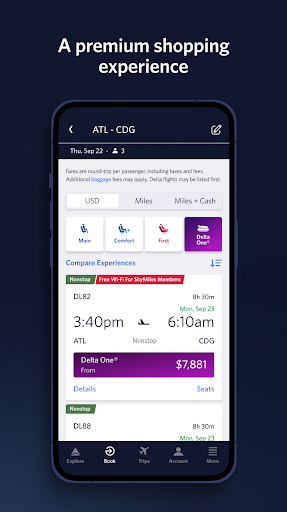
Fly Delta is an award-winning travel application designed to make your journey seamless and stress-free. The app provides comprehensive tools for managing every aspect of your trip, from planning and booking flights to real-time updates during travel.

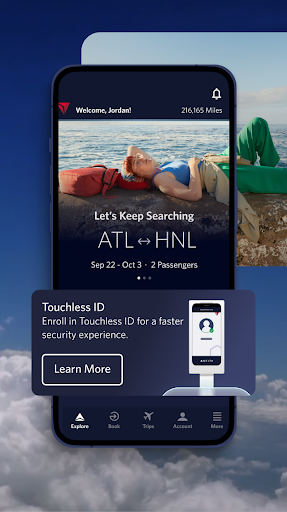
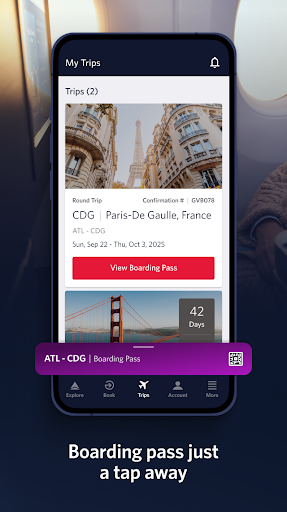
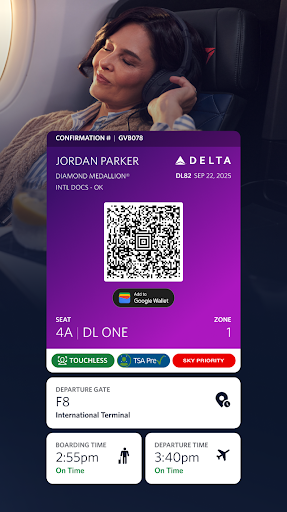
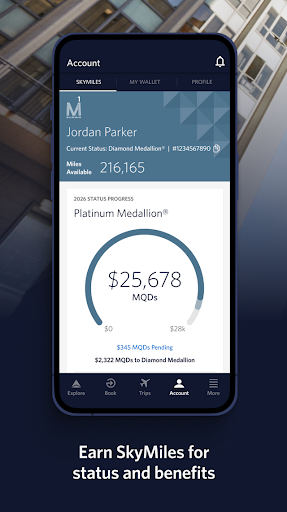
Key features include the ability to book domestic and international flights, track upgrades using SkyMiles®, and access digital boarding passes. With functionalities like Airport Maps, Live Chat support, and offline boarding pass access, Fly Delta ensures you have everything you need at your fingertips.

Whether you're checking in for a flight, monitoring gate changes, or tracking your baggage in real time, this app proves invaluable for modern travelers who value convenience and efficiency.

Features

Fly Delta offers an impressive range of features tailored to enhance your travel experience. One standout functionality is the "Today" view, which consolidates all essential information for your day of travel, including check-in options and digital boarding passes.

The app also includes innovative tools such as Airport Maps for navigation, real-time baggage tracking, and the ability to pay for extras like Wi-Fi passes. Additionally, users can manage their preferences, store companion profiles, and even scan passports during check-in.

These features collectively ensure that travelers have a smoother airport experience while maintaining control over their travel plans, making Fly Delta a reliable companion for both casual and frequent flyers.

Booking authenticity

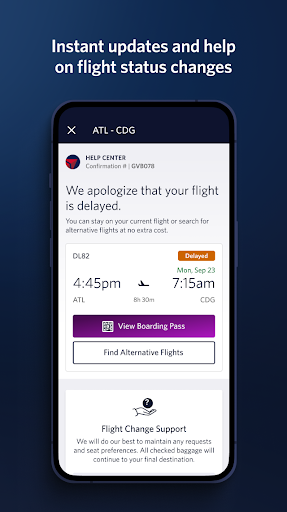
Booking authenticity is a crucial aspect of any travel application as it ensures that all reservations and transactions are legitimate and verifiable. For Fly Delta, this feature encompasses multiple layers of verification and confirmation mechanisms to provide users with peace of mind when planning their trips. The app allows customers to shop and book both domestic and international flights directly through the platform, ensuring that all bookings are made securely and accurately. Furthermore, users can track and pay for upgrades using their SkyMilesu00ae, which adds an additional layer of security and personalization to the booking process. By integrating real-time updates and notifications, Fly Delta keeps passengers informed about their flight status, gate changes, and other critical information, thereby enhancing the overall booking experience. This commitment to transparency and accuracy not only builds trust but also streamlines the entire travel planning process, making it easier than ever for users to manage their travel preferences and payment methods efficiently.

Price transparency

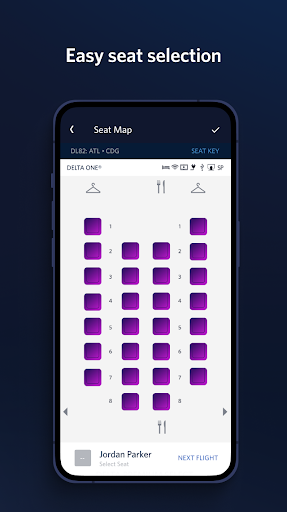
Price transparency in the context of a travel app like Fly Delta refers to the clarity and openness with which pricing information is presented to users. This feature is essential because it enables travelers to make informed decisions by providing them with comprehensive details about costs associated with their bookings. Fly Delta excels in this area by offering clear insights into various fees, including base fares, taxes, and additional charges for services such as seat selection or baggage. Users can easily view, change, or upgrade their seats, reserving preferred options like bulkhead or aisle seats at transparent prices. Additionally, the app provides tools for managing travel expenses effectively, such as the ability to pay for and track checked bags, reserve Wi-Fi passes, or purchase Mileage Boosters. These functionalities empower users to understand exactly what they are paying for and avoid unexpected charges. By prioritizing price transparency, Fly Delta enhances customer satisfaction and fosters a more trustworthy relationship with its users, ultimately leading to a more seamless and enjoyable travel experience.

Props

User-friendly interface

Comprehensive travel tools

Real-time updates

Offline boarding pass

Live chat support

Cons

Limited third-party integrations

Some features require membership

Occasional update bugs

Heavy on battery

Ads in free version

Features and Functions

What is this app and what can I use it for?

Fly Delta is a travel application that allows users to manage all aspects of their Delta Airlines flights It provides booking upgrade tracking and real time notifications helping users stay organized throughout their journey

How do I download and install this app on my device?

To install Fly Delta download the app from the Google Play Store or Apple App Store Then follow the on screen instructions to complete the installation process on your device

How do I get started after opening the app for the first time?

Upon opening Fly Delta for the first time create an account or log in to an existing Delta account Set up your profile by adding travel preferences and payment methods to streamline future bookings

What are the main features and capabilities of this app?

The main features of Fly Delta include flight booking upgrade tracking real time notifications airport maps and post flight services like baggage tracking and Delta Sky Club information

How can I customize my experience and adjust preferences?

Customize your Fly Delta experience by adjusting settings such as travel preferences seat selection and notification types You can also save companion profiles for faster bookings

How do I save or bookmark my favorite content for later access?

To save favorite content in Fly Delta bookmark important flight details or store mobile drink vouchers for later access These can be found in your account under travel history or preferences

How can I share content with friends or on social media?

Share flight details or travel itineraries with friends via email or social media directly through the Fly Delta app This feature allows for easy coordination of group travel plans

How do I access detailed information and explore more content?

Access detailed flight information by checking the flight status section in Fly Delta Explore more content such as Delta Sky Club locations and amenities through the app s resources

What permissions does this app need and how do I manage them?

Fly Delta requires permissions for notifications location services and camera use Manage these permissions in your device settings to control what the app can access

How do I check for updates and keep the app running smoothly?

Check for Fly Delta updates in your device s app store Download the latest version to ensure optimal performance and access to new features
Show more

User Reveiws

{{ comment.reviewer_name }}
{{ comment.review_date_formatted}}
{{ comment.review_content }}
{{ tab.name }}
{{ comment.reviewer_name }}
{{ comment.review_date_formatted}}
{{ comment.review_content }}
No reviews with this rating