

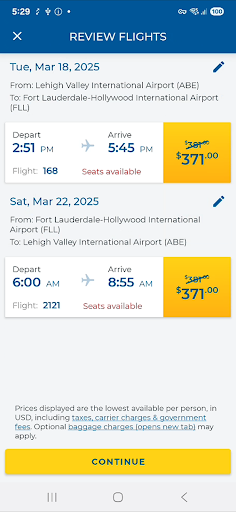
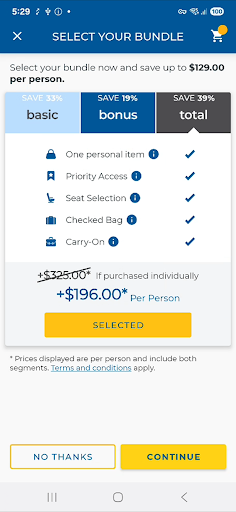
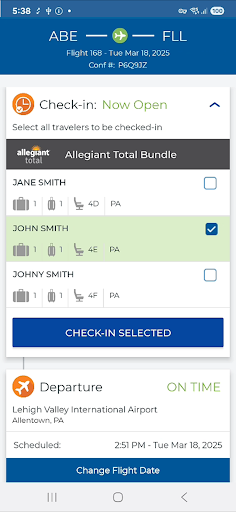
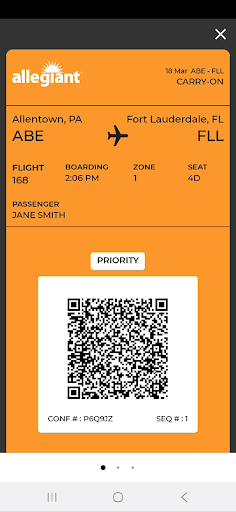
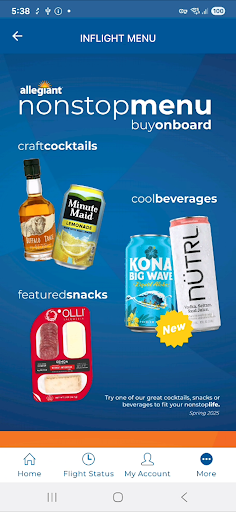
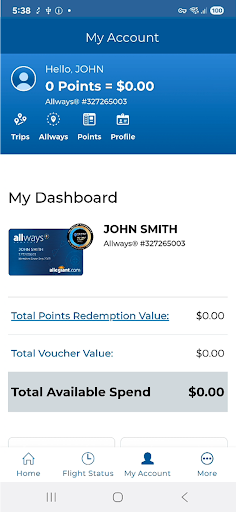
Allegiant is a comprehensive travel companion app designed specifically for Allegiant Travel and Allegiant Airlines passengers. The application allows users to manage their entire travel experience seamlessly through an intuitive timeline-based interface. Each stage of the journey is represented as a card, enabling travelers to check in for flights, display boarding passes, and access departure and arrival information with ease. Additionally, the app provides essential features such as booking flights, reviewing upcoming trips, and purchasing add-ons like seats and baggage.
Beyond basic trip management, Allegiant offers valuable tools that enhance the overall travel experience. Users can take advantage of automatic trip downloads when logged into their My Allegiant account, receive real-time flight status notifications, and utilize various self-service functions. These features collectively ensure that passengers remain informed and in control throughout their journey. Whether you're a frequent flyer or planning a one-time vacation, this app serves as an indispensable tool for managing all aspects of your Allegiant travel experience efficiently and cost-effectively.
Allegiant stands out with its innovative timeline-based trip management system. Each phase of the journey is presented as a card, allowing users to easily follow and manage their travel plans. This unique approach simplifies complex travel logistics by providing clear instructions at every step. Passengers can effortlessly check in for flights, view boarding passes, and access essential travel information directly from their mobile devices.
The app also offers several advanced features that cater to modern travelers' needs. Users can automatically download their trips upon logging into their My Allegiant account, ensuring all travel details are readily available. Additional functionalities include seat selection, baggage purchase, Priority Boarding upgrades, and real-time flight status notifications. These comprehensive features not only save passengers money but also enable them to navigate airports without printing any paper documents, making their travel experience more environmentally friendly and efficient.
User-friendly interface
Comprehensive trip management
Real-time notifications
Cost-saving features
Environmentally conscious design
Limited to Allegiant customers
Occasional login issues
Some features require account
Basic UI design
Notification delays possible
View US public land boundary maps on your device.
 3.70
3.70
CLEAR provides a safer, easier way through airports, stadiums, and beyond.
4.20
Find the best prices, pay for the cheapest gas, and save on every fill up
3.30
Amplify Your Experience
3.00
Booking your bus tickets has never been easier
4.70
Maximize your cruise vacation with the Royal Caribbean app
4.70
Managing your travel should be easy. With the Amtrak app, it is.
4.30
Flight booking, hotel booking & more - all in one place with the Southwest App!
4.50
The United app puts valuable travel information in the palm of your hand.
4.70
Travel and Book 8,000+ Hotels Worldwide with the Marriott Bonvoy™ app.
4.90
Plan where to stand and shave minutes off your trip!
4.80
The travel app that makes booking cheap flights, hotels, and car rentals easy.
4.80
Get faster fuel rewards, exclusive offers, and helpful tools!
4.70
Book now to save with exclusive travel deals on hotels, flights, cars & packages
4.70
Maps, Wait Times, Park Hours
4.40
Offline WiFi Hotspot Finder, eSIM, Caller ID, Dialer, Home Screen Launcher & VPN
4.20
GPS Live Satellite Earth to find route navigation and current location map
4.00
Everything you need for your trip in one place with the Volaris app.
3.60
View current Idaho road conditions, road cameras, and timelapse videos.
4.0


User Reveiws