



M64Pro FZX Plus+ Emulator

4.4

Information

Category:

Arcade

Price:

$ 1.99

Rank:

N/A

Rating:

4.4

Overview

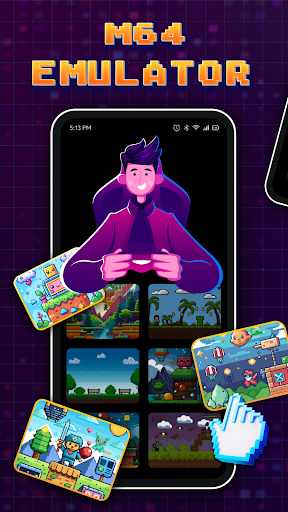
M64Pro FZX Plus+ Emulator is a versatile arcade emulator designed to bring classic gaming experiences to mobile devices. This app includes all essential cores and plugins, allowing users to play a wide range of games directly on their smartphones or tablets. While the emulator supports most games, compatibility may vary depending on the device and specific game titles.

The app provides an authentic arcade experience by enabling users to experiment with different video plugins for optimal performance. Although some graphical glitches and incomplete translations might occur, using English as the default language often ensures the best results. M64Pro FZX Plus+ Emulator is ideal for gamers who wish to relive the nostalgia of classic arcade games on the go.

Features

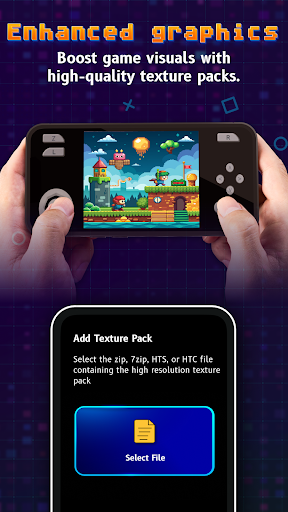
One of the standout features of M64Pro FZX Plus+ Emulator is its comprehensive inclusion of essential cores and plugins. These components are crucial for running various game titles, ensuring that users have access to a broad library of arcade classics. The emulator's ability to support multiple video plugins allows for customization based on individual preferences and device capabilities.

Despite its robust feature set, it's important to note that not all games will work seamlessly. Users may need to try different configurations to achieve the best performance. Additionally, while many translations are available, they might be incomplete, making English the most reliable language option. This flexibility and adaptability make M64Pro FZX Plus+ Emulator a powerful tool for enthusiasts seeking an authentic arcade experience on modern devices.

Arcade authenticity & nostalgia

The M64Pro FZX Plus+ Emulator focuses on delivering an authentic arcade experience by including all essential cores and plugins that replicate the original gaming environment. Arcade authenticity is crucial for users who seek to relive the classic gaming era where pixel-perfect graphics and responsive controls defined the user experience. The emulator achieves this by ensuring compatibility with a wide range of games while maintaining the look and feel of traditional arcade machines. Although not every game will work perfectly due to device-specific issues or incomplete translations, the emulator provides an extensive library that covers most popular titles. This allows users to enjoy a diverse selection of arcade classics without significant compromises in quality. Moreover, the ability to experiment with different video plugins enhances the nostalgic value as it enables users to fine-tune their experience according to personal preferences and hardware capabilities. Despite potential graphical glitches and compatibility challenges, the emulator's dedication to preserving the essence of arcade gaming ensures that players can immerse themselves in a genuine retro experience. By prioritizing core functionalities and offering flexibility in plugin choices, the M64Pro FZX Plus+ Emulator successfully captures the spirit of arcade gaming, making it a valuable tool for enthusiasts looking to revisit the golden age of video games.

Control responsiveness

Control responsiveness is a critical aspect of any gaming emulator, especially for arcade titles where precise inputs can significantly impact gameplay. The M64Pro FZX Plus+ Emulator addresses this by incorporating various video plugins designed to optimize input latency and provide immediate feedback during gameplay sessions. While not every plugin will be compatible with all devices, users have the flexibility to test different options until they find one that offers the best performance for their specific setup. This adaptability ensures that players can achieve optimal control schemes tailored to individual preferences and hardware configurations. Furthermore, the emulator supports multiple control methods, allowing users to choose between touchscreen inputs, external controllers, or other input devices based on comfort and convenience. Although some games may exhibit minor delays or inconsistencies due to inherent limitations in emulation technology, the overall responsiveness remains satisfactory for most use cases. By emphasizing low-latency interactions and customizable settings, the M64Pro FZX Plus+ Emulator delivers a satisfying control experience that closely mirrors the tactile feedback of original arcade machines. This attention to detail enhances immersion and allows gamers to fully engage with their favorite titles without being hindered by unresponsive controls.

Props

Comprehensive core inclusion

Versatile plugin support

Wide game compatibility

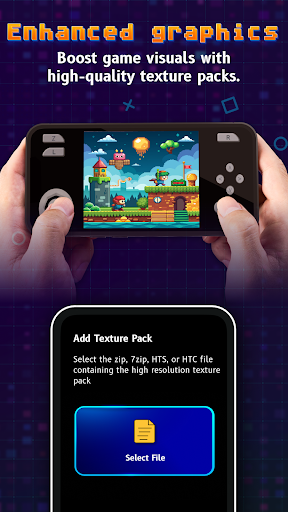
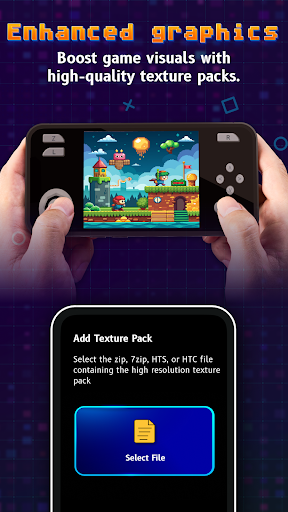
Customizable video settings

Authentic arcade experience

Cons

Potential game incompatibility

Graphical glitches possible

Incomplete translations

Device-specific issues

Requires experimentation

Features and Functions

What is this app and what can I use it for?

M64Pro FZX Plus+ Emulator lets you play classic arcade games on your mobile device.

How do I download and install this app on my device?

Visit Google Play Store, search for M64Pro FZX Plus+, and tap Install to download.

How do I get started after opening the app for the first time?

Open the app, select a game from your library, and start playing immediately.

What are the main features and capabilities of this app?

The app includes essential cores, plugins, and customizable video settings for gameplay.

How can I customize my experience and adjust preferences?

Adjust preferences in settings to customize your gaming experience effectively.

How do I save or bookmark my favorite content for later access?

Save favorite games within the app's library for quick access later on.

How can I share content with friends or on social media?

Share gameplay achievements via social media directly through the app interface.

How do I access detailed information and explore more content?

Explore detailed game info and more content in the app's extensive library section.

What permissions does this app need and how do I manage them?

The app needs storage and network permissions managed in device settings.

How do I check for updates and keep the app running smoothly?

Check for updates in the app store to ensure smooth and continuous operation.
Show more

User Reveiws

{{ comment.reviewer_name }}
{{ comment.review_date_formatted}}
{{ comment.review_content }}
{{ tab.name }}
{{ comment.reviewer_name }}
{{ comment.review_date_formatted}}
{{ comment.review_content }}
No reviews with this rating