
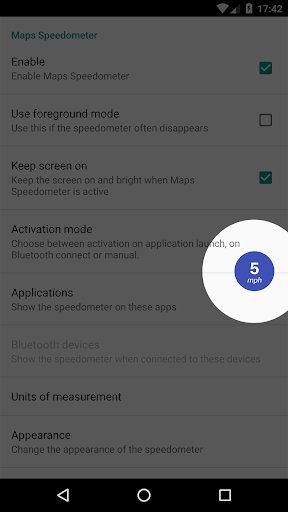
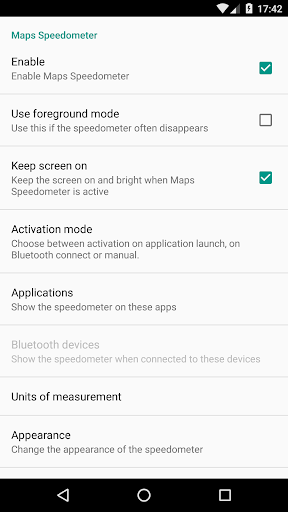
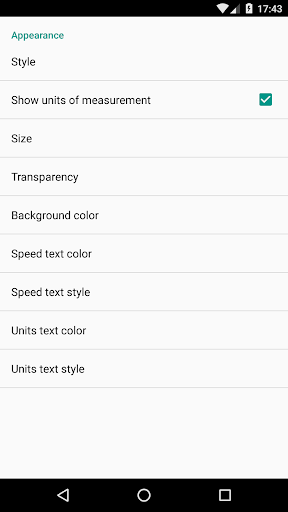

Maps Speedometer is a versatile travel companion that displays your current speed in real-time as an elegant overlay on your device. This innovative app automatically activates when your selected apps are in use or when connected to a Bluetooth device, ensuring you always have access to your speed information without interruptions. Designed with customization in mind, it offers adjustable settings for transparency, size, position, and color schemes, allowing seamless integration with any app on your device.
The application operates fully offline, safeguarding your privacy by eliminating the need for internet access or sharing personal data. Whether you're navigating through unfamiliar roads or simply monitoring your driving habits, Maps Speedometer provides accurate speed readings in miles per hour, kilometers per hour, or knots. Its user-friendly interface and thoughtful features make it an essential tool for travelers and commuters who prioritize both functionality and privacy.
Maps Speedometer stands out with its array of practical features designed to enhance user experience. One of its key capabilities is the automatic display and hiding function, which intelligently activates the speedometer overlay based on the active app or Bluetooth connection status. This ensures minimal distraction while maintaining constant access to crucial speed information. Additionally, users can temporarily hide the overlay for 10 seconds with a simple touch, providing flexibility during critical moments.
The app's customization options are extensive, allowing users to tailor the appearance and behavior to their preferences. You can choose from different measurement units such as mph, km/h, or kn, and adjust the transparency, size, and position of the overlay to suit your needs. The ability to modify colors and styles further enhances personalization. Moreover, Maps Speedometer supports all installed apps on your device, making it a universal solution for various use cases. Although Android Auto support is currently limited, the developers remain hopeful for future integration opportunities.
Real-time speed tracking
Customizable overlay design
Automatic activation feature
Offline functionality
Privacy-focused operation
No Android Auto support
Limited to chosen apps
Requires Accessibility permission
Bluetooth dependency for some features
Interface may obstruct other apps

Apply for an electronic travel authorisation (ETA) to come to the UK.
 3.20
3.20
A packing list app that helps you remember what to pack for a trip.
3.10
Plan where to stand and shave minutes off your trip!
4.80
Navigation on hikes is no longer a problem. Download the map, put notes and go!
4.60
Save on gas and convenience with the earnify™ App
4.70
Bus tickets at unbeatable prices with routes across the US. All aboard FlixBus!
4.70
Get faster fuel rewards, exclusive offers, and helpful tools!
4.70
Find your perfect somewhere with last minute hotel & travel deals!
4.80
Now you can book homes, experiences, and services—all in our redesigned app.
4.40
One app, 300,000+ travel experiences, tours, and tickets you’ll remember.
4.90
Take JetBlue everywhere you go! Book, manage and check in for your trips & more.
4.60
Earn hotel and travel rewards, find hotel offers, and access your Digital Key.
4.50
Explore our parks like never before with the completely reimagined Six Flags app
4.30
Offline WiFi Hotspot Finder, eSIM, Caller ID, Dialer, Home Screen Launcher & VPN
4.20
GPS Live Satellite Earth to find route navigation and current location map
4.00
Iowa 511 is the Iowa Department of Transportation's traveler information app.
3.80
Real-time flight tracking with live maps and flight status updates.
3.70
Every Diners, Drive-in & Dives location in one place! Your guide to Flavortown!
3.00
OFFLINE detailed information about the Florida National and State Parks
4.3


User Reveiws