MD.emu (Genesis Emulator)

4.30

Information

Category:

Arcade

Price:

$ 4.99

Rank:

N/A

Rating:

4.30

Overview

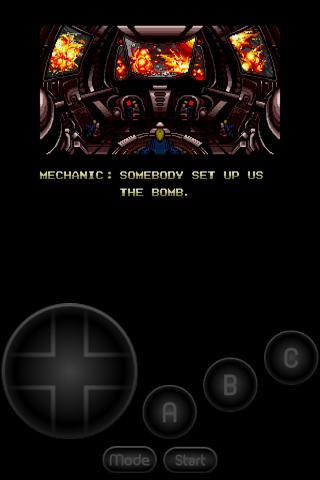
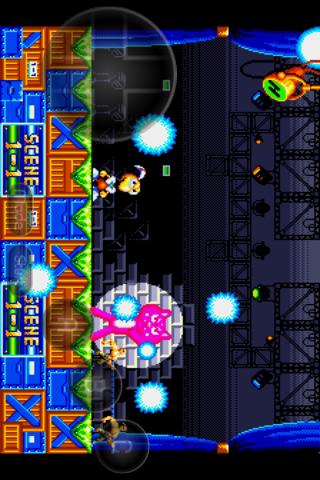
MD.emu is an advanced emulator for Sega Genesis/Mega Drive, Sega CD, and Master System/Mark III. It offers a minimalist UI with low audio/video latency, supporting devices from Xperia Play to Nvidia Shield and Pixel phones.

This app supports various file formats including .bin, .smd, .gen, and .sms, optionally compressed with ZIP, RAR, or 7Z. It also features SVP chip support, CD emulation, and multiple controller options, making it versatile for gaming enthusiasts.

With its focus on performance and compatibility, MD.emu provides an optimal experience for retro gaming on modern Android devices. The inclusion of configurable controls and support for external devices enhances user engagement and convenience.

Features

MD.emu boasts a wide array of features designed for an immersive gaming experience. It supports multiple file formats such as .bin, .smd, .gen, and .sms, and is compatible with ZIP, RAR, or 7Z compression.

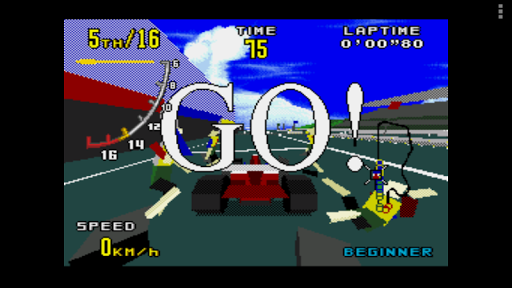
The emulator includes SVP chip support for Virtua Racing, CD emulation via .cue or .bin files, and supports FLAC, Ogg Vorbis, and Wav audio tracks. These capabilities ensure high-quality sound and performance.

Additional features include 6-button controller support, multitap for 4-player gaming, gun support, cheat code functionality, and configurable on-screen controls. Bluetooth and USB gamepad support further enhance the user experience.

Arcade authenticity & nostalgia

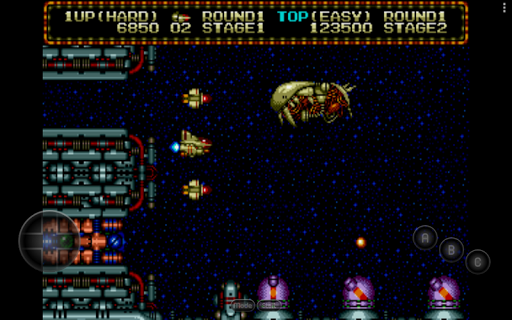
Arcade authenticity and nostalgia are crucial elements for any emulator application aiming to recreate the classic gaming experience on modern devices. MD.emu (Genesis Emulator) excels in this area by providing an advanced open-source emulation platform for Sega Genesis/Mega Drive, Sega CD, and Master System/Mark III games. The app meticulously replicates the original gaming environment by supporting a wide array of file formats including .bin, .smd, .gen, and .sms, optionally compressed with ZIP, RAR, or 7Z. This ensures that users can enjoy their favorite retro games exactly as they remember them. The inclusion of SVP chip support for Virtua Racing and gun support for games like Menacer and Justifier further enhances the nostalgic experience by accurately mimicking the hardware of the era. Additionally, the emulator offers configurable on-screen controls and supports Bluetooth/USB gamepads and keyboards, allowing users to choose their preferred control method while maintaining the authentic arcade feel. By focusing on low audio/video latency and supporting a vast range of devices from older models like the Xperia Play to contemporary ones such as the Nvidia Shield and Pixel phones, MD.emu ensures that the classic arcade experience is preserved without compromising performance. This dedication to authenticity not only satisfies the nostalgic cravings of seasoned gamers but also introduces new generations to the timeless appeal of arcade classics.

Control responsiveness

Control responsiveness is a vital aspect of any gaming emulator as it directly impacts the user's gaming experience. MD.emu (Genesis Emulator) addresses this need by offering highly responsive and customizable controls that cater to both casual players and hardcore gaming enthusiasts. The app supports a variety of input methods including configurable on-screen controls, which allow users to adjust the layout and size of buttons to suit their preferences. For those who prefer physical controllers, MD.emu provides extensive compatibility with Bluetooth and USB gamepads, including popular models from Xbox and PlayStation. This versatility ensures that every user can find a control scheme that feels intuitive and comfortable. Moreover, the emulator supports keyboard input, making it adaptable to different gaming styles and setups. The precision and responsiveness of these controls are further enhanced by the app's focus on low audio/video latency, ensuring that every action is registered and reflected in the game with minimal delay. This attention to detail in control responsiveness not only elevates the overall gaming experience but also allows players to fully immerse themselves in the nostalgic world of Sega Genesis/Mega Drive, Sega CD, and Master System/Mark III games. By prioritizing control accuracy and fluidity, MD.emu sets a high standard for what users should expect from a top-tier arcade emulator.

Props

Wide device compatibility

Low audio/video latency

Supports multiple file formats

Advanced controller options

Active development and support

Cons

No ROMs included

Sega CD support in beta

Complex setup for beginners

Requires BIOS files

Occasional device-specific issues

Features and Functions

What is this app and what can I use it for?

MD.emu emulates Sega consoles for gaming

How do I download and install this app on my device?

Download from Google Play and install

How do I get started after opening the app for the first time?

Grant permissions and load ROMs

What are the main features and capabilities of this app?

Emulates Sega systems with low latency

How can I customize my experience and adjust preferences?

Customize controls in settings menu

How do I save or bookmark my favorite content for later access?

Save states for future access

How can I share content with friends or on social media?

Share progress via social media links

How do I access detailed information and explore more content?

Access details in the GitHub repository

What permissions does this app need and how do I manage them?

Manage permissions in app settings

How do I check for updates and keep the app running smoothly?

Check GitHub or Google Play for updates
Show more

User Reveiws

{{ comment.reviewer_name }}
{{ comment.review_date_formatted}}
{{ comment.review_content }}
{{ tab.name }}
{{ comment.reviewer_name }}
{{ comment.review_date_formatted}}
{{ comment.review_content }}
No reviews with this rating