
Moon+ Reader Pro

4.30

Information

Category:

Books & Reference

Price:

$ 10.99

Rank:

5

Rating:

4.30

Overview

Moon+ Reader Pro is the premier ebook reader app for book enthusiasts, offering a comprehensive reading experience with advanced features. As the #1 Paid EBook Reader on Google Play, it supports an extensive range of formats including EPUB, PDF, DJVU, AZW3, MOBI, and more, making it a versatile tool for all your reading needs.

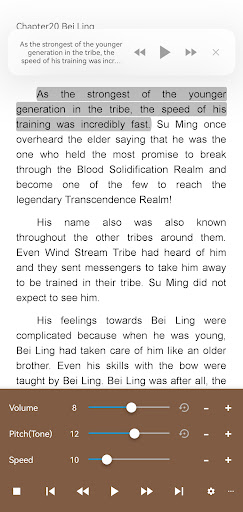
The app stands out with its powerful customization options and innovative functions. Users can enjoy text-to-speech capabilities, multi-point touch support, and beautiful themes. The Pro version enhances the reading experience further with PDF annotations, night mode support, and dual-page modes. Moon+ Reader Pro is perfect for those who desire flexibility and control over their reading environment while maintaining an ad-free space.

Features

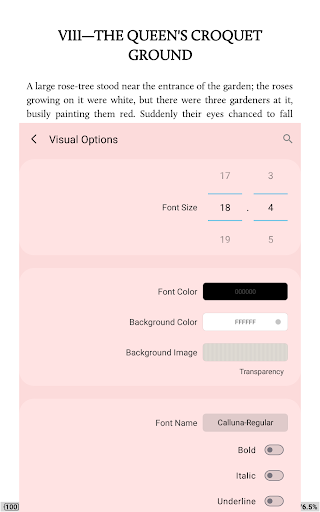
Moon+ Reader Pro boasts an array of features designed to enrich the reading experience. With support for online ebook libraries and personal Calibre servers, users have vast resources at their fingertips. The app's visual options are plentiful, allowing adjustments to line spacing, font scaling, and colors, ensuring comfort for long reading sessions.

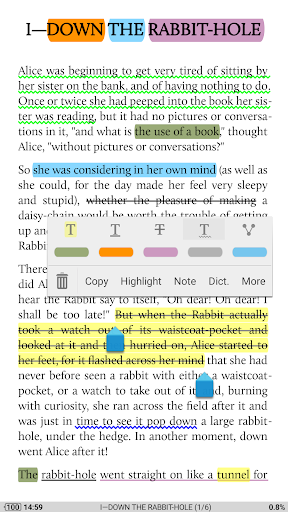
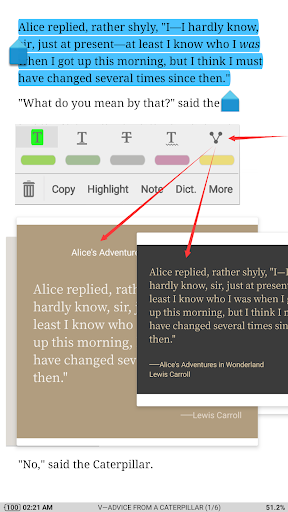
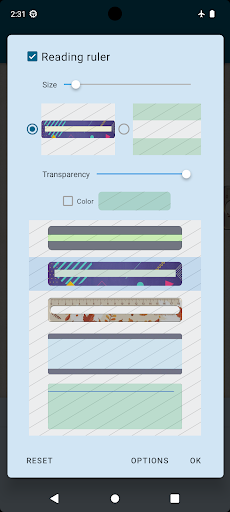
Advanced functionalities include 24 customizable operations, five auto-scroll modes, and real-time speed control. Readers can also benefit from intelligent paragraph formatting, justified text alignment, and various page flip animations. Additionally, the app provides essential tools like highlighting, annotations, and dictionary support, as well as health-conscious options such as a bluelight filter and reading ruler for focused reading.

E-book library size & copyright authenticity

The E-book library size and copyright authenticity are crucial factors for any digital reading platform as they determine both the breadth of content available to users and the legitimacy of the material provided Moon+ Reader Pro excels in these areas by offering extensive support for various ebook formats including EPUB PDF DJVU AZW3 MOBI FB2 PRC CHM CBZ CBR UMD DOCX ODT RTF TXT HTML MHT/MHTML MD WEBP RAR ZIP or OPDS This wide compatibility ensures that users have access to a vast array of literature from different sources which greatly enhances the reading experience Moreover Moon+ Reader Pro places a strong emphasis on copyright authenticity ensuring that all ebooks accessed through the app comply with legal standards This is particularly important for readers who want to ensure they are accessing legitimate copies of their favorite books The app also supports online ebook libraries and personal Calibre ebook servers which means users can seamlessly integrate their existing collections into the app This feature not only expands the potential library size but also provides a centralized location for managing all digital reading materials Additionally Moon+ Reader Pro offers backup and restore options via Dropbox or WebDAV allowing users to sync their reading positions across multiple devices This ensures that no matter where you are or what device you're using your reading progress and library remain consistent and up-to-date By prioritizing both the size of its e-book library and the authenticity of its content Moon+ Reader Pro establishes itself as a trustworthy and comprehensive solution for avid readers who demand quality and variety in their digital reading experiences

Format compatibility

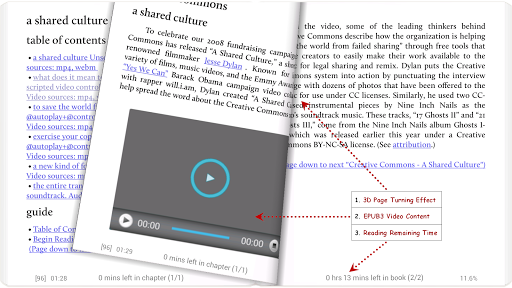
Format compatibility is a defining feature for any e-book reader application as it determines the range of file types that can be read and managed within the app Moon+ Reader Pro stands out in this regard by supporting an extensive list of formats including EPUB PDF DJVU AZW3 MOBI FB2 PRC CHM CBZ CBR UMD DOCX ODT RTF TXT HTML MHT/MHTML MD WEBP RAR ZIP and OPDS This broad format compatibility ensures that users can access and enjoy their entire ebook collection without worrying about conversion or compatibility issues The app's ability to handle PDFs is especially noteworthy as it includes advanced features such as fillable forms highlighting annotations handwriting smart scroll lock night mode dual-page view speech support read statistics and more These capabilities make Moon+ Reader Pro not just an ebook reader but also a powerful tool for managing and interacting with PDF documents In addition to its robust PDF handling the app supports EPUB3 multimedia content including video and audio elements providing an enriched reading experience Beyond basic format support Moon+ Reader Pro offers innovative reading features like multi-point touch controls customizable visual options ten embedded themes justified text alignment hyphenation mode dual-page mode for landscape orientation and real-time page turning effects with adjustable speed color and transparency All these features contribute to creating a personalized and comfortable reading environment Furthermore the app allows users to adjust settings such as line spacing font scaling bold italic shadow alpha colors fading edges and more giving them complete control over how their ebooks appear on screen By combining comprehensive format compatibility with advanced customization options Moon+ Reader Pro delivers a versatile and user-friendly reading experience that caters to diverse preferences and needs

Props

Ad-free experience

Extensive format support

Customizable reading options

Powerful PDF annotation tools

Cloud sync functionality

Cons

Paid application

Complex for beginners

Requires storage space

No audiobook support

Limited free features

Features and Functions

What is this app and what can I use it for?

A versatile eBook reader supporting multiple formats with advanced customization.

How do I download and install this app on my device?

Visit Google Play Store, search for Moon+ Reader Pro, and tap Install.

How do I get started after opening the app for the first time?

Open the app, grant necessary permissions, and import your eBooks to start reading.

What are the main features and capabilities of this app?

Supports various formats, TTS, PDF annotations, themes, and cloud sync.

How can I customize my experience and adjust preferences?

Adjust settings via the Options menu to personalize your reading experience.

How do I save or bookmark my favorite content for later access?

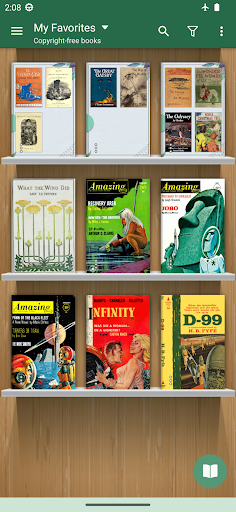
Use the Favorites feature to bookmark and organize your preferred content.

How can I share content with friends or on social media?

Share content directly through the app using integrated social media options.

How do I access detailed information and explore more content?

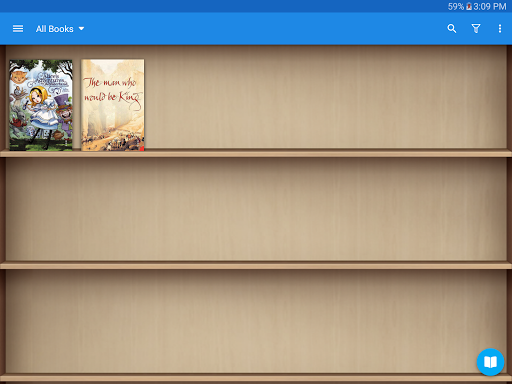
Access detailed info in the library view and explore more books online.

What permissions does this app need and how do I manage them?

The app needs file access to manage eBooks; adjust in settings if needed.

How do I check for updates and keep the app running smoothly?

Enable automatic updates in the Play Store or manually check for updates.
Show more

User Reveiws

{{ comment.reviewer_name }}
{{ comment.review_date_formatted}}
{{ comment.review_content }}
{{ tab.name }}
{{ comment.reviewer_name }}
{{ comment.review_date_formatted}}
{{ comment.review_content }}
No reviews with this rating