My Boy! - GBA Emulator

3.90

Information

Category:

Arcade

Price:

$ 4.99

Rank:

10

Rating:

3.90

Overview

My Boy! - GBA Emulator is a high-performance Android application designed to emulate GameBoy Advance games on mobile devices. This emulator stands out for its super fast emulation capabilities, thanks to the JIT recompiler, and offers nearly full compatibility with all GameBoy Advance titles. It supports multiplayer gaming through link cable emulation across devices via Bluetooth or Wi-Fi, making it ideal for nostalgic gamers who want to relive classic experiences.

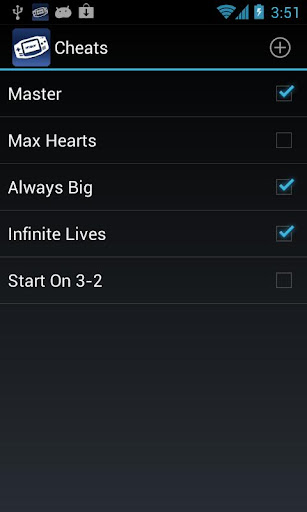
The app provides advanced features such as gyroscope, tilt, solar sensor, and rumble emulation using Android's hardware sensors. Additionally, users can apply cheat codes on the fly, enjoy OpenGL rendering with GLSL shaders, and save game progress with screenshots. With Google Drive integration, users can sync their saves across multiple devices, ensuring seamless gameplay continuity. The customizable on-screen controls and clean user interface make My Boy! an essential tool for any GameBoy enthusiast.

Features

My Boy! - GBA Emulator boasts a comprehensive set of features that cater to both casual and hardcore gamers. One of its standout features is the high-level BIOS emulation, which eliminates the need for a BIOS file while maintaining accurate hardware behavior. The emulator also supports IPS/UPS ROM patching, allowing users to apply patches to their games easily.

Advanced functionalities include real-time cheat code support, video filters via GLSL shaders, and speed adjustments for fast-forwarding or slowing down gameplay. The app's innovative save system allows users to save their progress at any point with accompanying screenshots. Furthermore, the screen layout editor enables precise customization of on-screen controls, while support for different key-mapping profiles ensures personalized gameplay experiences. These robust features collectively deliver an authentic and flexible GameBoy Advance experience on modern Android devices.

Arcade authenticity & nostalgia

The My Boy! GBA Emulator brings a genuine arcade experience to Android devices by accurately emulating the hardware of the original GameBoy Advance. This authenticity is crucial for enthusiasts who want to relive the classic gaming experience on modern devices. The emulator achieves this through meticulous attention to detail in replicating the behavior and performance of the original console. It supports nearly all GameBoy Advance games without issues thanks to its high compatibility rate. Additionally the emulator includes advanced features such as link cable emulation which allows multiplayer gaming either on the same device or across different devices via Bluetooth or Wi-Fi. This feature enhances the nostalgic value by recreating the social aspect of arcade gaming. Furthermore the emulator provides support for hardware sensors like gyroscopes and tilt sensors enabling unique gameplay mechanics that were characteristic of certain GameBoy Advance titles. Users can also apply cheat codes on the fly enhancing the retro gaming experience with modern conveniences. The high-level BIOS emulation ensures that no external BIOS files are needed making the setup process seamless and straightforward. With OpenGL rendering and GLSL shader support users can enjoy enhanced video filters that add to the nostalgic atmosphere while maintaining the integrity of the original graphics. Overall My Boy! delivers an authentic arcade experience that satisfies both the nostalgia for classic gaming and the expectations of contemporary mobile gamers.

Control responsiveness

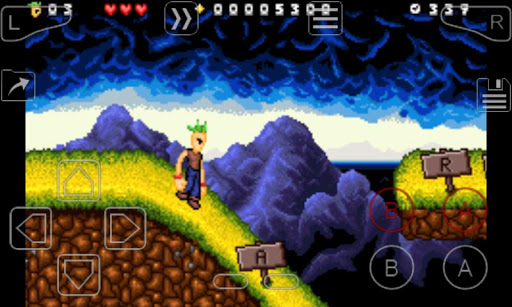
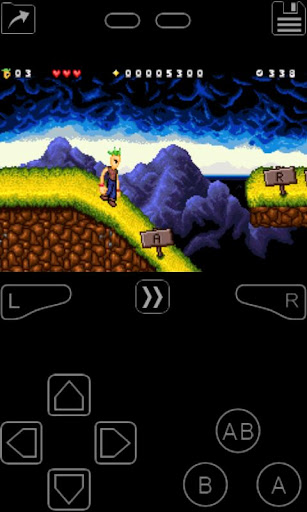
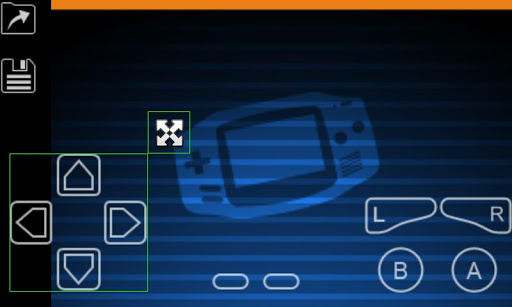
Control responsiveness is a critical aspect of any gaming emulator as it directly impacts the user's gaming experience. My Boy! excels in this area by providing highly responsive controls that ensure smooth and accurate gameplay. The emulator features an on-screen keypad that supports multi-touch gestures allowing users to execute complex commands with precision. This is particularly important for action-packed arcade games where timing and accuracy are crucial. Additionally the emulator offers customizable control layouts enabling users to adjust the position and size of each on-screen control to suit their preferences. This level of customization ensures that players can achieve optimal comfort and control during extended gaming sessions. The emulator also includes shortcut buttons for functions such as load and save which further enhance the responsiveness of the interface. These shortcuts allow users to quickly access essential features without interrupting their gameplay. Moreover the emulator supports fast-forwarding and slowing down of games giving users greater control over the pace of their gaming experience. This feature is especially useful for skipping lengthy story segments or overcoming challenging levels. The tight integration with Androidu2019s latest features ensures that the controls remain responsive even on high-end devices. In summary My Boy! provides an exceptional level of control responsiveness that enhances the overall gaming experience making it a top choice for arcade enthusiasts looking to enjoy classic games on their Android devices.

Props

Fast emulation

High compatibility

Multiplayer support

Customizable controls

Google Drive sync

Cons

No games included

Complex setup

Battery intensive

Paid version

Legal concerns
Features and Functions

What is this app and what can I use it for?

A GameBoy Advance emulator for Android, used to play classic GBA games on mobile devices.

How do I download and install this app on my device?

Search for My Boy! in the Google Play Store, tap Install, and open after downloading.

How do I get started after opening the app for the first time?

Grant necessary permissions, then select your ROM file to start playing.

What are the main features and capabilities of this app?

GameBoy Advance emulation, cheat code support, multiplayer via link cable, and more.

How can I customize my experience and adjust preferences?

Use the screen layout editor to customize control positions and key mappings.

How do I save or bookmark my favorite content for later access?

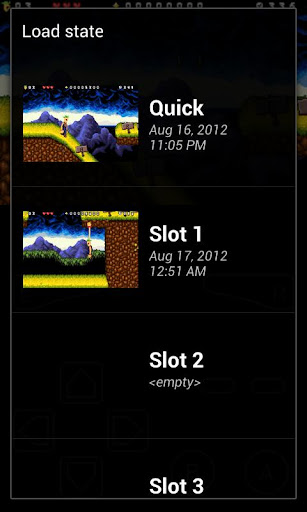
Save states are automatically stored; use the load function to access them later.

How can I share content with friends or on social media?

Capture screenshots in-game and share them directly through Android's sharing options.

How do I access detailed information and explore more content?

Access detailed settings via the main menu to explore additional features and options.

What permissions does this app need and how do I manage them?

Requires storage access for ROMs; manage permissions in Android settings.

How do I check for updates and keep the app running smoothly?

Enable automatic updates in the Play Store or manually check for updates regularly.
Show more

User Reveiws

{{ comment.reviewer_name }}
{{ comment.review_date_formatted}}
{{ comment.review_content }}
{{ tab.name }}
{{ comment.reviewer_name }}
{{ comment.review_date_formatted}}
{{ comment.review_content }}
No reviews with this rating