
PCE.emu (PC Engine Emulator)

4.50

Information

Category:

Arcade

Price:

$ 3.99

Rank:

N/A

Rating:

4.50

Overview

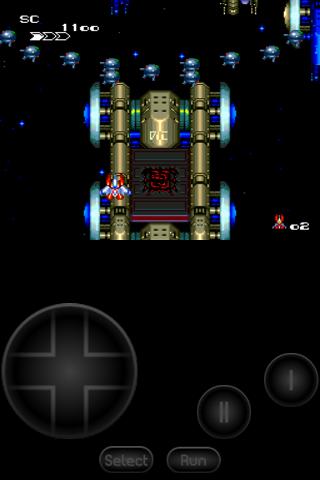
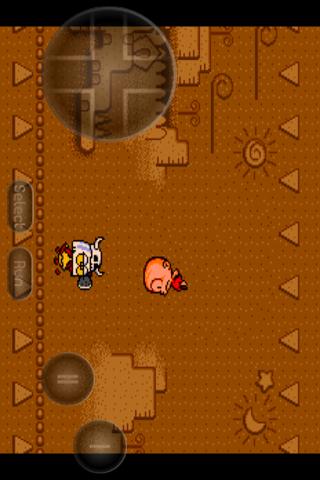
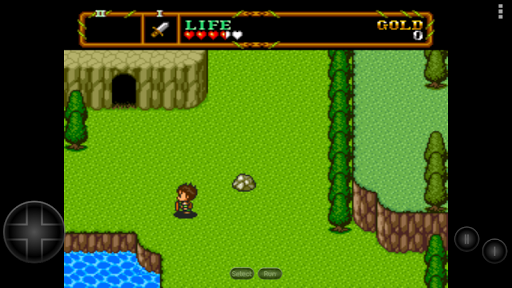
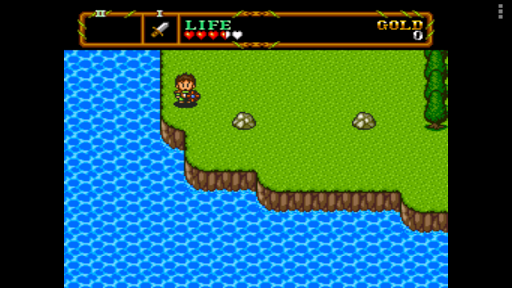
PCE.emu is an advanced open-source emulator for PC Engine and TurboGrafx-16 systems, designed with a minimalist UI and optimized for low audio/video latency. It supports a wide range of devices from Xperia Play to modern models like Nvidia Shield and Pixel phones.

The app's core functionality lies in its ability to emulate PCE and TG16 games through .pce and .sgx file formats, including CD-based games via .cue files. With support for various audio formats and configurable controls, it offers a versatile emulation experience for retro gaming enthusiasts.

Features

PCE.emu stands out with its robust feature set tailored for retro gaming aficionados. The app supports multiple file formats including .pce, .sgx, and compressed archives like ZIP, RAR, or 7Z. Its CD emulation capabilities allow users to play games requiring Super CD-ROM System cards by loading .cue files.

Audio track formats such as FLAC, Ogg Vorbis, and Wav are fully supported, ensuring high-quality sound during gameplay. Configurable on-screen controls provide flexibility while Bluetooth/USB gamepad support ensures compatibility with HID devices like Xbox and PS4 controllers, offering a seamless user experience across different hardware setups.

Arcade authenticity & nostalgia

The Arcade authenticity and nostalgia feature in PCE.emu refers to the emulator's ability to accurately replicate the gaming experience of classic arcade machines particularly those from the PC Engine and TurboGrafx-16 era. This is crucial for enthusiasts who wish to relive the golden age of arcade gaming on their modern devices. The app achieves this by basing its emulation core on Mednafen a highly regarded emulation platform known for its accuracy and low latency. By supporting a wide array of file formats including .pce .sgx and CD image files through .cue loading it ensures that users can enjoy a vast library of games just as they were originally released. The inclusion of configurable on-screen controls and support for external controllers like Xbox and PS4 gamepads further enhances the nostalgic experience by providing familiar control schemes. Additionally the app's focus on maintaining low audio and video latency ensures that gameplay feels responsive and true to the original arcade experience. For users this means they can enjoy their favorite classic games without the frustration of input lag or audio sync issues which are common pitfalls in less refined emulators. The attention to these details not only preserves the integrity of the original games but also enhances the overall enjoyment making it feel as though you have a piece of arcade history in your pocket.

Control responsiveness

Control responsiveness within PCE.emu pertains to how quickly and accurately the emulator translates user inputs into in-game actions. This is a critical aspect for any gaming emulator as even the slightest delay can significantly impact the gaming experience especially in fast-paced arcade titles. PCE.emu addresses this by implementing a minimalist UI design that prioritizes performance and focuses on delivering low audio and video latency. This design choice ensures that the majority of the device's resources are dedicated to processing game inputs and outputs rather than being bogged down by complex user interface elements. Furthermore the emulator supports a wide range of input methods including touch screen controls Bluetooth and USB-connected gamepads and keyboards. This versatility allows users to choose the control scheme that best suits their preferences whether they prefer the tactile feedback of physical buttons or the convenience of on-screen touch controls. The app's compatibility with HID devices recognized by the operating system such as Xbox and PS4 controllers guarantees that users will experience precise and responsive controls regardless of their chosen input method. As a result gamers can expect an authentic arcade experience where every button press and joystick movement is registered instantly and accurately mirroring the responsiveness of original arcade cabinets. This level of control precision not only enhances gameplay immersion but also gives players the confidence that their actions will be executed exactly as intended providing a truly satisfying retro gaming experience.

Props

Low audio/video latency

Wide device compatibility

Supports multiple file formats

Configurable controls

Active development and support

Cons

No ROMs included

Requires technical knowledge

Complex setup for beginners

Limited user interface

Device-specific issues

Features and Functions

What is this app and what can I use it for?

A PC Engine/TurboGrafx-16 emulator for Android devices

How do I download and install this app on my device?

Search for PCE.emu in Google Play Store and tap Install

How do I get started after opening the app for the first time?

Grant necessary permissions and configure controller settings

What are the main features and capabilities of this app?

Emulates PCE/TG16 games with configurable controls and CD support

How can I customize my experience and adjust preferences?

Adjust control layouts and video/audio settings in options

How do I save or bookmark my favorite content for later access?

Save game states through the emulator's built-in save feature

How can I share content with friends or on social media?

Share screenshots via Android's sharing functionality

How do I access detailed information and explore more content?

Access detailed info through in-app documentation and changelog

What permissions does this app need and how do I manage them?

Needs storage access permissions to load game files

How do I check for updates and keep the app running smoothly?

Enable automatic updates in Google Play Store settings
Show more

User Reveiws

{{ comment.reviewer_name }}
{{ comment.review_date_formatted}}
{{ comment.review_content }}
{{ tab.name }}
{{ comment.reviewer_name }}
{{ comment.review_date_formatted}}
{{ comment.review_content }}
No reviews with this rating