My OldBoy! - GBC Emulator

3.80

Information

Category:

Arcade

Price:

$ 3.99

Rank:

62

Rating:

3.80

Overview

My OldBoy! is a high-performance Game Boy and Game Boy Color emulator designed for Android devices. It offers accurate emulation of nearly all hardware aspects, including support for link cable, rumble, and tilt sensor functionalities. The app allows users to customize game palettes, bringing color to classic monochrome games.

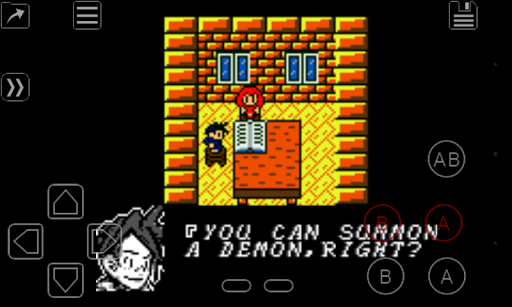
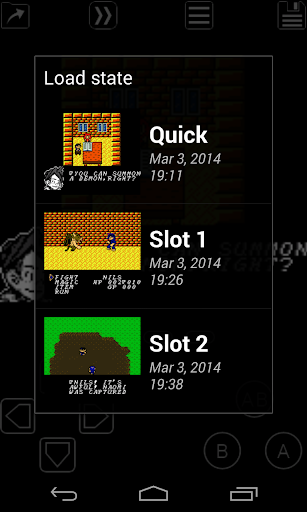
In addition to hardware emulation, My OldBoy! provides advanced features such as save states, enabling players to save progress at any point and return instantly. Fast-forward functionality lets users skip through lengthy storylines or challenging sections, while OpenGL rendering and GLSL shaders ensure smooth performance and enhanced visuals on both low-end and modern devices.

This emulator is ideal for retro gaming enthusiasts who want to relive classic Game Boy titles with added convenience and customization options. Its compatibility with external controllers and robust screen layout editor make it versatile for various play styles.

Features

My OldBoy! stands out with its comprehensive feature set tailored for retro gaming fans. The app utilizes ARM assembly code for fast emulation, achieving 60 FPS even on older devices without frame skips. It supports a wide range of Game Boy and Game Boy Color games, ensuring excellent compatibility across titles.

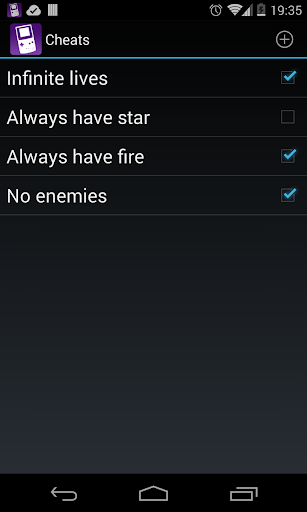
Unique capabilities include link cable emulation over Bluetooth or Wi-Fi, tilt sensor integration via Android's hardware sensors, and rumble feedback using the device’s vibrator. Advanced tools like cheat code support, ROM patching, and customizable Super Game Boy palettes enhance gameplay flexibility. Users can also sync saves with Google Drive and create desktop shortcuts for quick access to favorite games.

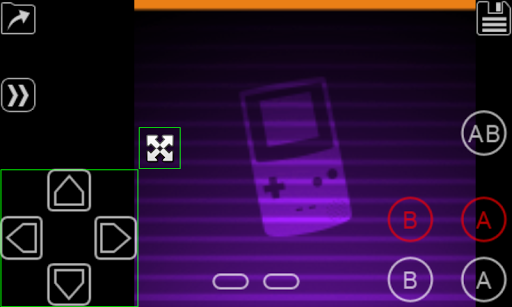
The intuitive user interface and powerful screen layout editor allow precise control over on-screen elements, catering to individual preferences. External controller support further expands accessibility, making this emulator a top choice for both casual players and hardcore retro gamers.

Arcade authenticity & nostalgia

The My OldBoy! GBC Emulator captures the essence of arcade gaming by providing an authentic Game Boy and Game Boy Color experience on modern Android devices. Arcade authenticity is achieved through meticulous emulation of nearly every aspect of the original hardware, ensuring that classic games run as they were intended. This includes support for special features like the link cable, rumble effects, and tilt sensors, which are crucial for reliving the true arcade experience. The emulator goes beyond mere functionality by allowing users to apply custom palettes to their monochrome GB games, adding a splash of color and personalization reminiscent of the vibrant arcade scene. The attention to detail extends to supporting peripherals such as the Game Boy Camera and Printer, further enhancing the nostalgic journey. By including advanced features like save states, fast-forwarding, and cheat code support, My OldBoy! not only replicates the arcade feel but also enhances it with modern conveniences. These features allow gamers to tailor their experience, whether they're skipping through lengthy narratives or slowing down challenging levels. The result is an immersive trip down memory lane that satisfies both the craving for nostalgia and the desire for contemporary gaming enhancements.

Control responsiveness

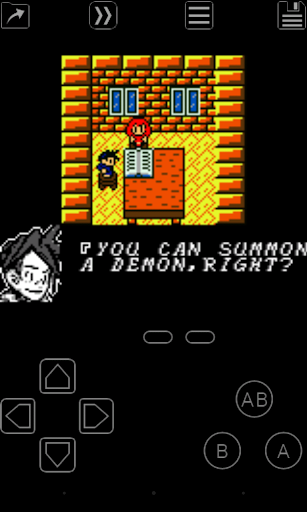
Control responsiveness in My OldBoy! GBC Emulator is engineered to provide a seamless and intuitive user experience, capturing the tactile feedback of classic arcade controls. The emulator leverages ARM assembly code to ensure high performance, achieving smooth 60 FPS gameplay even on lower-end devices without frame skips. This technical foundation supports responsive touch controls and customizable on-screen keypads, enabling players to position and resize buttons according to their preferences. For those preferring physical controllers, the app offers extensive support for external devices via Android's native input methods. Advanced features like multi-touch gestures and configurable shortcut buttons enhance gameplay fluidity, allowing quick access to save states and other functions. Additionally, the implementation of hardware sensors for tilt and rumble effects ensures that every interaction feels immediate and impactful. Fast-forward functionality and adjustable speed settings empower users to navigate games at their own pace, while OpenGL rendering and GLSL shader support deliver crisp visuals. This combination of precise control mapping, flexible interface options, and optimized performance creates an environment where every button press translates directly into in-game action. Such meticulous attention to control dynamics makes My OldBoy! not just an emulator but a portal to precisely recreated arcade experiences, where split-second decisions can be executed with confidence and accuracy.

Props

Fast emulation speed

Wide game compatibility

Battery-efficient design

Customizable controls

Advanced cheat support

Cons

No included games

Complex setup required

Limited touchscreen accuracy

Paid version only

Requires technical knowledge
Features and Functions

What is this app and what can I use it for?

A Game Boy emulator for Android, used to play retro GB and GBC games.

How do I download and install this app on my device?

Search for My OldBoy! in the Google Play Store, tap Install, and open after download.

How do I get started after opening the app for the first time?

Launch the app, grant necessary permissions, and browse your SD card for ROMs.

What are the main features and capabilities of this app?

Emulates Game Boy games, supports save states, fast-forward, and custom palettes.

How can I customize my experience and adjust preferences?

Use the screen layout editor to adjust control positions and key mappings.

How do I save or bookmark my favorite content for later access?

Save states with screenshots and store them locally or sync with Google Drive.

How can I share content with friends or on social media?

Share gameplay progress by syncing saves or capturing screenshots manually.

How do I access detailed information and explore more content?

Access detailed settings via the in-app menu to explore advanced features.

What permissions does this app need and how do I manage them?

Needs storage access for ROMs; manage in Android settings under App Permissions.

How do I check for updates and keep the app running smoothly?

Enable auto-updates in Google Play Store or manually check for updates in the app.
Show more

User Reveiws

{{ comment.reviewer_name }}
{{ comment.review_date_formatted}}
{{ comment.review_content }}
{{ tab.name }}
{{ comment.reviewer_name }}
{{ comment.review_date_formatted}}
{{ comment.review_content }}
No reviews with this rating