Nostalgia.GBA Pro (GBA Emulato

4.40

Information

Category:

Arcade

Price:

$ 2.99

Rank:

N/A

Rating:

4.40

Overview

Nostalgia.GBA Pro is a premium GBA emulator that brings classic gaming to modern devices. Built on the mGBA platform, it offers an authentic emulation experience with advanced features for game enthusiasts.

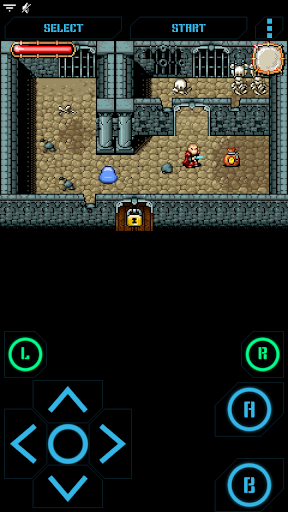
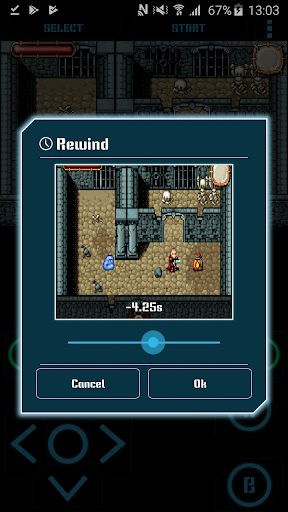
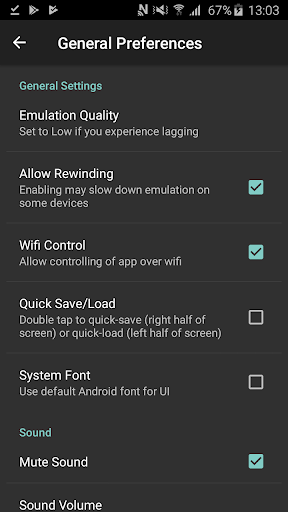
The app provides a sleek user interface and customizable controls, allowing players to tailor their gaming setup. With save states, rewinding, and Wi-Fi controller support, it enhances gameplay while maintaining the original GBA experience.

Features

This emulator stands out with its highly customizable virtual controller. Users can modify button sizes and positions, creating a personalized control scheme that suits their playstyle.

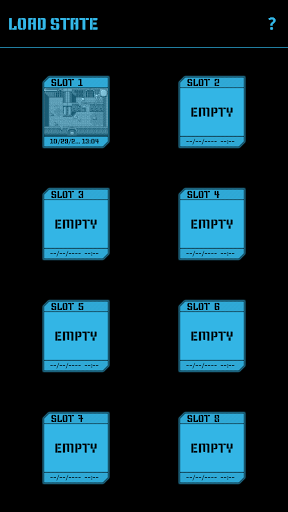
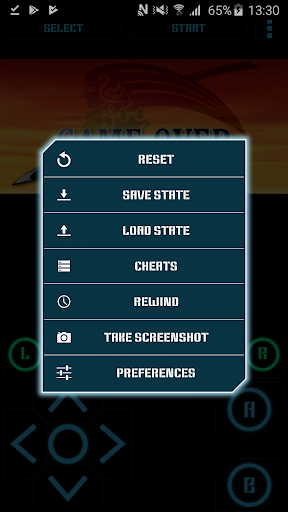
Gameplay features include multiple save slots with screenshots, rewind functionality, and turbo buttons. The app also supports hardware acceleration, stereo sound, and external gamepads, delivering a complete arcade-quality experience on mobile devices.

Arcade authenticity & nostalgia

Arcade authenticity and nostalgia refer to the ability of an application to recreate the genuine arcade gaming experience while evoking sentimental feelings associated with classic games. Nostalgia.GBA Pro achieves this by emulating the Game Boy Advance platform with high precision, ensuring that users can relive their favorite moments from iconic GBA titles. The emulator is based on mGBA, a renowned emulation project known for its accuracy in replicating original hardware behavior. This means that every aspect of gameplay, from graphics rendering to sound output, mirrors what players would have experienced on an actual Game Boy Advance console. The app's modern yet cool-looking interface strikes a balance between contemporary design sensibilities and retro aesthetics, enhancing the nostalgic appeal without compromising usability. Furthermore, features like rewind functionality allow gamers to correct mistakes instantly, adding a layer of convenience not present in traditional arcade setups but preserving the essence of uninterrupted play sessions. With support for both GBA and ZIP files, along with customizable virtual controllers, Nostalgia.GBA Pro offers an authentic arcade experience tailored to individual preferences. Users benefit from being able to adjust button sizes and positions according to their comfort, making long gaming sessions more enjoyable. Additionally, the inclusion of turbo buttons and A+B combinations caters to advanced playstyles, further enriching the nostalgic journey. Overall, Nostalgia.GBA Pro stands out as a premier choice for enthusiasts seeking to revisit cherished memories through faithful recreations of beloved classics.

Control responsiveness

Control responsiveness pertains to how quickly and accurately an application reacts to user inputs, which is crucial for delivering an immersive and satisfying gaming experience. In the case of Nostalgia.GBA Pro, control responsiveness is achieved through several key features designed to ensure seamless interaction between the player and the game. Firstly, the emulator leverages hardware-accelerated graphics utilizing OpenGL ES, guaranteeing smooth frame rates and eliminating input lag. This technological foundation ensures that every tap or swipe on the virtual controller translates immediately into corresponding actions within the game world. Moreover, the highly customizable nature of the virtual controller allows users to fine-tune the size and position of each button, optimizing their setup for maximum efficiency and comfort. Whether you prefer larger buttons for easier access or smaller ones to maximize screen real estate, Nostalgia.GBA Pro accommodates all preferences. Another standout feature contributing to control responsiveness is the support for HID Bluetooth gamepads such as MOGA and 8bitdo controllers. By integrating these external devices, players can enjoy tactile feedback and precise control akin to physical consoles, significantly enhancing the overall gaming experience. Additionally, the implementation of turbo buttons and combined A+B inputs provides advanced maneuverability options, catering to complex gameplay scenarios where split-second decisions matter. These enhancements collectively result in a responsive and intuitive control scheme that empowers users to fully immerse themselves in their favorite GBA titles. Ultimately, Nostalgia.GBA Pro excels in delivering a fluid and engaging gaming environment where every action feels immediate and impactful, reinforcing its status as a top-tier emulator for discerning gamers.

Props

High-quality emulation

Customizable controls

Multiple save slots

Rewind feature

Ad-free experience

Cons

No games included

Requires ROM files

Premium price

Complex setup

Large file size

Features and Functions

What is this app and what can I use it for?

A premium GBA emulator for playing classic games on modern devices

How do I download and install this app on my device?

Search Nostalgia.GBA Pro in Google Play, tap Install, and open after download

How do I get started after opening the app for the first time?

Grant necessary permissions, then browse or import your GBA ROM files to begin

What are the main features and capabilities of this app?

Save states, rewinding, customizable controls, and Wi-Fi controller support

How can I customize my experience and adjust preferences?

Adjust button sizes, positions, and layout through the controller settings menu

How do I save or bookmark my favorite content for later access?

Use save states feature with 8 manual slots and 1 autosave slot for progress saving

How can I share content with friends or on social media?

Capture screenshots in-game and share them via social media or messaging apps

How do I access detailed information and explore more content?

Explore detailed game info and settings through the game's context menu options

What permissions does this app need and how do I manage them?

Needs storage access for ROMs, manage in Android settings under app permissions

How do I check for updates and keep the app running smoothly?

Enable automatic updates in Google Play Store settings for latest version
Show more

User Reveiws

{{ comment.reviewer_name }}
{{ comment.review_date_formatted}}
{{ comment.review_content }}
{{ tab.name }}
{{ comment.reviewer_name }}
{{ comment.review_date_formatted}}
{{ comment.review_content }}
No reviews with this rating