NEO.emu (Arcade Emulator)

3.30

Information

Category:

Arcade

Price:

$ 3.99

Rank:

N/A

Rating:

3.30

Overview

NEO.emu is an advanced open-source Neogeo arcade and home system emulator that offers a minimalist UI with a focus on low audio and video latency. It supports a wide range of devices, from the original Xperia Play to modern devices like the Nvidia Shield and Pixel phones. This app allows users to enjoy classic arcade games with minimal setup, providing a seamless experience for retro gaming enthusiasts.

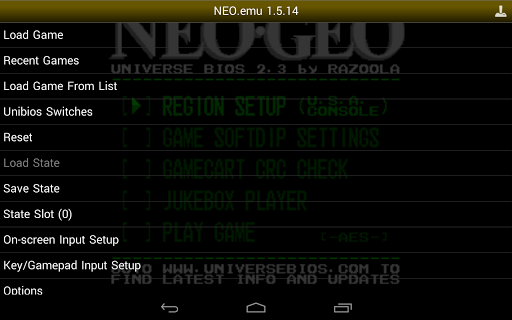
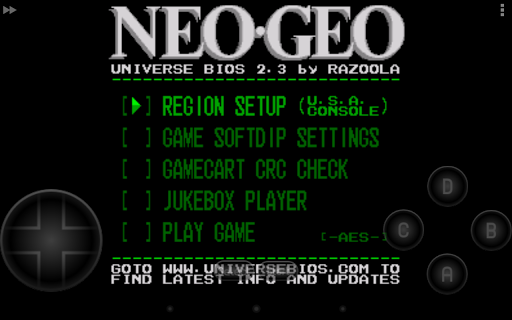
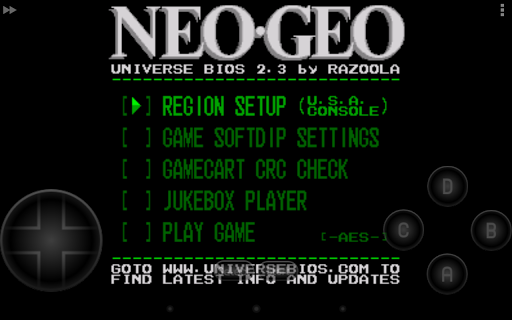
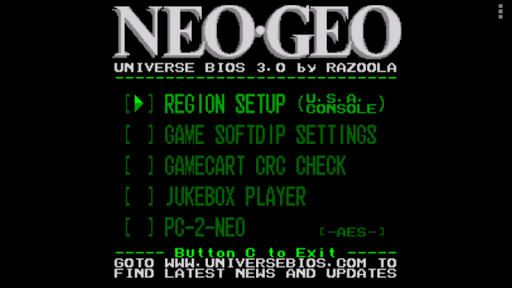
The emulator supports MAME 0.144 or newer sets and requires neogeo.zip for BIOS. It also features Universe Bios with direct editing of region and mode from the app menu. With configurable on-screen controls and support for Bluetooth/USB gamepads and keyboards, NEO.emu ensures compatibility with various HID devices recognized by the OS, such as Xbox and PS4 controllers. The app's dedication to performance and compatibility makes it a top choice for Neogeo fans.

Features

NEO.emu stands out with its comprehensive feature set tailored for an optimal emulation experience. One of its key features is the support for MAME 0.144 or newer sets, ensuring access to a vast library of arcade games. The inclusion of Universe Bios with direct editing capabilities from the app menu adds another layer of customization, allowing users to tweak settings to their preference.

The app provides configurable on-screen controls, catering to different play styles and preferences. Additionally, NEO.emu boasts robust support for Bluetooth and USB gamepads, as well as keyboards, making it compatible with any HID device recognized by the OS, including popular controllers like Xbox and PS4. This versatility in control options enhances user interaction and enjoyment, setting NEO.emu apart from other emulators in its category.

Arcade authenticity & nostalgia

The essence of arcade authenticity and nostalgia in gaming emulators is pivotal for enthusiasts who seek to relive the classic arcade experiences on their modern devices. NEO.emu, an advanced open-source Neogeo arcade emulator based on Gngeo, captures this spirit by offering a minimalist UI focused on low audio/video latency, thus enhancing the nostalgic experience. The emulator supports MAME 0.144 or newer sets, requiring neogeo.zip for BIOS, which ensures that the original game behaviors and graphics are faithfully reproduced. Additionally, it includes support for Universe Bios, allowing users to directly edit region and mode settings from the app menu, further customizing their nostalgic journey. By supporting a wide variety of devices, from the original Xperia Play to modern devices like the Nvidia Shield and Pixel phones, NEO.emu bridges the gap between past and present gaming technologies. This compatibility ensures that the feel and responsiveness of classic arcade games are preserved, providing users with an authentic arcade experience on their contemporary devices. The inclusion of configurable on-screen controls and support for Bluetooth/USB gamepads, including Xbox and PS4 controllers, enhances the nostalgic value by mimicking the original arcade control schemes. Thus, NEO.emu not only brings back memories of arcade gaming but also adapts them to the convenience and technology of today, making it an invaluable tool for both reminiscing about and experiencing the golden age of arcade games.

Control responsiveness

Control responsiveness is a critical aspect of any gaming emulator, as it directly impacts the user's gaming experience by determining how accurately and swiftly player inputs are translated into in-game actions. NEO.emu excels in delivering high control responsiveness through its support for a wide array of input methods, ensuring that every move, button press, or command is executed with precision and immediacy. The emulator offers configurable on-screen controls, allowing users to customize the layout and sensitivity according to their preferences, which is essential for achieving the desired level of responsiveness. Moreover, NEO.emu extends its responsive control scheme to include Bluetooth and USB gamepad support, compatible with any HID device recognized by the OS, such as Xbox and PS4 controllers. This versatility in input options guarantees that players can choose the most comfortable and intuitive control method, closely mimicking the tactile feedback of original arcade machines. The focus on low audio/video latency further complements the responsive controls by ensuring that visual and auditory game responses are in perfect sync with the player's actions. As a result, NEO.emu provides an immersive and seamless gaming experience that satisfies the expectations of arcade gaming purists and casual players alike, making it a top choice for those seeking to enjoy classic Neogeo arcade games with modern convenience and technological advancements.

Props

Low audio/video latency

Wide device compatibility

Customizable controls

Supports latest MAME sets

Active development and support

Cons

No ROMs included

Requires BIOS file

Complex for beginners

Limited to Neogeo systems

Dependent on third-party storage

Features and Functions

What is this app and what can I use it for?

A Neogeo emulator for Android, use it to play classic arcade games.

How do I download and install this app on my device?

Visit Google Play Store, search for NEO.emu, and tap Install.

How do I get started after opening the app for the first time?

Launch the app, configure controls, and load your ROM files.

What are the main features and capabilities of this app?

Emulates Neogeo games, customizable controls, supports HID devices.

How can I customize my experience and adjust preferences?

Adjust settings via the app menu to customize your experience.

How do I save or bookmark my favorite content for later access?

Save favorite games by organizing ROM files in dedicated folders.

How can I share content with friends or on social media?

Share gameplay via screenshots using Android's share function.

How do I access detailed information and explore more content?

Access detailed info through in-app menus and documentation links.

What permissions does this app need and how do I manage them?

Needs storage access; manage permissions in Android settings.

How do I check for updates and keep the app running smoothly?

Check updates in Play Store; enable auto-updates for smooth operation.
Show more

User Reveiws

{{ comment.reviewer_name }}
{{ comment.review_date_formatted}}
{{ comment.review_content }}
{{ tab.name }}
{{ comment.reviewer_name }}
{{ comment.review_date_formatted}}
{{ comment.review_content }}
No reviews with this rating