

OnePay – Mobile Banking

4.70

Information

Category:

Finance

Price:

Free

Rank:

3

Rating:

4.70

Overview

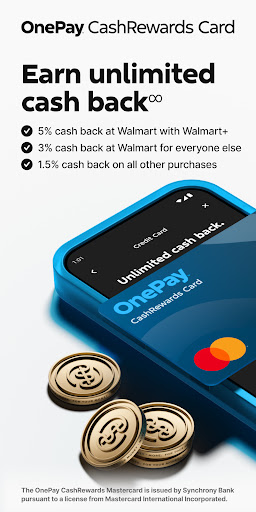
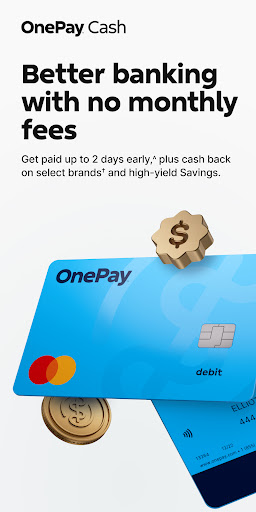
OnePay - Mobile Banking is a comprehensive financial technology application that offers users an innovative way to manage their finances. As a non-bank financial entity, OnePay partners with established banking institutions like Coastal Community Bank and Lead Bank to provide FDIC-insured banking services. The app features a range of financial products including the OnePay CashRewards Mastercard and the OnePay Debit Card, both issued under license from Mastercard International Incorporated.

The core functionality of OnePay revolves around its digital banking services, which include cashback rewards earned as OnePay Points, mobile payment solutions, and credit-building tools. Users can enjoy benefits such as eligible deposit requirements for enhanced account features, savings backup options, and customizable overdraft protections. These features are designed to give users more control over their financial health while providing them with flexible banking options.

OnePay is particularly useful for individuals seeking a modern approach to banking. Whether it's receiving direct deposits, managing daily expenses, or building credit, this app provides practical solutions tailored to today's digital lifestyle. By integrating advanced financial tools with user-friendly interfaces, OnePay delivers significant value to its customers, making it easier than ever to handle personal finances efficiently.

Features

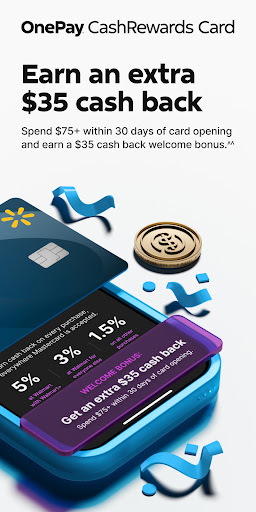
OnePay - Mobile Banking stands out due to its diverse array of features designed to enhance the user's financial management experience. One of the key highlights is the ability to earn cash back through OnePay Points, which can be redeemed in various ways including deposits into a OnePay Cash account. This feature not only incentivizes usage but also adds tangible value to everyday transactions.

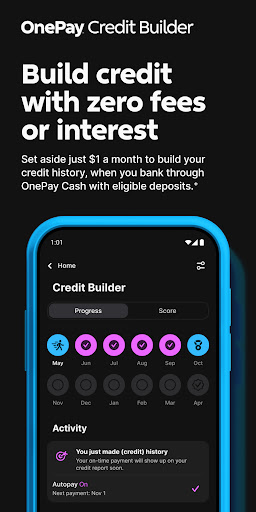
The app also includes sophisticated credit-building tools. Users have the option to participate in a Credit Builder Program, allowing them to make monthly payments towards improving their credit scores. While success isn't guaranteed, this program offers a structured approach to credit improvement. Additionally, OnePay provides a Fee-Free Overdraft service and Savings Backup feature, giving users peace of mind when managing unexpected expenses.

Another notable aspect is the availability of both OnePay CashRewards Mastercard and Debit Card options. These cards come with unique benefits such as cash back on purchases and global acceptance, thanks to the Mastercard network. With these features, OnePay ensures that users have access to versatile and secure payment methods, whether they're shopping locally or internationally.

Account and Fund Security

In the realm of digital finance OnePay places a strong emphasis on account and fund security ensuring that users can manage their finances with peace of mind. The application employs state-of-the-art data encryption protocols to safeguard sensitive information from unauthorized access. This means that whether you are checking your balance transferring funds or making payments your data is protected by robust encryption standards. Privacy protection is another cornerstone of OnePay's security framework. The app adheres to strict privacy policies ensuring that user data is not only encrypted but also anonymized wherever possible to prevent any potential misuse. Additionally OnePay implements multi-factor authentication processes adding an extra layer of security during login and transaction authorization. This ensures that even if login credentials are compromised unauthorized access is still effectively mitigated. Account security verification is seamlessly integrated into the user experience through biometric authentication options such as fingerprint scanning and facial recognition. These features provide a convenient yet highly secure method for users to access their accounts without compromising on safety. Furthermore OnePay continuously monitors account activity for suspicious behavior employing advanced algorithms that can detect unusual patterns and trigger additional verification steps when necessary. The combination of these security measures creates a comprehensive protective environment for users' financial assets. By prioritizing both technological safeguards and user-friendly security features OnePay delivers a banking experience where customers can confidently conduct their financial activities knowing their accounts and funds are well-protected against modern cyber threats.

Transaction experience

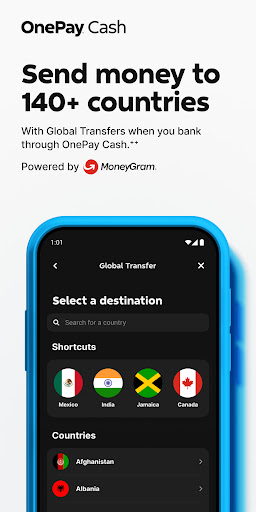
OnePay revolutionizes the transaction experience by offering users unparalleled convenience speed and transparency in managing their financial activities. At the core of this enhanced experience is the app's intuitive interface which streamlines various financial operations into simple seamless actions. Whether you're sending money to friends paying bills or making purchases OnePay ensures that each transaction is executed swiftly often completing transfers within seconds regardless of the amount or recipient location. Real-time notifications play a crucial role in keeping users informed about their financial movements. Each transaction triggers instant alerts detailing the amount date and parties involved providing users with immediate confirmation and peace of mind. This real-time communication extends to pending transactions allowing users to track the status of scheduled payments or deposits ensuring they are always aware of their current financial standing. Transaction history management is another area where OnePay excels offering users a comprehensive and easily accessible record of all their financial activities. The app maintains a detailed chronological log that includes not only basic transaction details but also categorizes spending patterns and provides visual summaries of monthly expenditures. This feature enables users to better understand their financial habits while simplifying tax preparation and budgeting processes. Moreover OnePay incorporates intelligent features such as automatic bill payments and customizable recurring transfer settings which help users maintain consistent financial routines without manual intervention. The app also supports multiple currency transactions with transparent foreign exchange rates displayed upfront eliminating surprises during international transfers. Through these carefully designed features OnePay transforms what could be complex financial operations into straightforward manageable tasks empowering users to take control of their finances with confidence and ease.

Props

User-friendly interface

FDIC-insured banking

Cash back rewards

Credit building tools

Flexible payment options

Cons

Limited to eligible users

Requires direct deposit

Overdraft limitations

Variable exchange rates

Potential service fees

Features and Functions

What is this app and what can I use it for?

OnePay is a finance app offering mobile banking, cashback rewards, and credit-building tools.

How do I download and install this app on my device?

Download OnePay from Google Play Store and install by following on-screen instructions.

How do I get started after opening the app for the first time?

After opening OnePay, follow the setup wizard to create your account and set preferences.

What are the main features and capabilities of this app?

Key features include cashback rewards, credit builder tools, and secure mobile payments.

How can I customize my experience and adjust preferences?

Customize your OnePay experience via the settings menu to adjust notification preferences.

How do I save or bookmark my favorite content for later access?

Save favorite content by bookmarking transactions or saving reports within the app.

How can I share content with friends or on social media?

Share financial tips or achievements by posting them directly to social media platforms.

How do I access detailed information and explore more content?

Access detailed info through transaction history and explore more via integrated tools.

What permissions does this app need and how do I manage them?

OnePay needs permissions for transactions, managed through device settings if needed.

How do I check for updates and keep the app running smoothly?

Check for updates in the Google Play Store and enable auto-update for smooth operation.
Show more

User Reveiws

{{ comment.reviewer_name }}
{{ comment.review_date_formatted}}
{{ comment.review_content }}
{{ tab.name }}
{{ comment.reviewer_name }}
{{ comment.review_date_formatted}}
{{ comment.review_content }}
No reviews with this rating