
My Budget Book

4.80

Information

Category:

Finance

Price:

$ 4.99

Rank:

15

Rating:

4.80

Overview

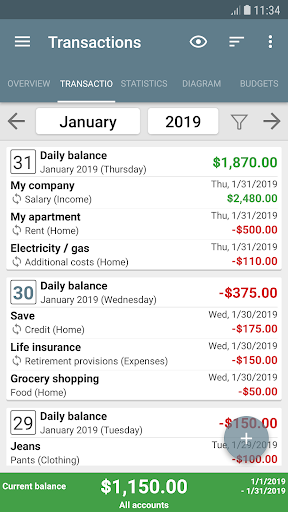
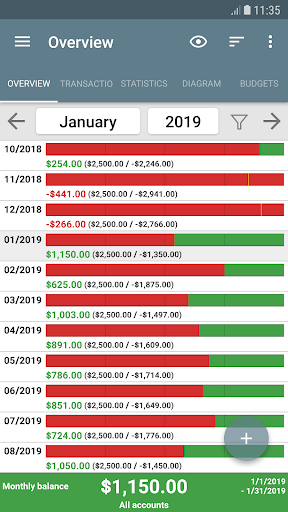
My Budget Book is a comprehensive financial management application designed to help users effectively track and manage their income and expenses. The app offers features for recording individual or recurring transactions, allowing users to monitor their balances and forecast future financial positions.

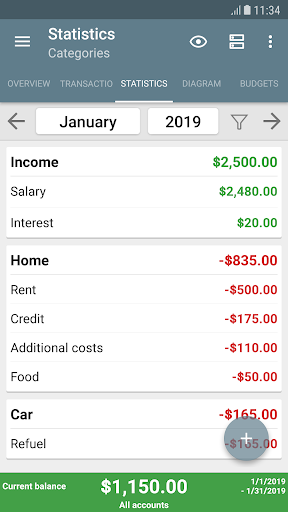
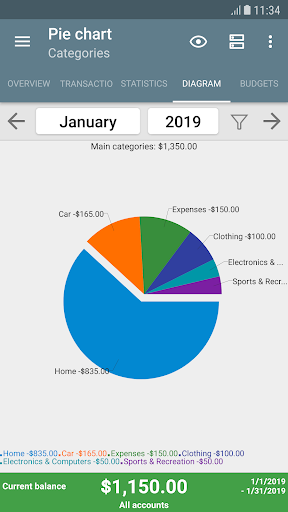
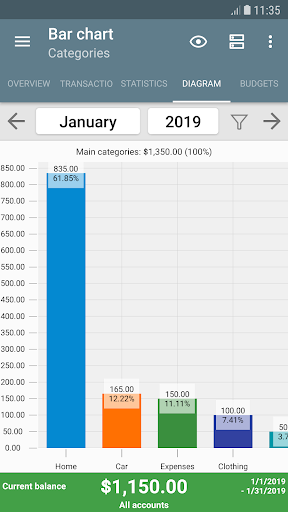
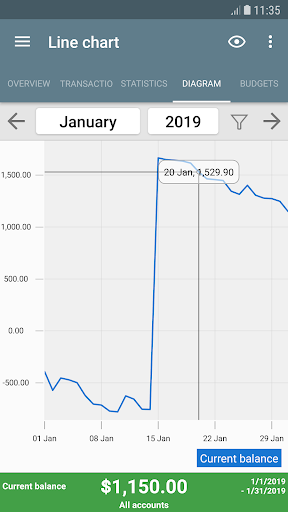
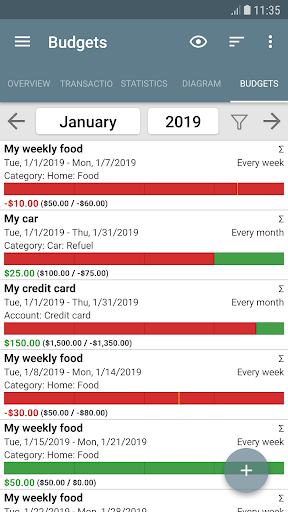
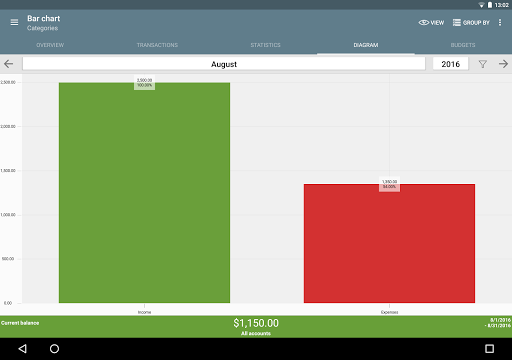
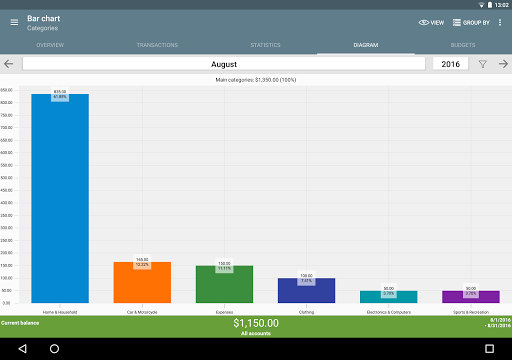
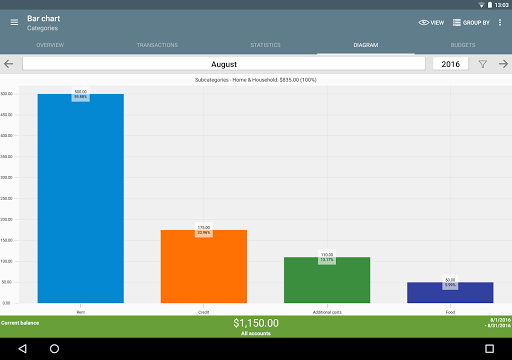
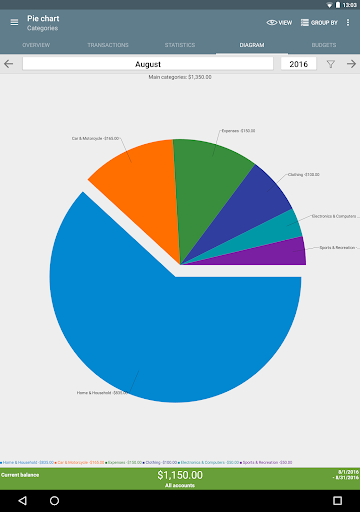
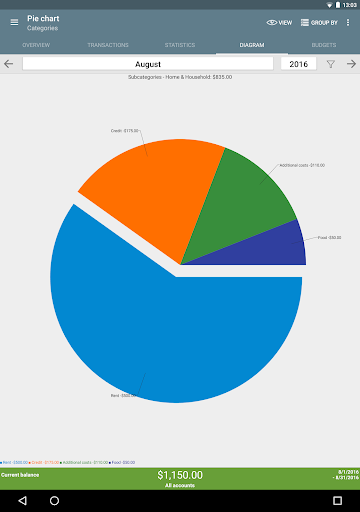
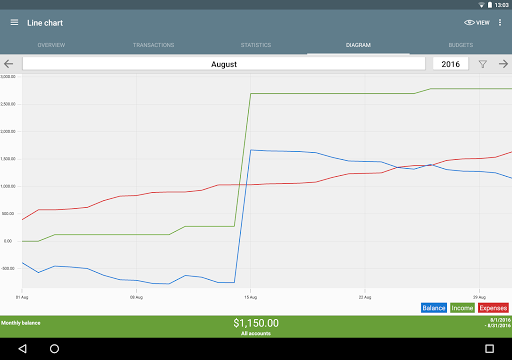
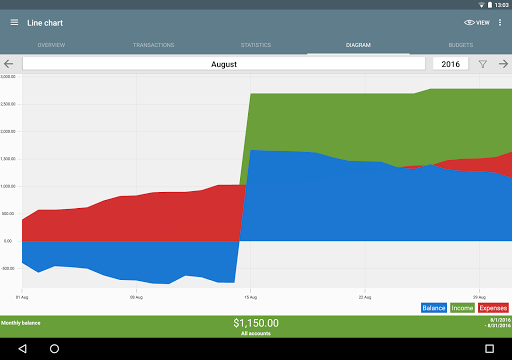
One of the standout capabilities is the budgeting mode, which enables users to set spending limits or savings goals over custom time periods. Whether it's controlling clothing expenses, limiting coffee purchases, or saving for a vacation, users can define specific budgets for different categories. The app also provides dynamic charts and graphs for visualizing financial data, making it easier to understand one's financial habits.

This finance app is particularly useful for individuals who want to maintain detailed records of their finances without compromising privacy, as it works offline and includes robust security features like password protection and fingerprint authentication.

Features

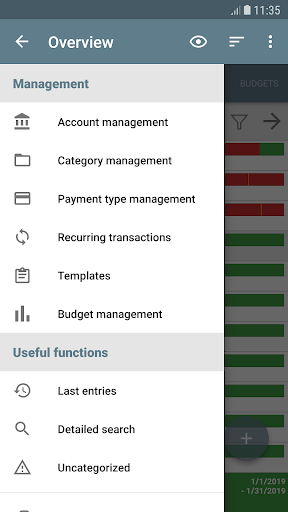
My Budget Book stands out with its rich feature set tailored for effective money management. One of the key aspects is its ability to handle both individual and recurring transactions, providing users with precise control over their financial tracking. This functionality extends to managing multiple accounts and enabling transfers between them, offering a holistic view of one's financial status.

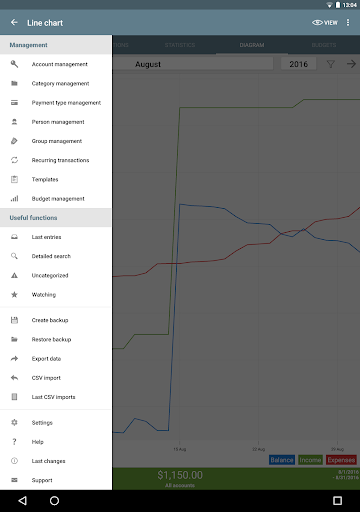
The app excels in customization options, allowing users to personalize categories, subcategories, and even the layout with configurable dark mode settings. Users can visualize their data through tables or graphs, add photos or receipts to transactions, and set reminders for pending payments. Additionally, the app supports importing and exporting data in various formats, including CSV and Excel, facilitating easy backup and sharing.

Security and convenience are prioritized with features like password protection, fingerprint authentication, and automatic local backups. The inclusion of widgets brings added convenience by providing quick access to essential functions directly from the home screen.

Account and Fund Security

In the realm of personal finance applications like My Budget Book account and fund security form the bedrock of user trust and reliability Ensuring that sensitive financial data remains protected is not just a feature but a necessity My Budget Book addresses this critical aspect through multiple layers of security measures Firstly the app operates entirely offline deliberately avoiding internet permissions This design choice significantly reduces the risk of data breaches as all financial information stays on the device Additionally users have the option to secure their data with either a password or fingerprint authentication adding an extra layer of personalized protection For those concerned about data loss despite the lack of cloud connectivity the app provides automatic local backups Users can also manually create backups whenever needed ensuring peace of mind regarding their financial records Furthermore when it comes to importing or exporting data such as bank statements or CSV files the process remains secure without exposing any sensitive information online These security protocols collectively ensure that users can manage their finances without worrying about unauthorized access or data leaks The emphasis on privacy and security empowers users to take full control of their financial data making My Budget Book a reliable tool for managing personal finances safely and securely

Transaction experience

The transaction experience within a finance application plays a pivotal role in simplifying the often complex task of managing personal finances My Budget Book excels in providing a seamless and intuitive transaction management system that caters to both novice and experienced users alike At its core the app allows for easy recording of individual and recurring transactions enabling users to effortlessly track their income and expenses This functionality extends further with features like budget mode where users can set specific limits or goals over custom periods whether it be weekly monthly or even bi weekly intervals For instance if someone tends to overspend on clothing they can set a monthly cap or for frequent coffee buyers a weekly limit can be established Moreover the app offers dynamic visualization tools presenting financial data through charts and graphs which provide clear insights into spending patterns and trends Another standout feature is the ability to reconcile expenses with bank statements ensuring accuracy and completeness in financial tracking Users can also enhance their transaction entries by attaching photos or receipts reducing paper clutter and serving as visual reminders of past transactions To streamline the process of entering transactions the app includes customizable templates making repetitive entries quick and hassle free Additionally sorting options allow users to organize transactions based on categories payment types or other criteria offering a tailored view that suits individual preferences Overall these comprehensive transaction management capabilities coupled with user friendly interfaces make My Budget Book an indispensable tool for anyone looking to gain better control over their financial life

Props

User-friendly interface

Comprehensive budgeting tools

Offline functionality

Customizable categories

Robust security features

Cons

No built-in cloud sync

Limited to personal finance

Manual data entry required

Occasional UI glitches

Premium version costs

Features and Functions

What is this app and what can I use it for?

A finance app for tracking income and expenses with budgeting tools.

How do I download and install this app on my device?

Visit Google Play Store, search for My Budget Book, and tap Install.

How do I get started after opening the app for the first time?

Follow the on-screen instructions to set up your profile and preferences.

What are the main features and capabilities of this app?

Key features include budgeting tools, transaction tracking, and data visualization.

How can I customize my experience and adjust preferences?

Adjust settings via the Preferences menu to customize your experience.

How do I save or bookmark my favorite content for later access?

Use the bookmark feature to save favorite reports or transaction details.

How can I share content with friends or on social media?

Share financial summaries via email or export options within the app.

How do I access detailed information and explore more content?

Access detailed reports through the app's reporting section or export data.

What permissions does this app need and how do I manage them?

The app requires storage permission for backups and media access.

How do I check for updates and keep the app running smoothly?

Enable auto-updates in Google Play Store settings to keep the app current.
Show more

User Reveiws

{{ comment.reviewer_name }}
{{ comment.review_date_formatted}}
{{ comment.review_content }}
{{ tab.name }}
{{ comment.reviewer_name }}
{{ comment.review_date_formatted}}
{{ comment.review_content }}
No reviews with this rating