Retro emulator classic

4.4

Information

Category:

Arcade

Price:

$ 8.49

Rank:

N/A

Rating:

4.4

Overview

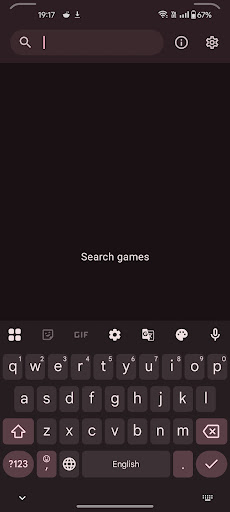
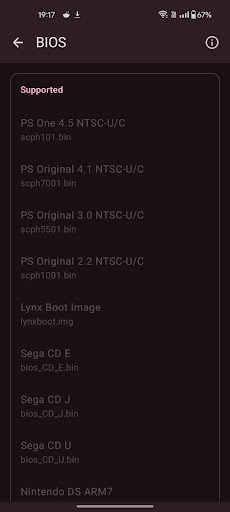
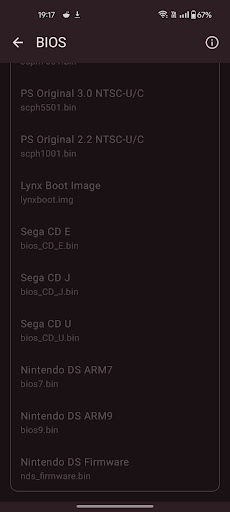
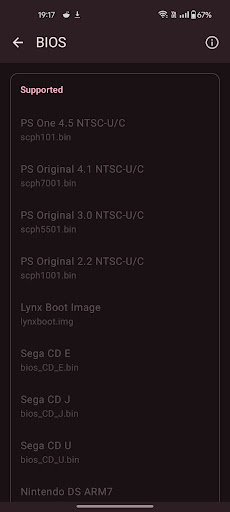
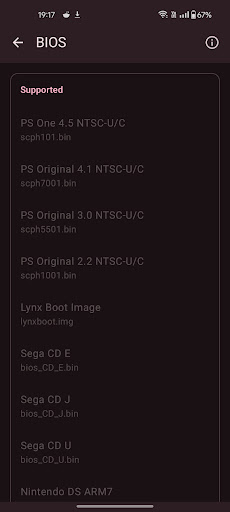
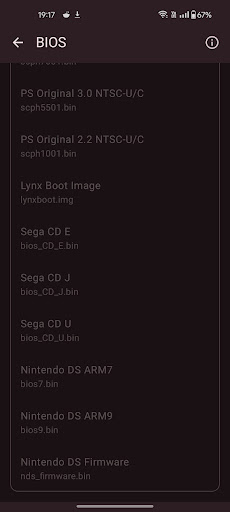
Retro emulator classic is a versatile all-in-one emulator that brings retro gaming to Android devices. It supports multiple gaming systems including Atari, Nintendo, PlayStation, and Sega platforms. Designed for smooth performance, the app offers an ad-free experience with intuitive controls optimized for touchscreens.

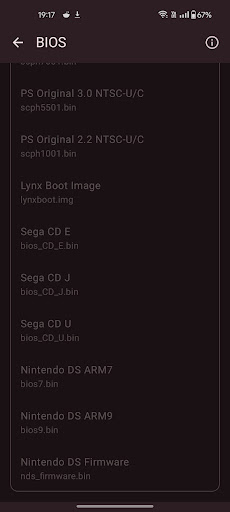
The emulator's key strengths lie in its comprehensive feature set and cross-platform compatibility. Users can enjoy automatic save states, customizable touch controls, and support for zipped ROMs across phone, tablet, and TV interfaces. Its ability to handle advanced systems like PSP and Nintendo DS makes it valuable for retro gaming enthusiasts.

Features

The Retro emulator classic stands out with its extensive feature set tailored for retro gaming aficionados. The application automatically saves and restores game states while offering quick save/load functionality through multiple slots. This ensures seamless gameplay sessions without worrying about progress loss.

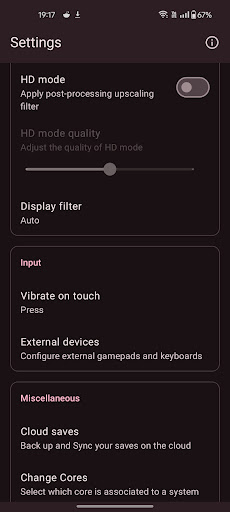
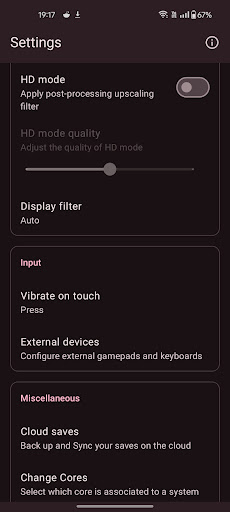
Advanced display options include video filters and LCD/CRT simulation, enhancing the authenticity of retro gaming experiences. The emulator supports various control methods such as gamepads, tilt-stick functionality, and fully customizable touch controls. Additional features like cloud save sync and local multiplayer capabilities further enrich the user experience across different devices.

Arcade authenticity & nostalgia

The Arcade authenticity and nostalgia feature in Retro emulator classic is designed to recreate the authentic arcade gaming experience on modern Android devices. This functionality goes beyond simple emulation by incorporating specific elements that capture the essence of classic arcade gameplay. The app achieves this through meticulous attention to detail in its emulation engines, ensuring that each supported system behaves exactly as the original hardware did. For instance, when playing classic Atari or Nintendo games, users will notice accurate replication of the original graphics, sound effects, and even subtle hardware behaviors like screen refresh rates and input lag. The app also includes advanced video filters and display simulation options that mimic the visual characteristics of old CRT monitors and LCD screens found in original arcade machines. These features are crucial for creating an immersive nostalgic experience that transports users back to the golden age of arcade gaming. Additionally, the app supports a wide range of classic arcade systems including Final Burn Neo titles, providing access to hundreds of arcade classics. The importance of this feature lies in its ability to preserve gaming history while making it accessible to modern players. By maintaining such high standards of authenticity, Retro emulator classic enables both casual gamers and retro enthusiasts to relive their favorite gaming moments with complete accuracy. Furthermore, the app's support for local multiplayer and various control schemes enhances the social aspect of arcade gaming, allowing friends and family to share in the nostalgic experience together.

Control responsiveness

Control responsiveness in Retro emulator classic represents a critical aspect of the overall gaming experience, ensuring that user inputs are accurately and immediately reflected in-game. This feature is particularly important for arcade games where precise timing and quick reactions often determine success. The app achieves exceptional control responsiveness through several key implementations. First, it offers fully customizable touch controls that can be adjusted to suit individual preferences and play styles. Users can modify button sizes, positions, and transparency levels to create the most comfortable and effective control layout for their device. Second, the app provides extensive support for physical gamepads, including Bluetooth controllers and USB peripherals, ensuring minimal input latency and maximum precision. The emulator's engine has been optimized to process controller inputs with near-instantaneous response times, typically within 1-2 frames of delay. Additionally, Retro emulator classic includes advanced calibration options that allow users to fine-tune the sensitivity and dead zones of their controls. This level of customization is particularly beneficial for competitive players who demand absolute control over their gaming experience. The app also supports tilt-based controls for certain games, adding another layer of immersion and interactivity. Furthermore, the implementation of quick save/load states and fast-forward functionality demonstrates the app's commitment to responsive gameplay. These features not only enhance convenience but also maintain the flow of gameplay without introducing noticeable delays. The combination of these various control mechanisms ensures that Retro emulator classic delivers a consistently smooth and responsive gaming experience across all supported platforms, from simple 8-bit classics to more complex 3D titles.

Props

User-friendly interface

Wide system compatibility

Customizable controls

Cloud save functionality

Ad-free experience

Cons

Requires powerful hardware

No included games

Complex setup process

Limited customer support

Occasional bugs

Features and Functions

What is this app and what can I use it for?

A versatile emulator for retro gaming on Android devices

How do I download and install this app on my device?

Search Retro emulator classic on Google Play Store and tap install

How do I get started after opening the app for the first time?

Grant necessary permissions and follow the setup wizard

What are the main features and capabilities of this app?

Supports multiple systems, save states, and custom controls

How can I customize my experience and adjust preferences?

Adjust touch controls and video settings in preferences

How do I save or bookmark my favorite content for later access?

Use quick save slots to store favorite game positions

How can I share content with friends or on social media?

Share game progress through cloud save functionality

How do I access detailed information and explore more content?

Explore detailed system information in settings menu

What permissions does this app need and how do I manage them?

Needs storage access to read legally acquired ROM files

How do I check for updates and keep the app running smoothly?

Enable automatic updates in Google Play Store settings
Show more

User Reveiws

{{ comment.reviewer_name }}
{{ comment.review_date_formatted}}
{{ comment.review_content }}
{{ tab.name }}
{{ comment.reviewer_name }}
{{ comment.review_date_formatted}}
{{ comment.review_content }}
No reviews with this rating