M64Plus FZ Pro Emulator

4.80

Information

Category:

Arcade

Price:

$ 3.99

Rank:

25

Rating:

4.80

Overview

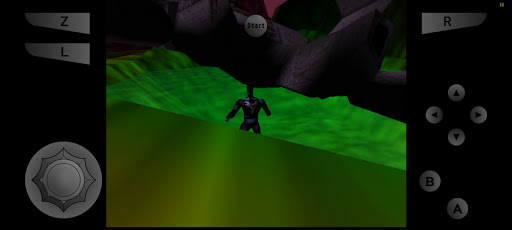
M64Plus FZ Pro Emulator is a premier arcade gaming solution for Android users, allowing players to revisit classic Nintendo 64 titles. This pro version enhances the emulation experience by offering online cloud backup, netplay capabilities, and an ad-free interface. Designed for both casual gamers and emulation enthusiasts, it provides extensive compatibility with N64 games while integrating advanced features for optimal performance.

The emulator comes equipped with all necessary cores and plugins, ensuring a comprehensive setup out of the box. While not every game or device will work flawlessly, the majority of titles are supported. Users can experiment with different video plugins to achieve the best results for their specific devices. Additionally, the inclusion of netplay allows gamers to connect and play with others over the internet or locally within the same WiFi network.

Features

M64Plus FZ Pro Emulator stands out with its robust feature set tailored for arcade gaming aficionados. The pro version introduces online cloud backup, enabling users to save their progress securely and access it across multiple devices. This feature is particularly useful for those who switch between devices or wish to safeguard their data against loss.

Another highlight is the netplay functionality, which facilitates multiplayer gaming over the internet. To ensure smooth connectivity, users need a router with UPnP support when playing online. However, local multiplayer within the same WiFi network does not require UPnP, making it more accessible. The emulator also supports a wide range of video plugins, although compatibility may vary depending on the device. This flexibility allows users to fine-tune their gaming experience according to their hardware specifications.

Arcade authenticity & nostalgia

The M64Plus FZ Pro Emulator delivers a compelling arcade experience by emulating the original Nintendo 64 gaming console on modern Android devices. Arcade authenticity in this context refers to how faithfully the emulator reproduces the classic gaming experience associated with the original hardware. The pro version of the app includes all necessary cores and plugins, ensuring that most games not only run but also feel like playing on the original console. However, it is important to note that while many games work well, there may be issues with specific titles or devices. To enhance the nostalgic experience, users might need to experiment with different video plugins to find the best compatibility and performance for each game. This trial-and-error approach mirrors the setup and tweaking process enthusiasts would undertake with actual arcade machines, adding an authentic layer to the emulation experience. The emulator also supports netplay functionality, allowing users to engage in multiplayer sessions over the internet or locally within the same wifi network. This feature recreates the social aspect of arcade gaming where players could gather around a machine or play against each other in real-time. By providing these capabilities, the M64Plus FZ Pro Emulator successfully captures the essence of arcade gaming, offering users a chance to relive the golden era of Nintendo 64 gaming on contemporary devices.

Control responsiveness

Control responsiveness is crucial for an optimal gaming experience, especially when emulating classic arcade games where precision and timing are key. The M64Plus FZ Pro Emulator addresses this by ensuring that user inputs are accurately and swiftly translated into in-game actions. The emulator supports various control schemes including touch controls, external gamepads, and even keyboard input for devices that support it. This flexibility allows users to choose the control method that feels most comfortable and responsive to them. For touch controls, the emulator provides customizable virtual buttons which can be positioned according to personal preference, enhancing accessibility and ease of use. When using external controllers, the app ensures minimal input latency, making gameplay feel immediate and precise. It is worth noting that while the emulator performs admirably with most games, certain titles may exhibit glitches depending on the chosen video plugin or device specifications. Users are encouraged to experiment with different configurations to achieve the best possible control responsiveness for their preferred games. Additionally, the pro version's support for netplay adds another dimension to control responsiveness by enabling seamless online multiplayer experiences. Players connected via the internet can enjoy lag-free interactions thanks to UPnP router support which facilitates smooth data transmission between participants. Overall, the M64Plus FZ Pro Emulator excels at delivering responsive controls across various input methods, ensuring that gamers can fully immerse themselves in their favorite arcade classics without being hindered by unresponsive interfaces.

Props

Online cloud backup

No ads

Netplay support

Wide game compatibility

Comprehensive plugin suite

Cons

Game-specific issues

Device compatibility

Potential glitches

Missing translations

Requires UPnP for netplay

Features and Functions

What is this app and what can I use it for?

M64Plus FZ Pro Emulator lets you play Nintendo 64 games on Android with added features like cloud backup and netplay.

How do I download and install this app on my device?

Search for M64Plus FZ Pro Emulator on Google Play Store, tap Install, and open after downloading.

How do I get started after opening the app for the first time?

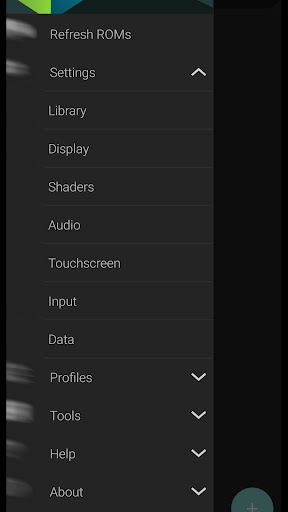
Upon first launch, go to Settings to configure controls, video plugins, and enable cloud backup if needed.

What are the main features and capabilities of this app?

Key features include cloud saves, netplay, customizable controls, and broad game compatibility.

How can I customize my experience and adjust preferences?

Adjust preferences in Settings, including control schemes, video plugins, and language options.

How do I save or bookmark my favorite content for later access?

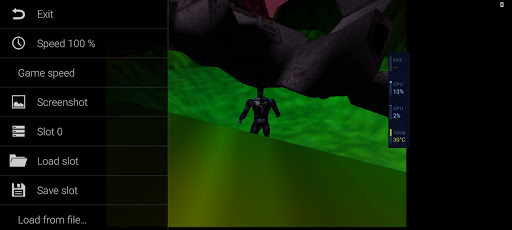
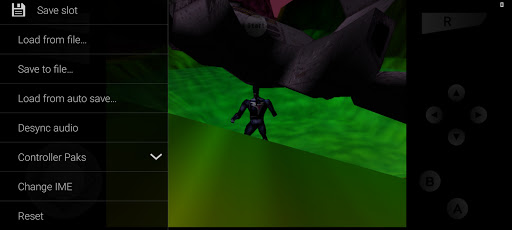
Save favorite games directly from the game list menu or via the in-game pause menu.

How can I share content with friends or on social media?

Share gameplay progress or screenshots using the Share option found in the game's pause menu.

How do I access detailed information and explore more content?

Access detailed information through the game's info screen or explore more content in the main menu.

What permissions does this app need and how do I manage them?

The app needs storage and network permissions; manage these in your device's app settings.

How do I check for updates and keep the app running smoothly?

Check for updates in the Google Play Store or within the app's settings under About section.
Show more

User Reveiws

{{ comment.reviewer_name }}
{{ comment.review_date_formatted}}
{{ comment.review_content }}
{{ tab.name }}
{{ comment.reviewer_name }}
{{ comment.review_date_formatted}}
{{ comment.review_content }}
No reviews with this rating